> ## Documentation Index
> Fetch the complete documentation index at: https://docs.probaseapp.com/llms.txt
> Use this file to discover all available pages before exploring further.
# Business reports
> See what came in, how many jobs you did, and how it compares with the period before
## Overview
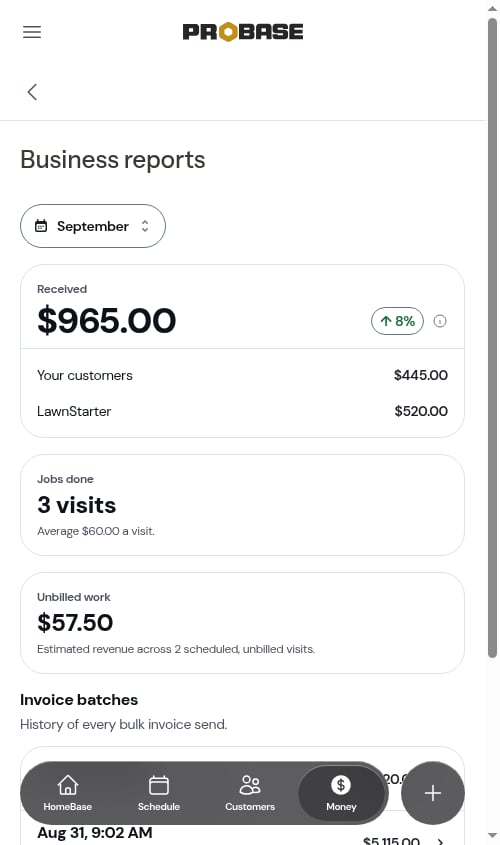
**Business reports** gives you the big-picture numbers for your business over any period. Open it from **Money** — tap **Business reports** under **Payment history**.
 ## Pick a period
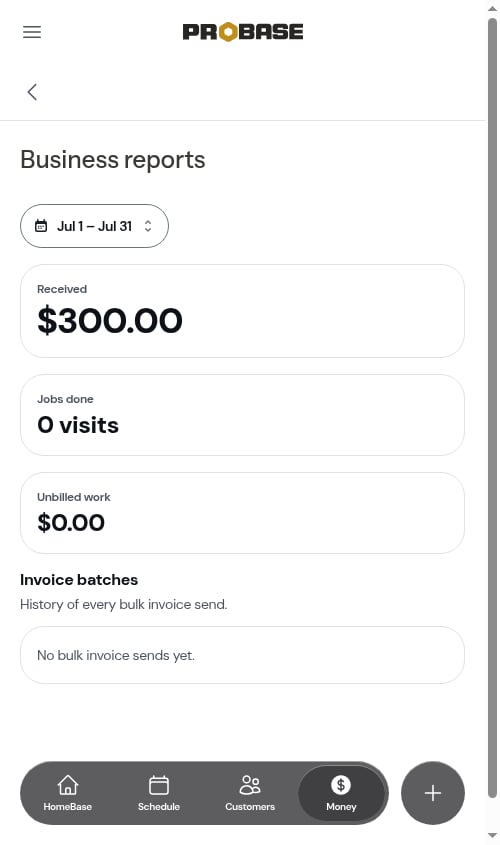
The chip at the top sets the period, and it's the same period you picked on Money — change it here and Money, the Invoices list, and the Payments list follow. **This month** is where it starts each day. Every figure on the page follows it except the invoice batches list. See [Your period follows you](/billing/money-overview#your-period-follows-you).
## Pick a period
The chip at the top sets the period, and it's the same period you picked on Money — change it here and Money, the Invoices list, and the Payments list follow. **This month** is where it starts each day. Every figure on the page follows it except the invoice batches list. See [Your period follows you](/billing/money-overview#your-period-follows-you).
 ## Received
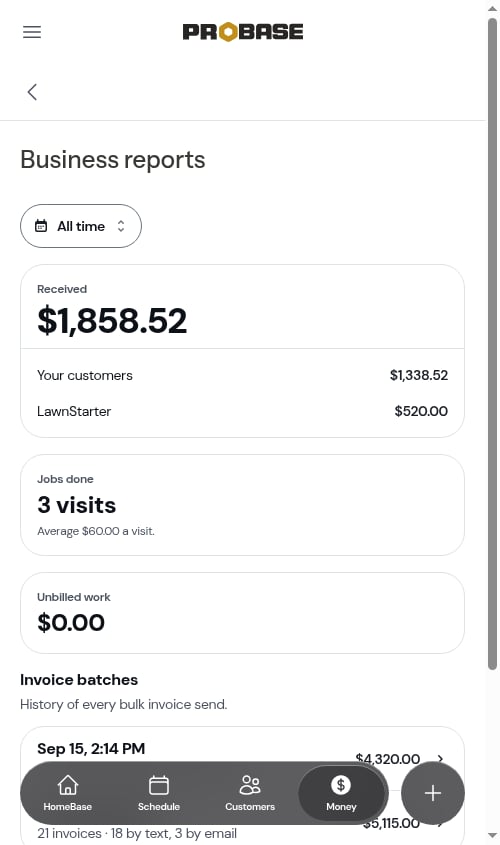
The big figure is everything that came in during the period. If you've [connected a marketplace](/marketplace/connecting-accounts), it's split into **Your customers** and one row for each marketplace you've connected (for example **LawnStarter**) — the same split as the [Money card](/billing/money-overview#the-money-card). Without a connected marketplace, there's no split.
Next to it, a small pill shows how this compares with the period before — **↑ 8%** when you took in more, **↓ 8%** when less. Tap the **ⓘ** beside it to see exactly what it compares against — for example *"Compared with Aug 1 – Aug 31, the 31 days before this period."* A custom range is compared with the same number of days just before it.
## Received
The big figure is everything that came in during the period. If you've [connected a marketplace](/marketplace/connecting-accounts), it's split into **Your customers** and one row for each marketplace you've connected (for example **LawnStarter**) — the same split as the [Money card](/billing/money-overview#the-money-card). Without a connected marketplace, there's no split.
Next to it, a small pill shows how this compares with the period before — **↑ 8%** when you took in more, **↓ 8%** when less. Tap the **ⓘ** beside it to see exactly what it compares against — for example *"Compared with Aug 1 – Aug 31, the 31 days before this period."* A custom range is compared with the same number of days just before it.
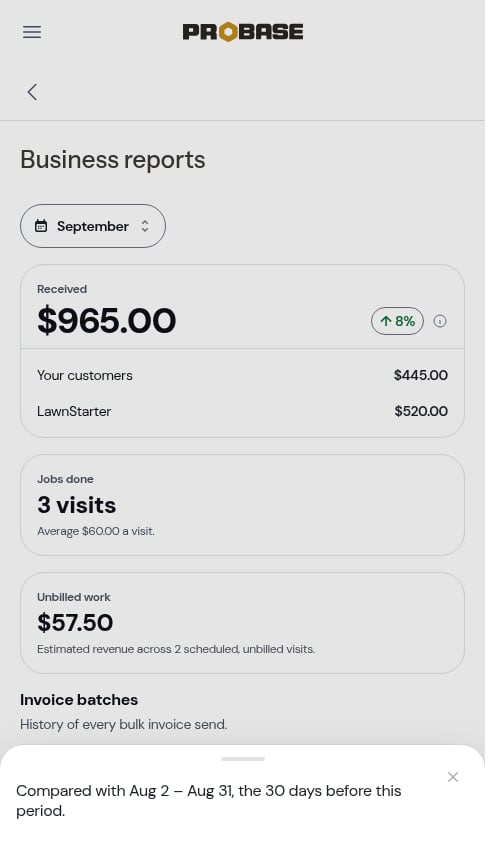 There's no comparison for **All time**, or when nothing came in during the period before.
 ## Jobs done
How many visits were completed in the period, marketplace visits included. Underneath, **Average \$60.00 a visit** is worked out from your own jobs' prices — marketplace payouts aren't counted in the average.
## Unbilled work
An estimate of what the visits still scheduled in the period will bill once they're completed, based on each job's price and any charges added to the visit.
## Invoice batches
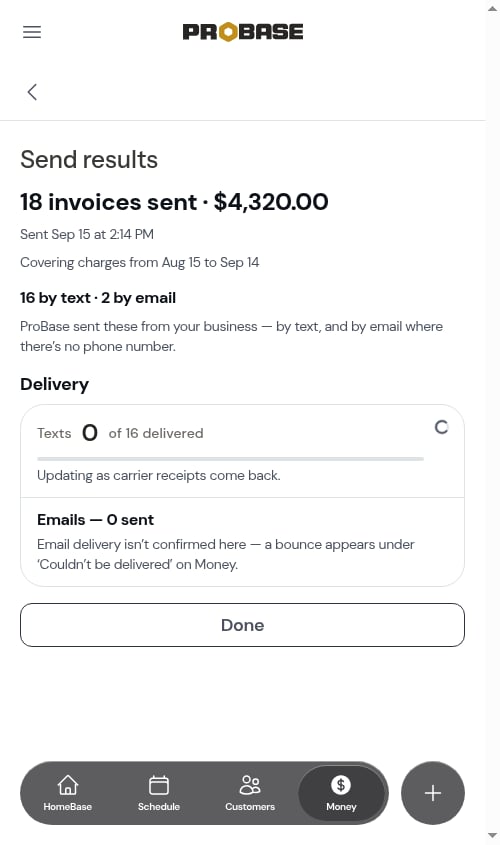
A history of every time you [sent invoices in a batch](/billing/sending-invoices-in-batch), newest first — for example *Sep 15, 2:14 PM · 18 invoices · 16 by text, 2 by email* with the total. Tap one to open its **Send results**. If you've never sent a batch, it reads *No bulk invoice sends yet.*
## Jobs done
How many visits were completed in the period, marketplace visits included. Underneath, **Average \$60.00 a visit** is worked out from your own jobs' prices — marketplace payouts aren't counted in the average.
## Unbilled work
An estimate of what the visits still scheduled in the period will bill once they're completed, based on each job's price and any charges added to the visit.
## Invoice batches
A history of every time you [sent invoices in a batch](/billing/sending-invoices-in-batch), newest first — for example *Sep 15, 2:14 PM · 18 invoices · 16 by text, 2 by email* with the total. Tap one to open its **Send results**. If you've never sent a batch, it reads *No bulk invoice sends yet.*
 Business reports is part of Money, so it's available to team members whose role can see money. See [Roles and permissions](/team/roles-and-permissions).
This documentation is built and hosted on [Mintlify](https://mintlify.com), a developer documentation platform.
Business reports is part of Money, so it's available to team members whose role can see money. See [Roles and permissions](/team/roles-and-permissions).
This documentation is built and hosted on [Mintlify](https://mintlify.com), a developer documentation platform.