> ## Documentation Index
> Fetch the complete documentation index at: https://docs.probaseapp.com/llms.txt
> Use this file to discover all available pages before exploring further.
# Sending invoices in a batch
> Send every open draft in one go and see which ones were delivered
## Overview
At the end of a week or month you may have a pile of drafts — one per customer — waiting to be sent. **Send batch invoices** lists them all so you can review them and send them in one go.
Sending in one go needs ProBase to send the texts and emails for your business. When that isn't on for your account yet, the same screen is a review list: you can see every draft and open each one to send it from there — *"Sending in one go isn't on for your business yet."*
## Open Send batch invoices
Either:
* On **Money**, tap **N invoices to send · Review and send**
* On **HomeBase**, tap **Review drafts** on the **Send your drafts** card (see [HomeBase](/getting-started/homebase))
Send batch invoices opens as its own page. Opened from Money, the top of the page reads **Money / Send batch invoices**; opened from HomeBase, the back arrow takes you back to HomeBase. The bottom navigation stays on screen, and the send button sits just above it.
 ## Review the list
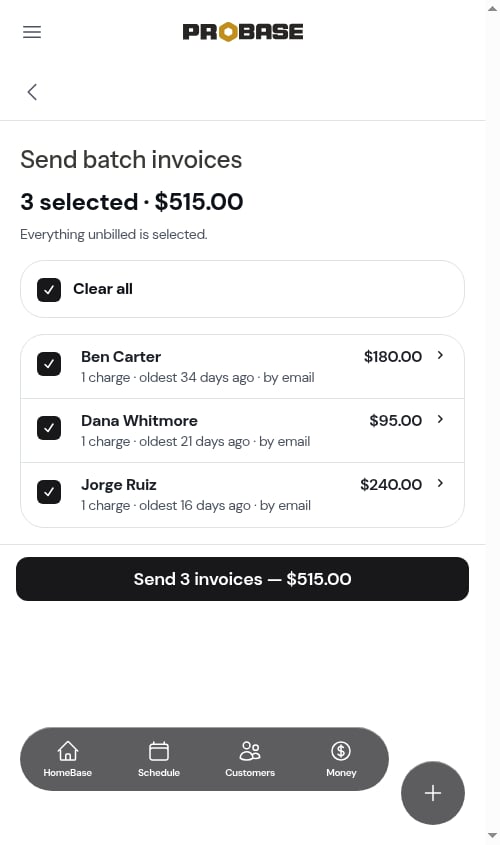
Every customer with an open draft is listed and ticked. Each row shows:
* The customer and what the draft will ask them to pay — its **Balance due**, with tax included and any credit already on it taken off
* How many charges are on it and how old the oldest one is — *1 charge · oldest 34 days ago* — or, for a subscription bill, the plan and the day it was billed
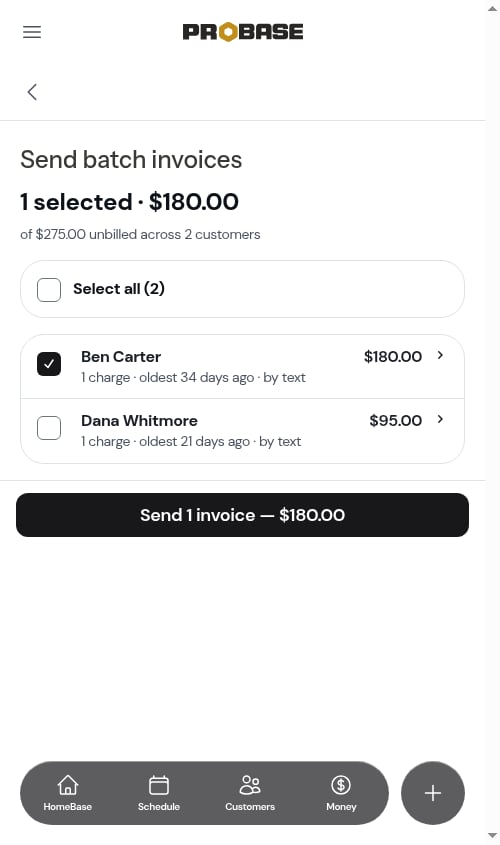
* How it will go: **by text** when the customer has a phone number, otherwise **by email**
The top of the screen shows what you've selected — *3 selected · \$515.00* — and, when not everything is ticked, the full amount unbilled across all customers. Every figure here is the customers' Balance due, so it adds up to the same amount the **Money** page shows for your drafts. **Select all** and **Clear all** tick or untick every row.
Tap a row's tick box to leave that customer out.
## Review the list
Every customer with an open draft is listed and ticked. Each row shows:
* The customer and what the draft will ask them to pay — its **Balance due**, with tax included and any credit already on it taken off
* How many charges are on it and how old the oldest one is — *1 charge · oldest 34 days ago* — or, for a subscription bill, the plan and the day it was billed
* How it will go: **by text** when the customer has a phone number, otherwise **by email**
The top of the screen shows what you've selected — *3 selected · \$515.00* — and, when not everything is ticked, the full amount unbilled across all customers. Every figure here is the customers' Balance due, so it adds up to the same amount the **Money** page shows for your drafts. **Select all** and **Clear all** tick or untick every row.
Tap a row's tick box to leave that customer out.
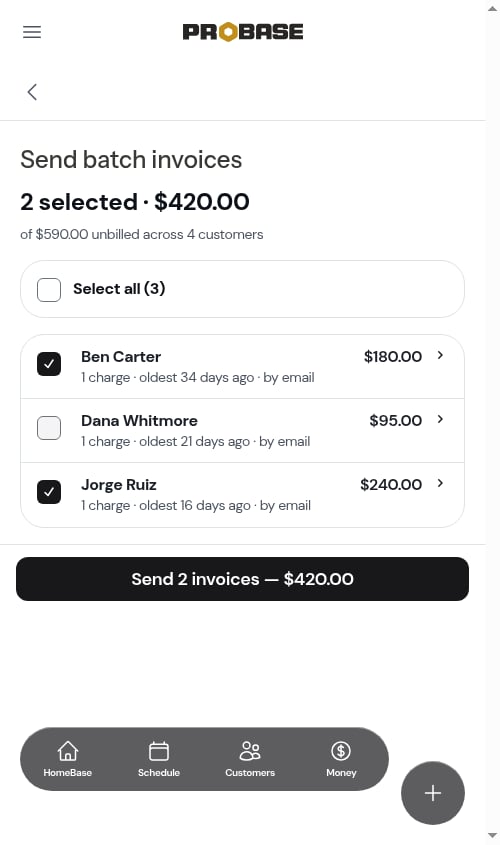 Tap a row's name to open that draft. When you come back, your ticks are just as you left them.
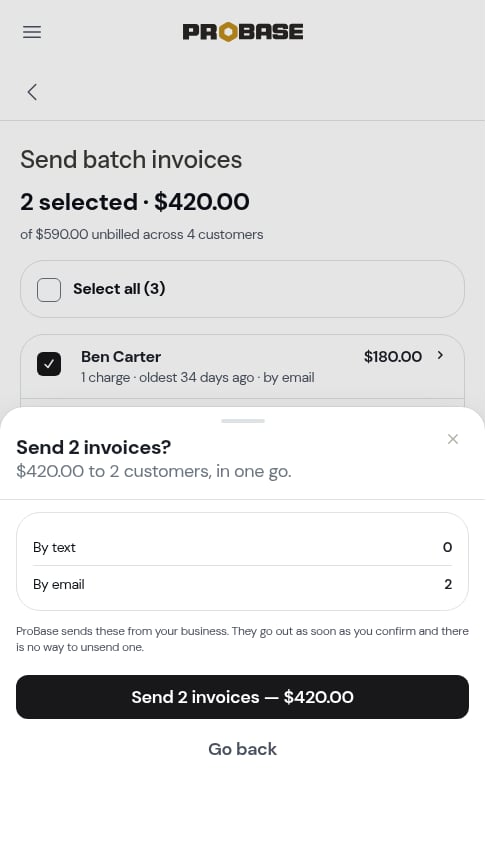
 Tap **Send 3 invoices — \$515.00**. A confirmation sheet shows the total, how many go by text and by email, and a reminder that there's no way to unsend once they go.
Tap the send button on the sheet, or **Go back** to change your selection.
Tap **Send 3 invoices — \$515.00**. A confirmation sheet shows the total, how many go by text and by email, and a reminder that there's no way to unsend once they go.
Tap the send button on the sheet, or **Go back** to change your selection.
 A customer with no phone number and no email can't be sent anything, so they aren't on the list. Their draft stays a draft — add a phone or email to their profile, then send it.
## Send results
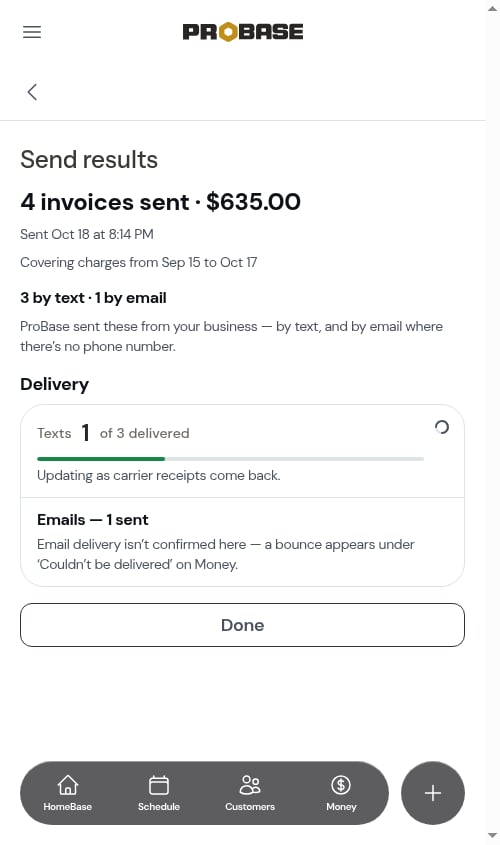
After you confirm, the **Send results** screen shows what went out:
* How many invoices were sent and their total, when, and which charges they cover
* **Delivery** — **Texts N of M delivered**, updating as carrier receipts come back (*"Updating as carrier receipts come back."*). Emails show how many were sent; email delivery isn't confirmed, and a bounce later shows up under **Couldn't be delivered** on Money.
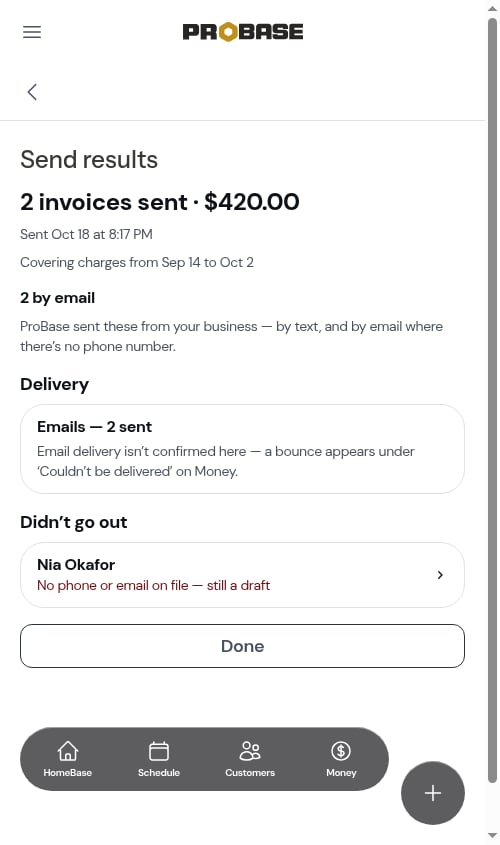
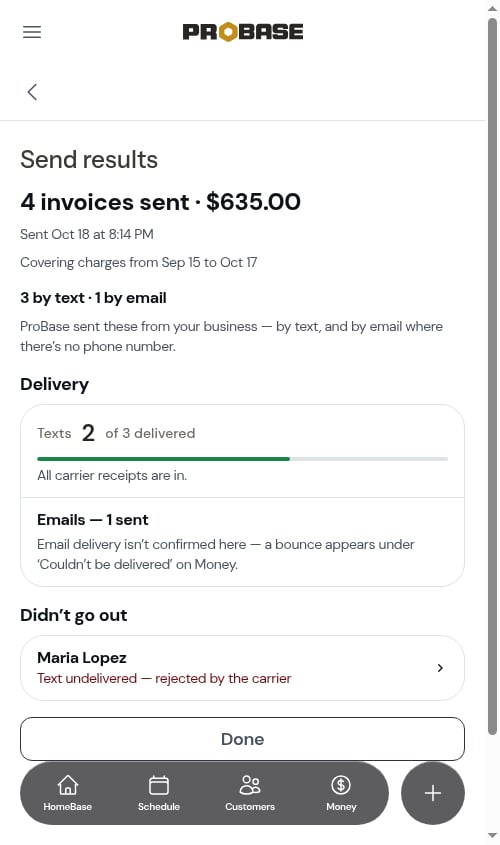
* **Didn't go out** — any invoice whose text failed (for example *invalid number* or *rejected by the carrier*), or any draft that was skipped. Tap a row to open that invoice and resend it another way.
A customer with no phone number and no email can't be sent anything, so they aren't on the list. Their draft stays a draft — add a phone or email to their profile, then send it.
## Send results
After you confirm, the **Send results** screen shows what went out:
* How many invoices were sent and their total, when, and which charges they cover
* **Delivery** — **Texts N of M delivered**, updating as carrier receipts come back (*"Updating as carrier receipts come back."*). Emails show how many were sent; email delivery isn't confirmed, and a bounce later shows up under **Couldn't be delivered** on Money.
* **Didn't go out** — any invoice whose text failed (for example *invalid number* or *rejected by the carrier*), or any draft that was skipped. Tap a row to open that invoice and resend it another way.
 A customer with no phone number and no email is listed under **Didn't go out** as *No phone or email on file — still a draft*, so you know who still needs billing.
 Tap **Done** to go back to Money — or to HomeBase, if you started from the **Send your drafts** card.
 Every batch you've sent is listed under **Invoice batches** on [Business reports](/billing/business-reports), so you can open its results again later.
## When there's nothing to send
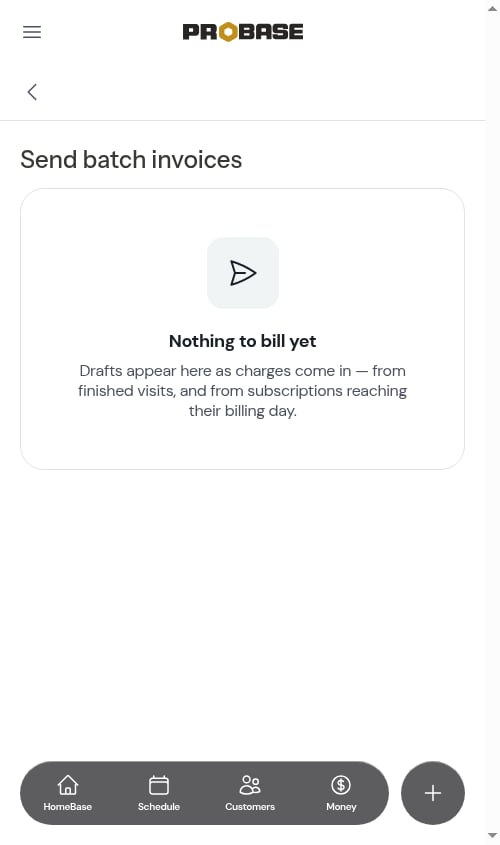
If no customer has an open draft, the screen reads *Nothing to bill yet* — drafts appear as charges come in from finished visits and from subscriptions reaching their billing day.
Every batch you've sent is listed under **Invoice batches** on [Business reports](/billing/business-reports), so you can open its results again later.
## When there's nothing to send
If no customer has an open draft, the screen reads *Nothing to bill yet* — drafts appear as charges come in from finished visits and from subscriptions reaching their billing day.
 This documentation is built and hosted on [Mintlify](https://mintlify.com), a developer documentation platform.