> ## Documentation Index
> Fetch the complete documentation index at: https://docs.probaseapp.com/llms.txt
> Use this file to discover all available pages before exploring further.
# Service ratings
> Decide whether customers rate their service before they can pay an invoice
## Overview
When an invoice covers a completed appointment, Probase can show the customer a **"How was your service?"** screen before the payment form. They tap 1–5 stars, optionally add a tip, and then continue to pay.
That step is **on by default**, and you can turn it off if you'd rather customers go straight to paying.
## Where to find the setting
Click **Payments** in the sidebar under Business and scroll to the **Invoice Settings** card at the bottom of the page. The switch is called **Require a star rating before payment**, and it sits between the past-due switch and the [tipping options](/billing/tips).
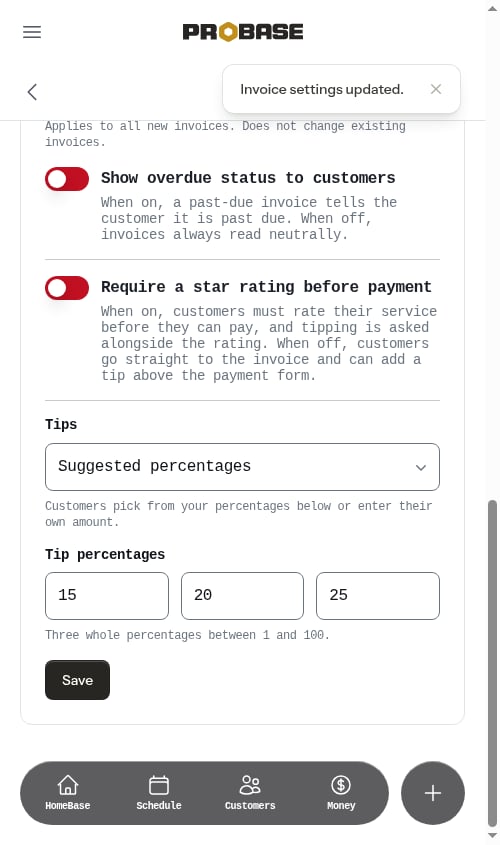
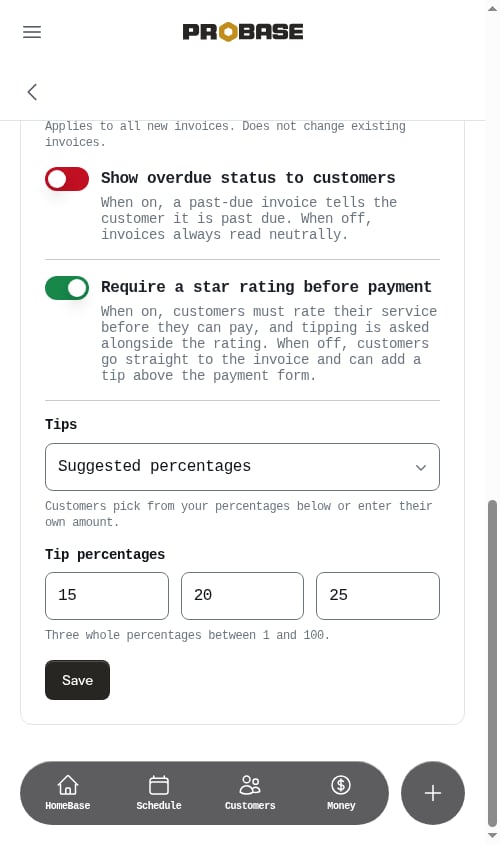 Flip the switch, then click **Save** at the bottom of the card — the switch is saved together with the rest of the invoice settings. An *Invoice settings updated.* toast confirms it.
 **Payments** only appears in the sidebar for the **Admin** role and the business Owner. See [Roles and permissions](/team/roles-and-permissions).
## With the rating required (the default)
The customer taps their invoice and lands on the review screen first. Stars come first; the [tip options](/billing/tips) appear underneath as soon as a rating is chosen, and the invoice they're about to pay is previewed below that.
The rating really is required — if they tap **Continue to payment** without choosing stars, a short red message appears directly under the button: *A star rating is required — please select one above.* Nothing else happens until they rate.
**Payments** only appears in the sidebar for the **Admin** role and the business Owner. See [Roles and permissions](/team/roles-and-permissions).
## With the rating required (the default)
The customer taps their invoice and lands on the review screen first. Stars come first; the [tip options](/billing/tips) appear underneath as soon as a rating is chosen, and the invoice they're about to pay is previewed below that.
The rating really is required — if they tap **Continue to payment** without choosing stars, a short red message appears directly under the button: *A star rating is required — please select one above.* Nothing else happens until they rate.
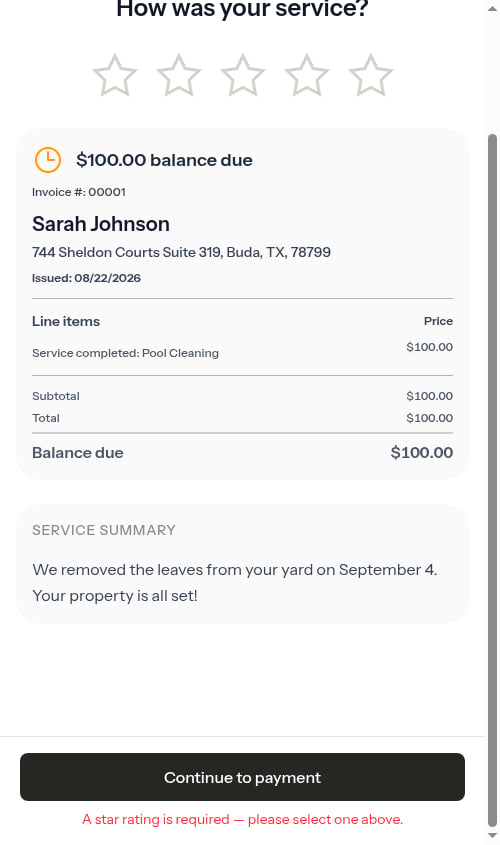 Once they rate, their stars are saved, any tip is added to the invoice, and they're taken to the payment form.
Some invoices skip the review screen no matter what this setting says — ones that aren't tied to a completed appointment, ones the customer has already rated, and ones that are already paid.
## With the rating turned off
Tapping an invoice takes the customer straight to the payment page. There's no **"How was your service?"** screen and no stars are asked for.
Once they rate, their stars are saved, any tip is added to the invoice, and they're taken to the payment form.
Some invoices skip the review screen no matter what this setting says — ones that aren't tied to a completed appointment, ones the customer has already rated, and ones that are already paid.
## With the rating turned off
Tapping an invoice takes the customer straight to the payment page. There's no **"How was your service?"** screen and no stars are asked for.
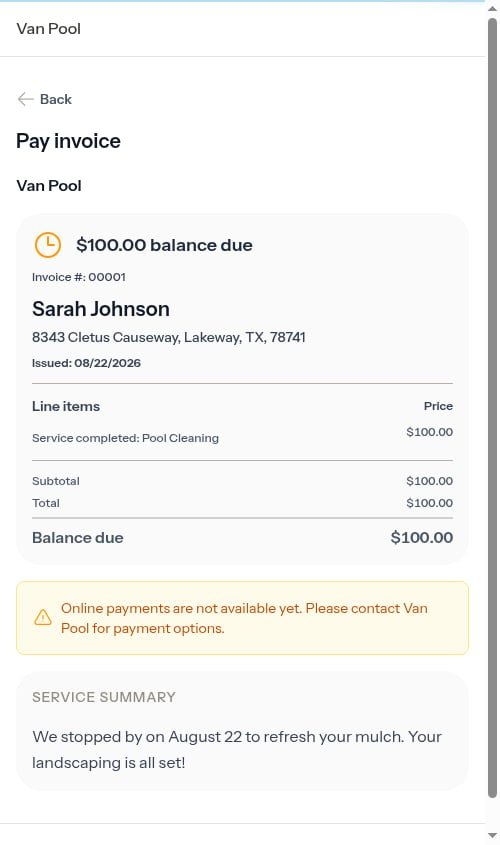 Tipping doesn't disappear — it moves. When the rating step is off and you accept card payments, the **Add a tip** section renders directly above the payment form, and the **Pay** button's total updates as the customer picks an amount. The tip is only charged when the payment goes through, so they can change their mind right up until they pay.
The tip selector on the invoice page is skipped when a tip has already been added to that invoice, when [tipping is turned off](/billing/tips), or when [Stripe isn't connected](/billing/stripe-setup).
## Which should I choose?
* **Keep it on** if the feedback is worth the extra tap — it's also the layout where tipping gets the most attention, because it sits on a screen of its own before the payment form.
* **Turn it off** to make paying as short as possible, for example for commercial accounts or repeat customers who pay several invoices a month.
## Related
* [Tips and gratuity](/billing/tips) — what the tip section offers on each screen
* [Payment terms and due dates](/billing/payment-terms) — the rest of the Invoice Settings card
* [Customer payment portal](/customers/customer-portal) — the whole customer-side experience
* [Sending payment links](/billing/sending-payment-links) — getting the link to the customer
Tipping doesn't disappear — it moves. When the rating step is off and you accept card payments, the **Add a tip** section renders directly above the payment form, and the **Pay** button's total updates as the customer picks an amount. The tip is only charged when the payment goes through, so they can change their mind right up until they pay.
The tip selector on the invoice page is skipped when a tip has already been added to that invoice, when [tipping is turned off](/billing/tips), or when [Stripe isn't connected](/billing/stripe-setup).
## Which should I choose?
* **Keep it on** if the feedback is worth the extra tap — it's also the layout where tipping gets the most attention, because it sits on a screen of its own before the payment form.
* **Turn it off** to make paying as short as possible, for example for commercial accounts or repeat customers who pay several invoices a month.
## Related
* [Tips and gratuity](/billing/tips) — what the tip section offers on each screen
* [Payment terms and due dates](/billing/payment-terms) — the rest of the Invoice Settings card
* [Customer payment portal](/customers/customer-portal) — the whole customer-side experience
* [Sending payment links](/billing/sending-payment-links) — getting the link to the customer