> ## Documentation Index
> Fetch the complete documentation index at: https://docs.probaseapp.com/llms.txt
> Use this file to discover all available pages before exploring further.
# The customer's service report
> The page your customer opens after a visit — what you did, the photos, and a rating
## Overview
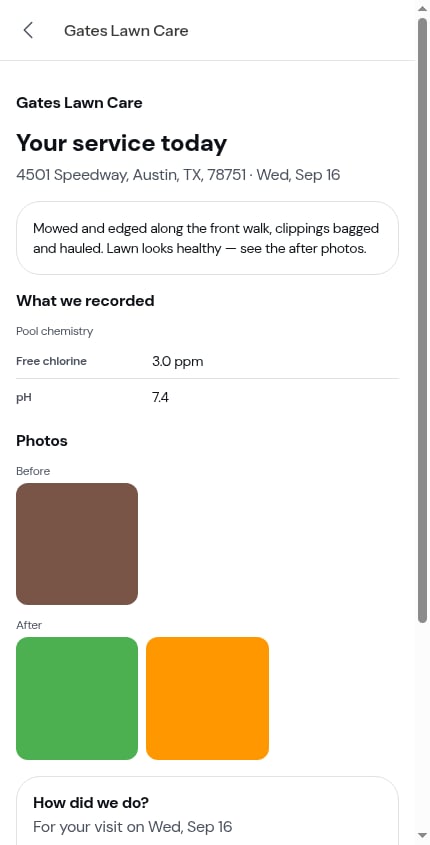
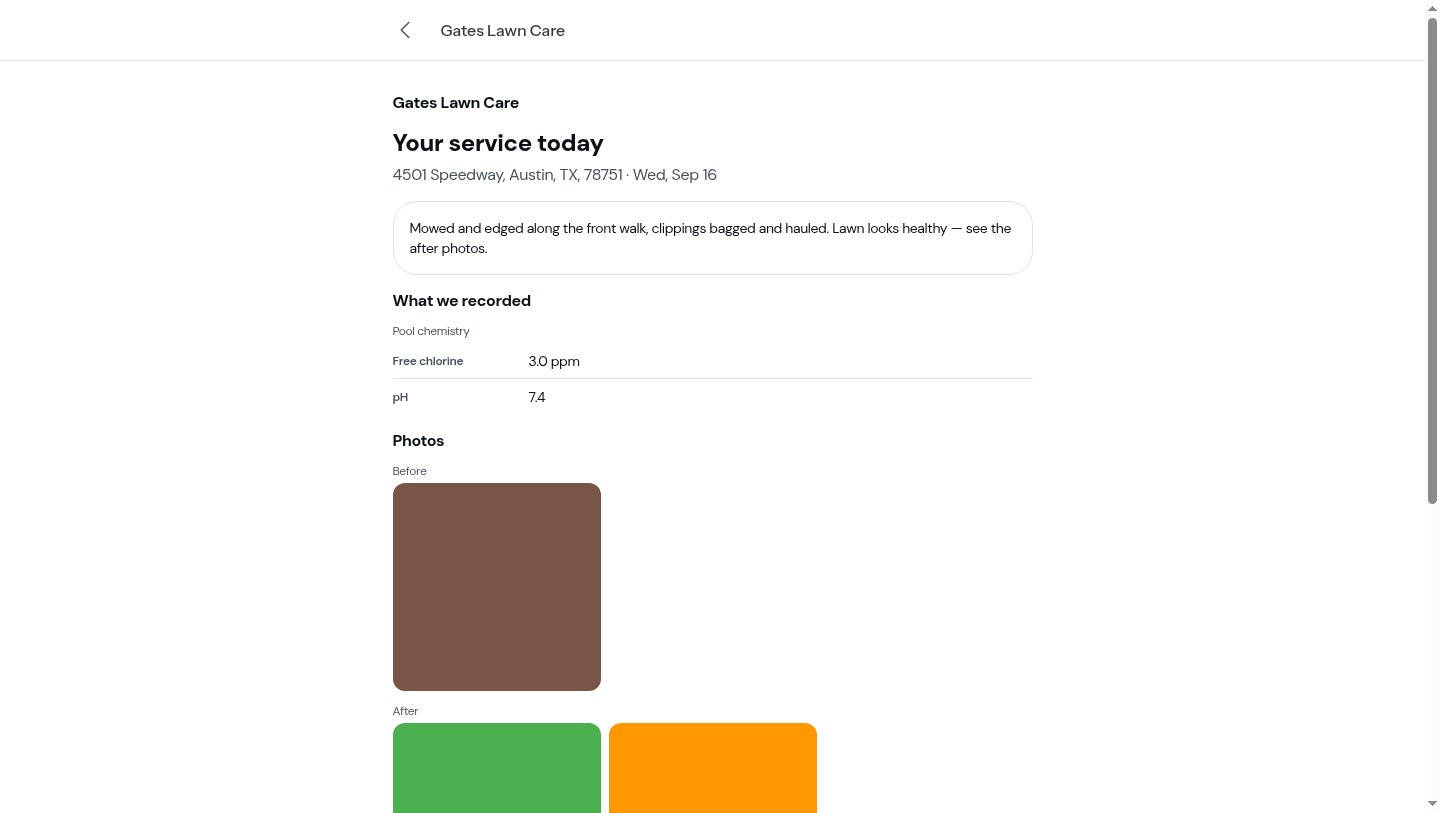
Every completed job visit has a page of its own that the customer can open — no login, no account, just the link you [sent them](/routes/sending-service-reports). It's headed **Your service today** and it's deliberately short: what you did, the photos, anything your checklists recorded, a place to rate you, and the bill if one rode along.
 The link never expires, so a customer can go back to it whenever they like — and from the page they can reach the rest of their [portal](/customers/customer-portal).
## What's on the page
Top to bottom:
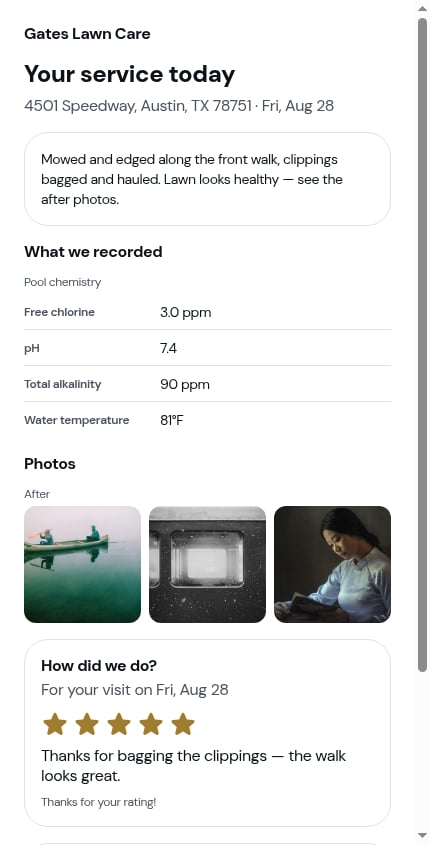
1. **Your business name**, then **Your service today**, then the property address and the date of the visit
2. **A summary** of the work, in plain language — this is the **Customer notes** you wrote when completing the visit. A visit you finished without writing any simply has no summary block
3. **What we recorded** — the checklist answers you marked for the customer summary, grouped under the checklist they came from (chemical readings, completed tasks, a signature shown as *Signed by customer*)
4. **Photos** — the **After** photos, and the **Before** photos above them if you [included them when sending](/routes/sending-service-reports#whats-on-the-send-step). Each group has its own heading and its own grid; every photo appears once
5. **How did we do?** — the rating
6. **This month's invoice** or **Outstanding balance** — only when you sent the bill with the report
The link never expires, so a customer can go back to it whenever they like — and from the page they can reach the rest of their [portal](/customers/customer-portal).
## What's on the page
Top to bottom:
1. **Your business name**, then **Your service today**, then the property address and the date of the visit
2. **A summary** of the work, in plain language — this is the **Customer notes** you wrote when completing the visit. A visit you finished without writing any simply has no summary block
3. **What we recorded** — the checklist answers you marked for the customer summary, grouped under the checklist they came from (chemical readings, completed tasks, a signature shown as *Signed by customer*)
4. **Photos** — the **After** photos, and the **Before** photos above them if you [included them when sending](/routes/sending-service-reports#whats-on-the-send-step). Each group has its own heading and its own grid; every photo appears once
5. **How did we do?** — the rating
6. **This month's invoice** or **Outstanding balance** — only when you sent the bill with the report
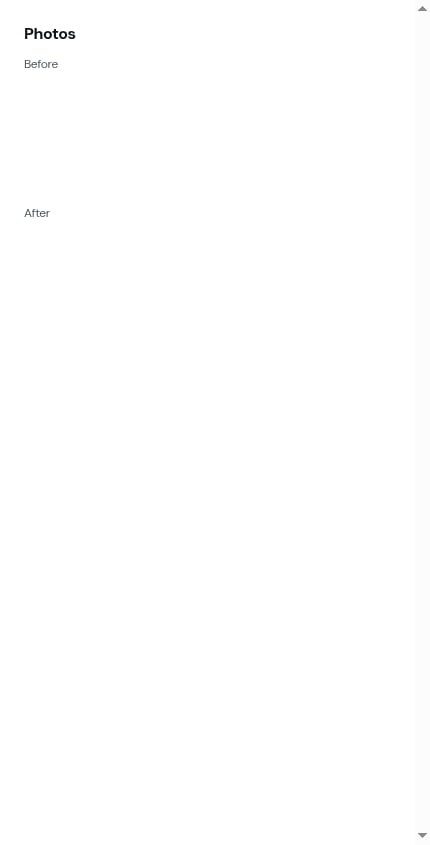
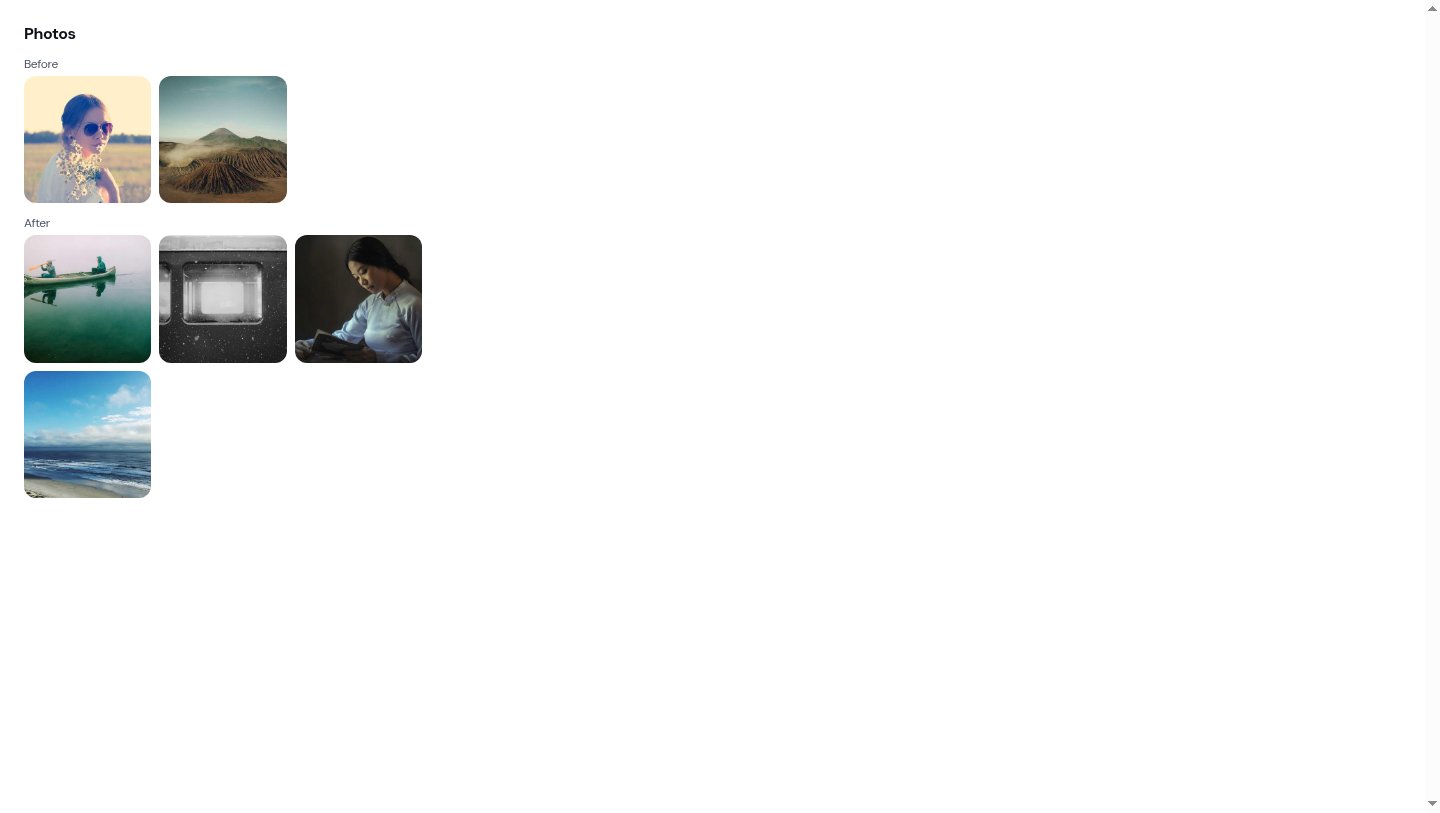 Tapping any photo opens the full-size original in a new tab.
## Rating the visit
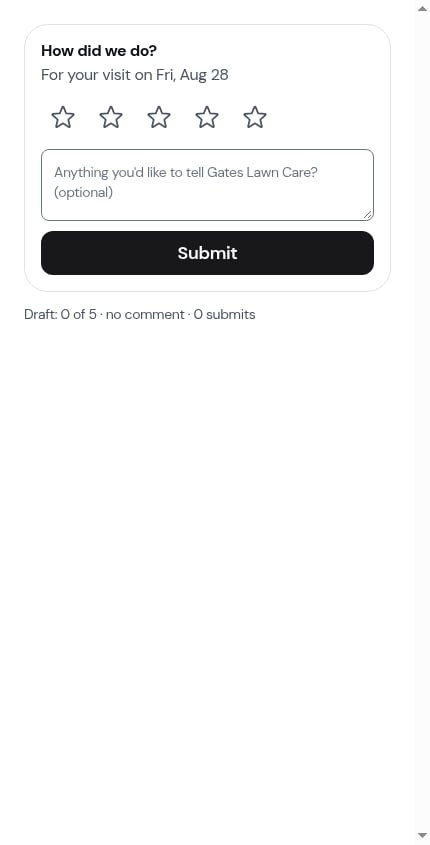
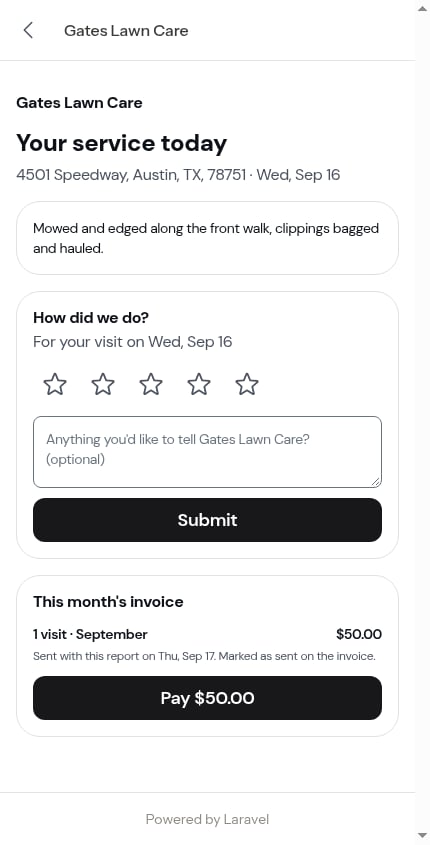
The **How did we do?** card sits near the bottom: five stars, an optional comment box (*Anything you'd like to tell \[your business]? (optional)*), and a **Submit** button. The sub-line names the visit — *For your visit on Fri, Aug 28* — so a customer with several reports open always knows which one they're rating.
Tapping any photo opens the full-size original in a new tab.
## Rating the visit
The **How did we do?** card sits near the bottom: five stars, an optional comment box (*Anything you'd like to tell \[your business]? (optional)*), and a **Submit** button. The sub-line names the visit — *For your visit on Fri, Aug 28* — so a customer with several reports open always knows which one they're rating.
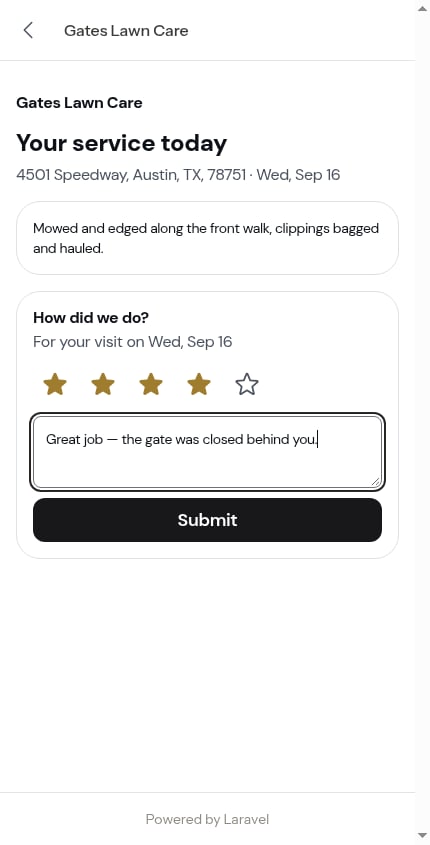 Nothing is saved until the customer taps **Submit**. Stars are required; the comment isn't.
### A rating is submitted once, then locked
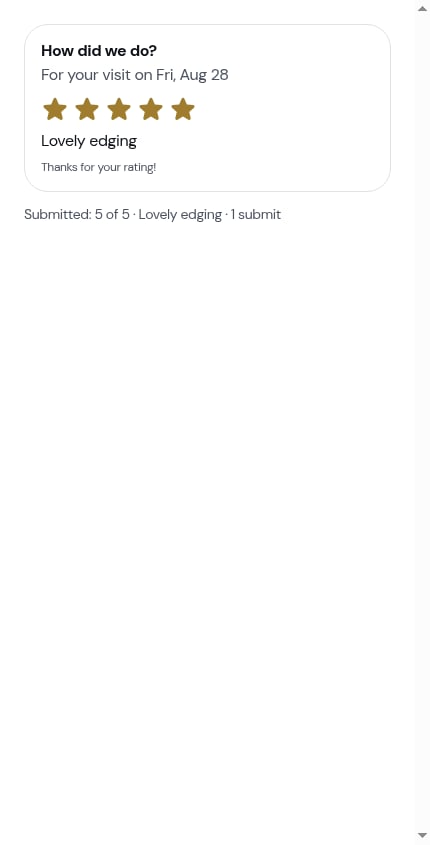
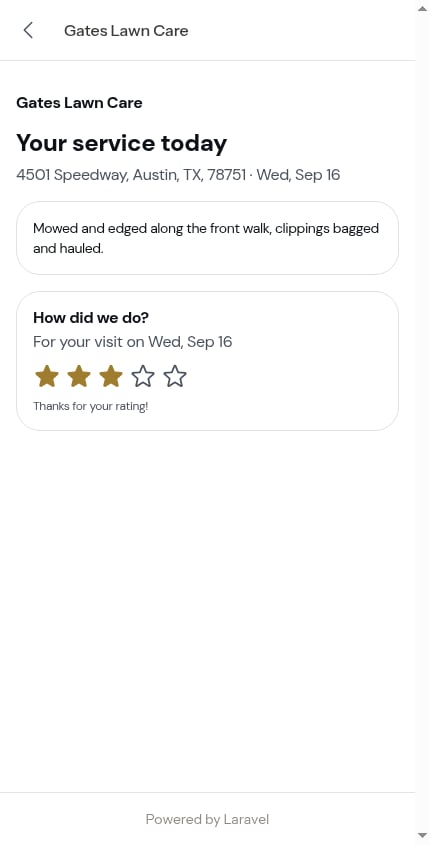
Once submitted, the card changes for good: filled stars, the comment as plain text, and *Thanks for your rating!* underneath. There's no form any more — reloading the page, or opening the link again next week, shows the same locked card.
Nothing is saved until the customer taps **Submit**. Stars are required; the comment isn't.
### A rating is submitted once, then locked
Once submitted, the card changes for good: filled stars, the comment as plain text, and *Thanks for your rating!* underneath. There's no form any more — reloading the page, or opening the link again next week, shows the same locked card.
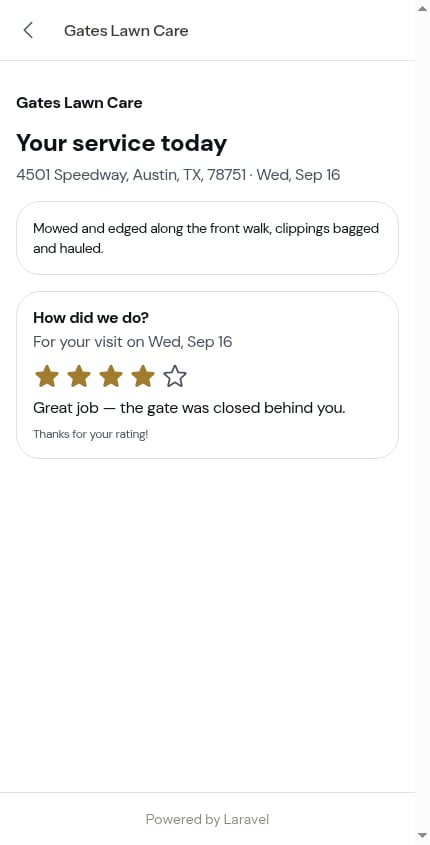 This is true however the rating was left. A customer who rated the service on an [invoice review screen](/billing/service-ratings) finds the report's card already filled in and locked.
 What you see on your side: a **rating card** on the visit, and an [update](/getting-started/updates#customer-ratings) in your feed carrying the stars and the customer's words.
## Paying from the report
If you turned the invoice switch on when sending, the report ends with a bill card:
* **This month's invoice** — *4 visits · August*, the amount, and a solid **Pay \$\[amount]** button opening their invoice page
* **Outstanding balance** — *July invoice · unpaid*, the amount, and the same button
A line underneath records the send: *Sent with this report on Fri, Aug 28. Marked as sent on the invoice.*
What you see on your side: a **rating card** on the visit, and an [update](/getting-started/updates#customer-ratings) in your feed carrying the stars and the customer's words.
## Paying from the report
If you turned the invoice switch on when sending, the report ends with a bill card:
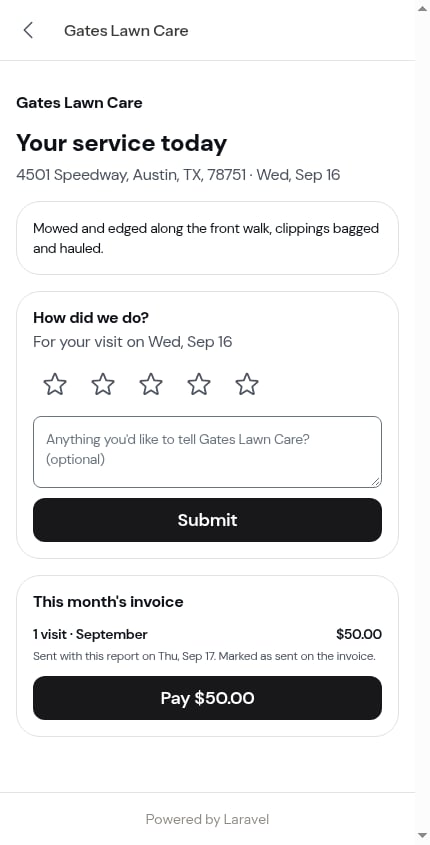
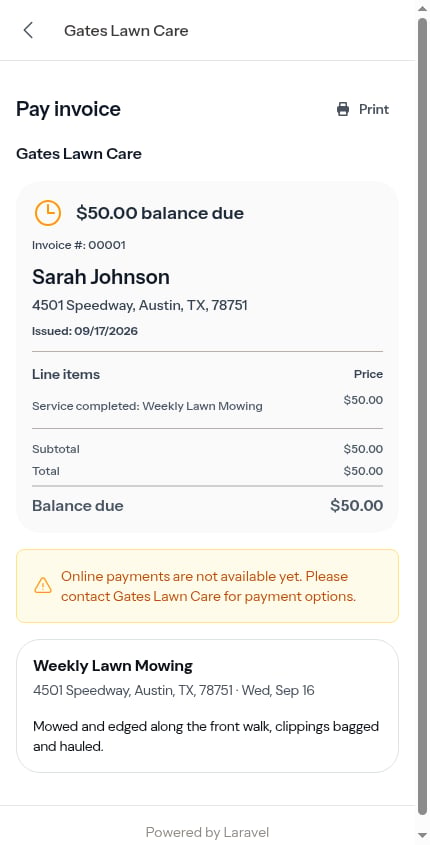
* **This month's invoice** — *4 visits · August*, the amount, and a solid **Pay \$\[amount]** button opening their invoice page
* **Outstanding balance** — *July invoice · unpaid*, the amount, and the same button
A line underneath records the send: *Sent with this report on Fri, Aug 28. Marked as sent on the invoice.*
 Once there's nothing left to pay, the button steps back to an outline **View invoice** — a customer who already paid is never asked again.
 Paying from a report they've already rated skips the **"How was your service?"** screen: they've rated once, so they go straight to the tip question (or straight to paying). See [Service ratings](/billing/service-ratings).
## Finding old reports
The customer doesn't have to keep the text. Their [portal home](/customers/customer-portal#your-visits) carries a **Your visits** section listing their visits by service — **Upcoming** above **Past** — and every past visit whose report you sent opens straight back to this page.
Paying from a report they've already rated skips the **"How was your service?"** screen: they've rated once, so they go straight to the tip question (or straight to paying). See [Service ratings](/billing/service-ratings).
## Finding old reports
The customer doesn't have to keep the text. Their [portal home](/customers/customer-portal#your-visits) carries a **Your visits** section listing their visits by service — **Upcoming** above **Past** — and every past visit whose report you sent opens straight back to this page.
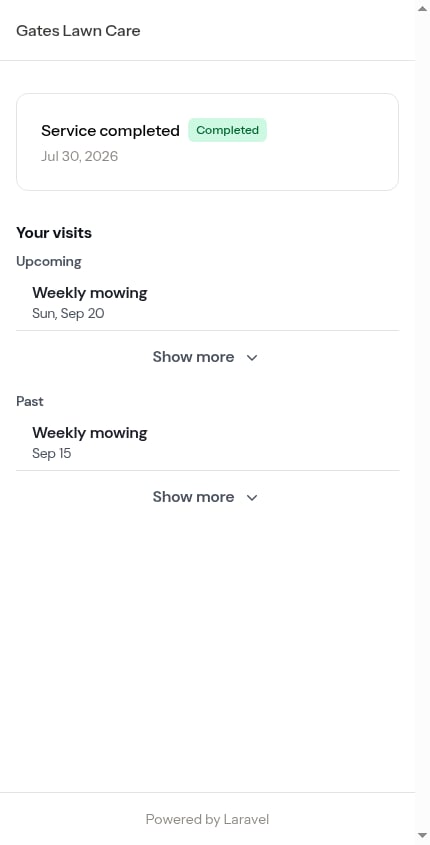
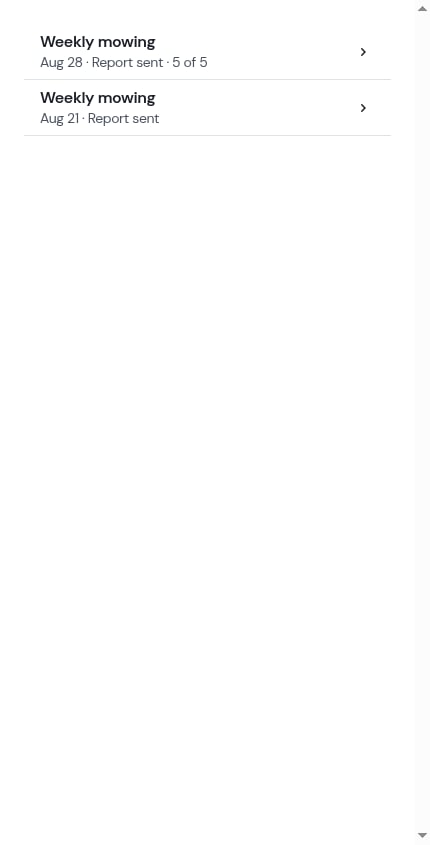 A row only opens when there's a report to open. Upcoming visits, and completed visits whose report you haven't sent, are listed but aren't tappable — nothing of a report shows before you've chosen to send it.
## Getting back and getting in touch
Every page under the customer's portal link carries the same header: your business name, a back chevron to their portal home (on every page but the home itself), and a **Contact us** button.
A row only opens when there's a report to open. Upcoming visits, and completed visits whose report you haven't sent, are listed but aren't tappable — nothing of a report shows before you've chosen to send it.
## Getting back and getting in touch
Every page under the customer's portal link carries the same header: your business name, a back chevron to their portal home (on every page but the home itself), and a **Contact us** button.
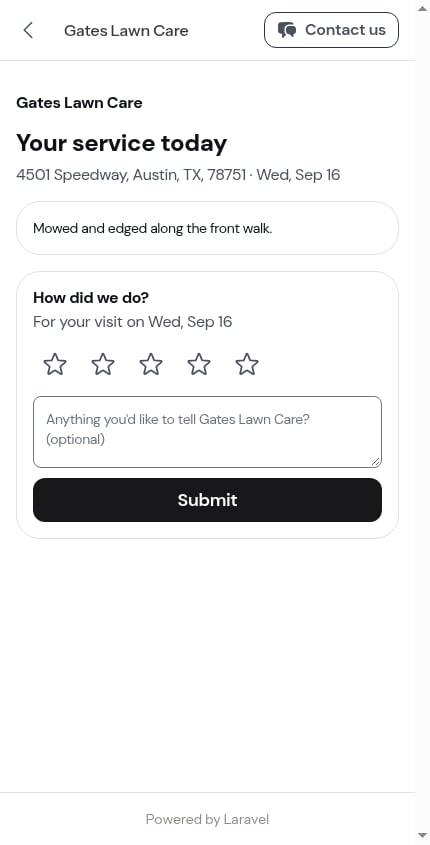
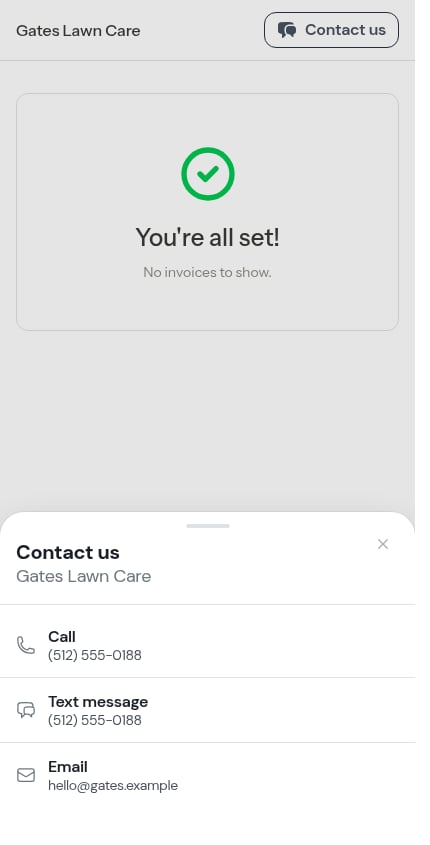
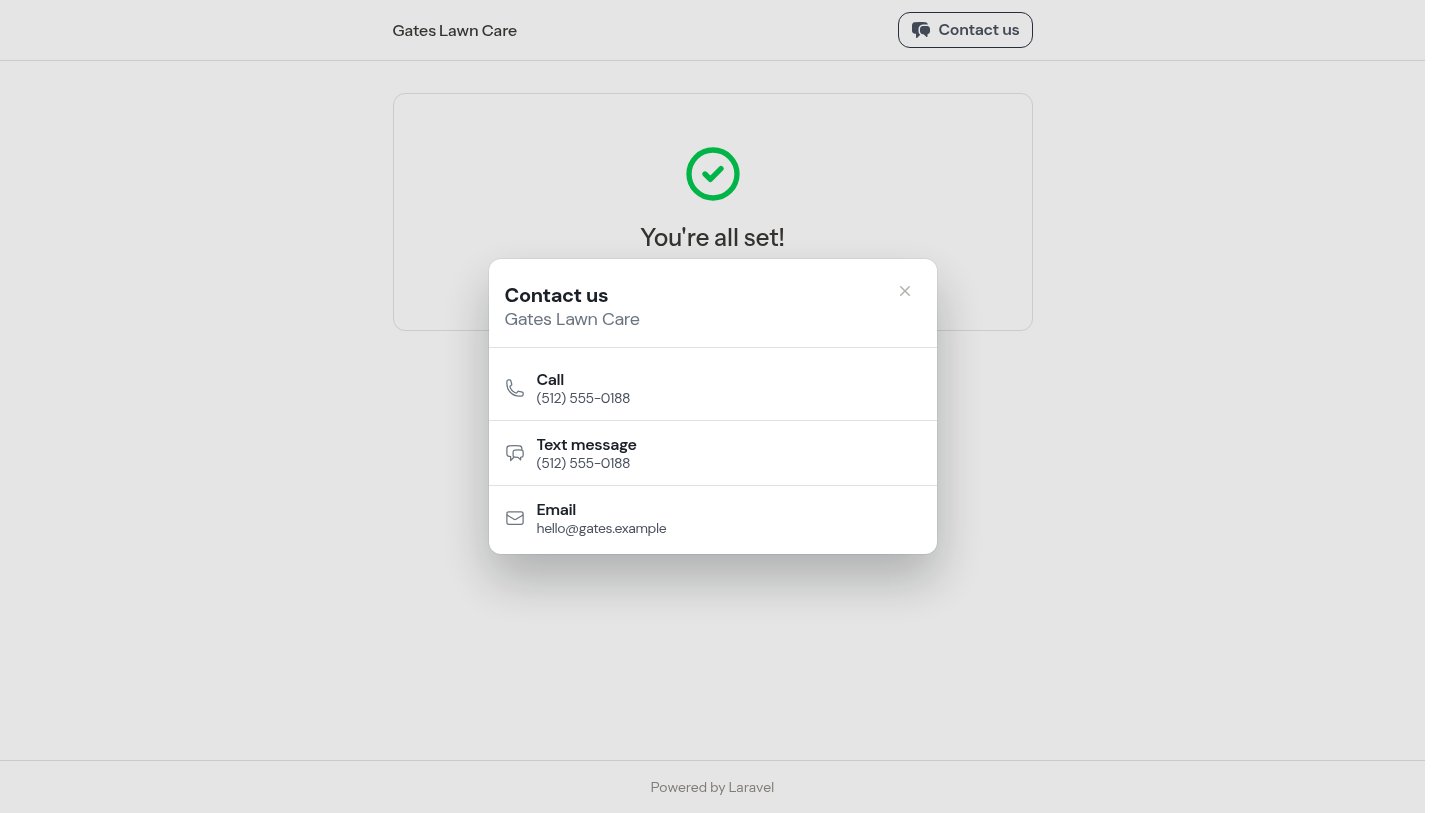
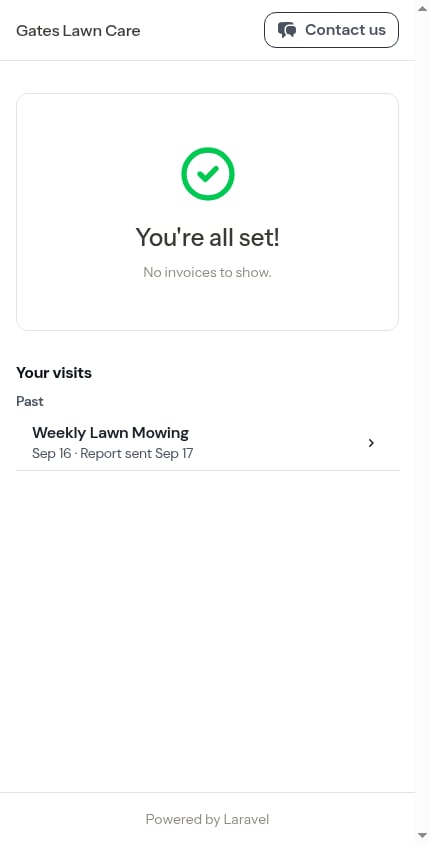 **Contact us** opens a sheet with **Call**, **Text message** and **Email** rows built from your business phone and email in [Business Profile settings](/getting-started/settings). A row you haven't filled in is left out, and with neither filled in the button doesn't appear at all.
 The header is hidden when the customer prints — see [Printing invoices](/billing/printing-invoices).
## What the report never shows
The report is the customer's view, not yours. It never carries:
* Your private **visit notes** — only the **Customer notes** you wrote for them
* Your timer, the working windows, or how long the visit took
* Costs, margins, or your crew's names
* Checklist answers you didn't mark for the customer summary
## Next steps
* [Sending the service report](/routes/sending-service-reports) — your side of the same flow
* [Customer payment portal](/customers/customer-portal) — invoices, payment and the rest of the portal
* [Completing a visit](/routes/completing-jobs) — where the summary and photos come from
* [Building checklists](/checklists/building-checklists#showing-answers-on-the-customer-invoice) — choosing what lands under *What we recorded*
The header is hidden when the customer prints — see [Printing invoices](/billing/printing-invoices).
## What the report never shows
The report is the customer's view, not yours. It never carries:
* Your private **visit notes** — only the **Customer notes** you wrote for them
* Your timer, the working windows, or how long the visit took
* Costs, margins, or your crew's names
* Checklist answers you didn't mark for the customer summary
## Next steps
* [Sending the service report](/routes/sending-service-reports) — your side of the same flow
* [Customer payment portal](/customers/customer-portal) — invoices, payment and the rest of the portal
* [Completing a visit](/routes/completing-jobs) — where the summary and photos come from
* [Building checklists](/checklists/building-checklists#showing-answers-on-the-customer-invoice) — choosing what lands under *What we recorded*