> ## Documentation Index
> Fetch the complete documentation index at: https://docs.probaseapp.com/llms.txt
> Use this file to discover all available pages before exploring further.
# Pinning a visit's time
> Lock a visit to the time the customer needs so routing never moves it
## Why pin a visit
Most stops can happen any time in the day — ProBase is free to shuffle them into the shortest drive. Some can't. The office that has to be done before it opens, the customer who's only home at four, the gate that's unlocked between nine and ten: those need a time that stays put.
**Pinning** a visit locks it to its current time. Nothing ProBase does — optimizing, rebalancing, assigning, or the background auto-optimize — will move a pinned stop. You can still move it yourself whenever you like.
## Pin a visit
Open the visit from the day list, the calendar, or anywhere else. See [The visit page](/routes/visit-page).
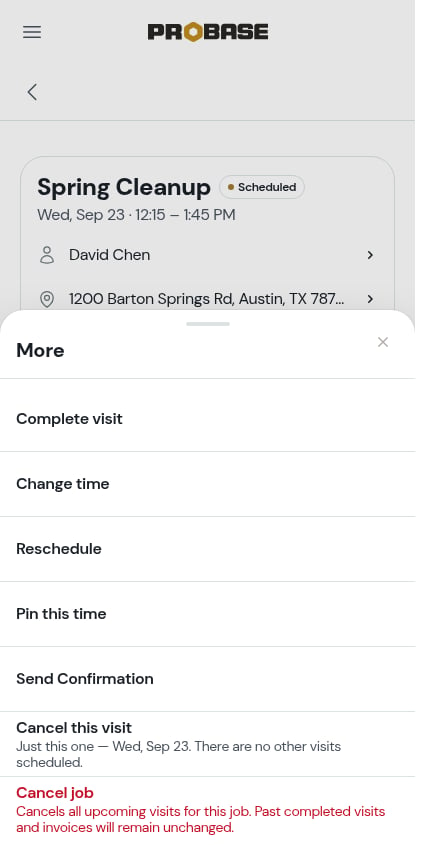
**Pin this time** sits in the More sheet, just below **Move to another crew**.
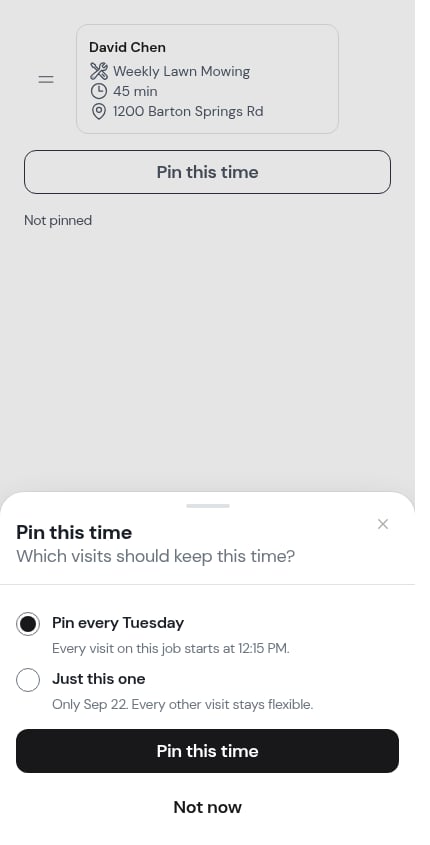
 On a **recurring** job, ProBase asks which visits should keep this time:
* **Pin every Tuesday** (preselected) — *"Every visit on this job starts at 8:00 AM."* Every future visit on the job is pinned, and new visits generated later are pinned as they're created.
* **Just this one** — *"Only Sep 9. Every other visit stays flexible."*
On a **recurring** job, ProBase asks which visits should keep this time:
* **Pin every Tuesday** (preselected) — *"Every visit on this job starts at 8:00 AM."* Every future visit on the job is pinned, and new visits generated later are pinned as they're created.
* **Just this one** — *"Only Sep 9. Every other visit stays flexible."*
 On a **one-time** job there's nothing to ask, so the visit is pinned straight away.
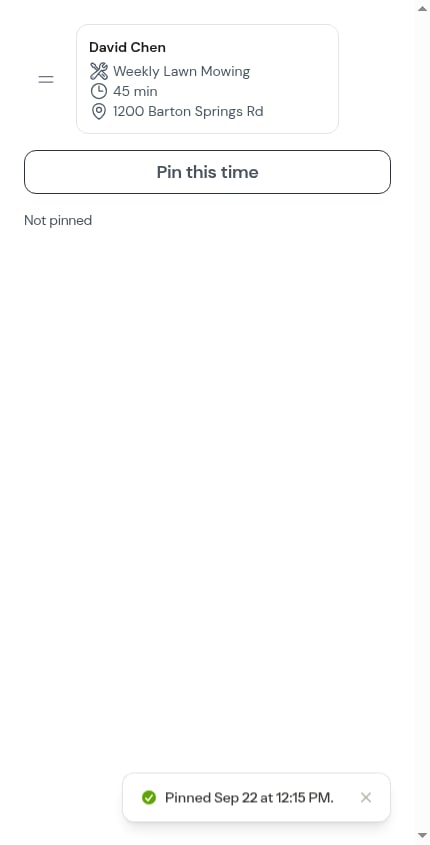
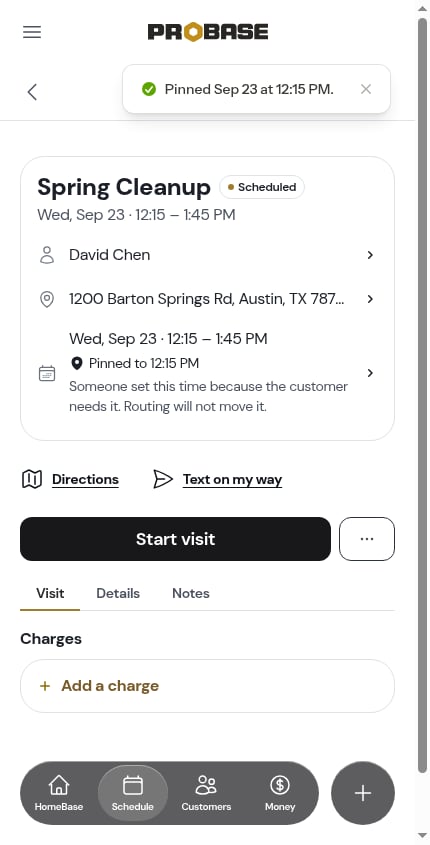
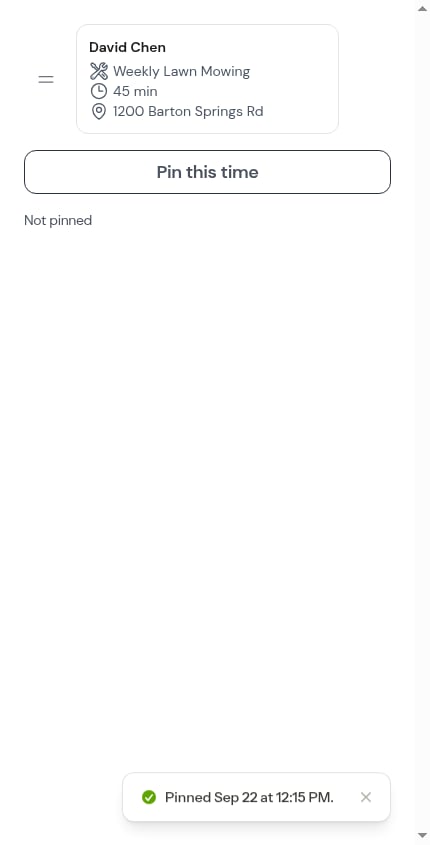 ProBase tells you exactly how far the pin reached — *"Pinned every Tuesday at 8:00 AM — 52 visits."* or *"Pinned Sep 9 at 8:00 AM."*
 ## What a pinned visit looks like
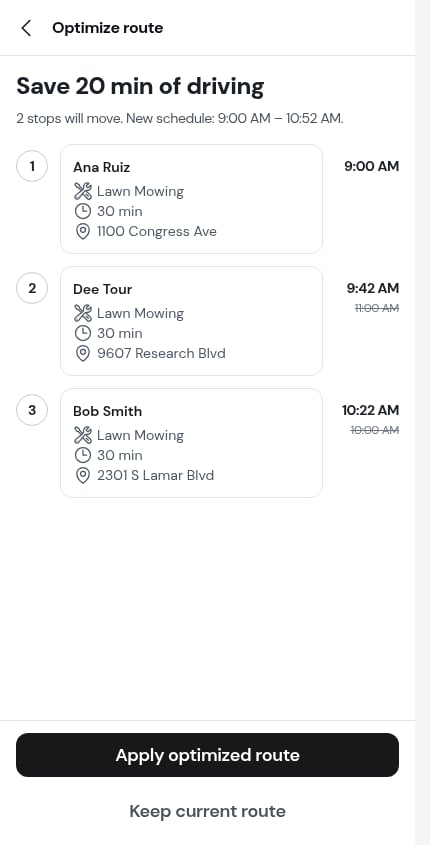
A pinned visit carries a small pin mark everywhere it appears — on its stop card, in the Reorder stops list, in the optimize preview, and on the visit page itself.
## What a pinned visit looks like
A pinned visit carries a small pin mark everywhere it appears — on its stop card, in the Reorder stops list, in the optimize preview, and on the visit page itself.
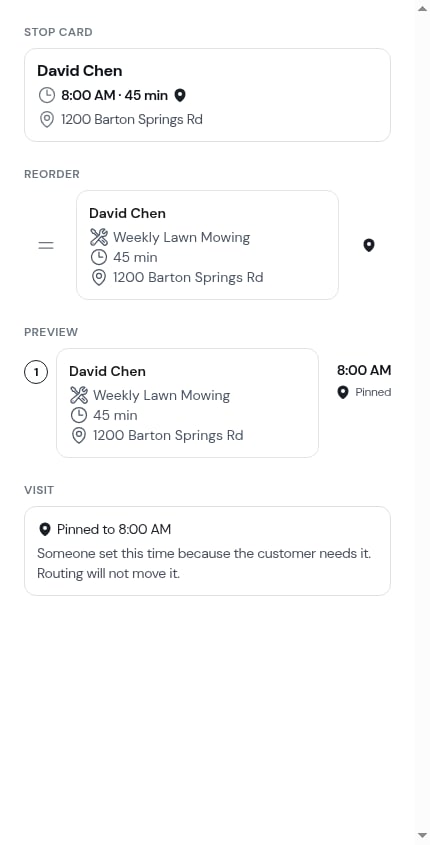 On the visit page, the pin sits under the date and time row with its full label — **Pinned to 8:00 AM** — and a line explaining what it means: *"Someone set this time because the customer needs it. Routing will not move it."*
 The pin remembers the **time**, not a date. Reschedule a pinned visit to another day and it arrives there still pinned, at its new time.
## Unpin a visit
Tap the pin mark anywhere you see it — or use **⋯ More → Unpin** on the visit page — and a sheet explains the pin before you undo it.
The pin remembers the **time**, not a date. Reschedule a pinned visit to another day and it arrives there still pinned, at its new time.
## Unpin a visit
Tap the pin mark anywhere you see it — or use **⋯ More → Unpin** on the visit page — and a sheet explains the pin before you undo it.
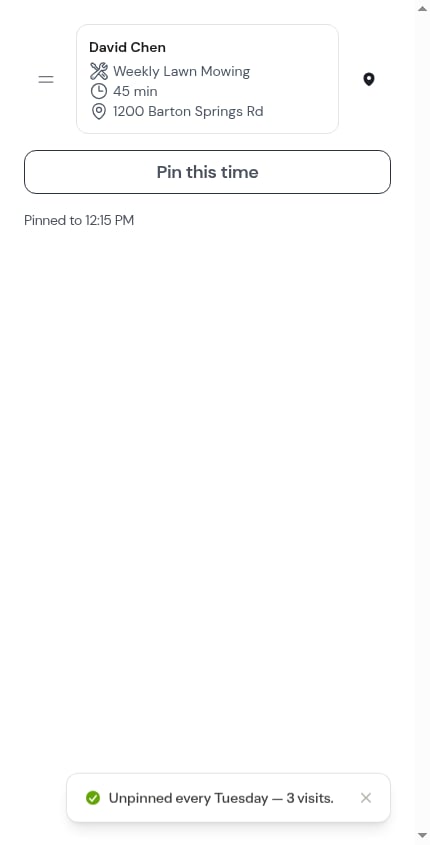
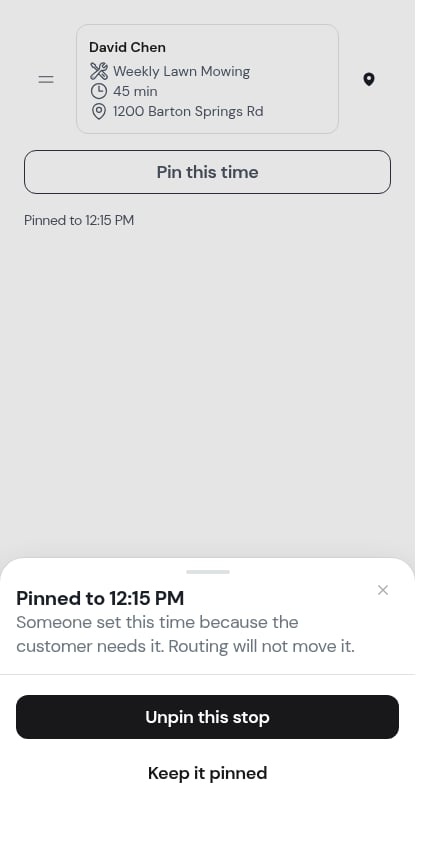 * **Unpin this stop** frees the visit so routing can move it again
* **Keep it pinned** closes the sheet and changes nothing
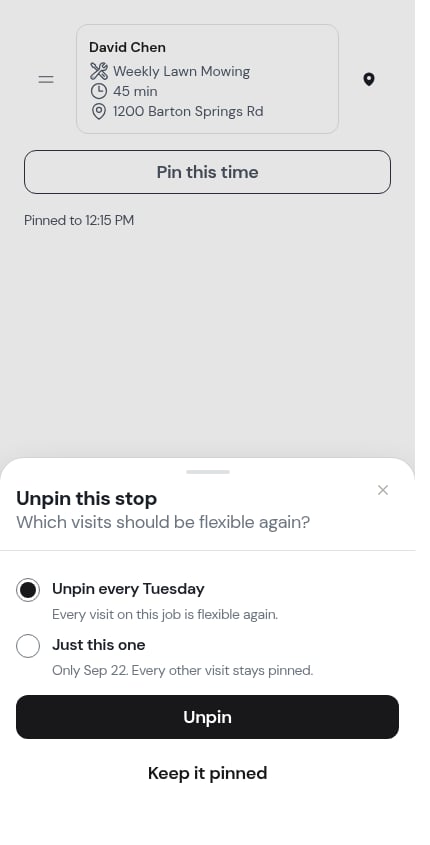
On a recurring job you're then asked the same two-way question: **Unpin every Tuesday** or **Just this one**.
* **Unpin this stop** frees the visit so routing can move it again
* **Keep it pinned** closes the sheet and changes nothing
On a recurring job you're then asked the same two-way question: **Unpin every Tuesday** or **Just this one**.
 ## Pins and route planning
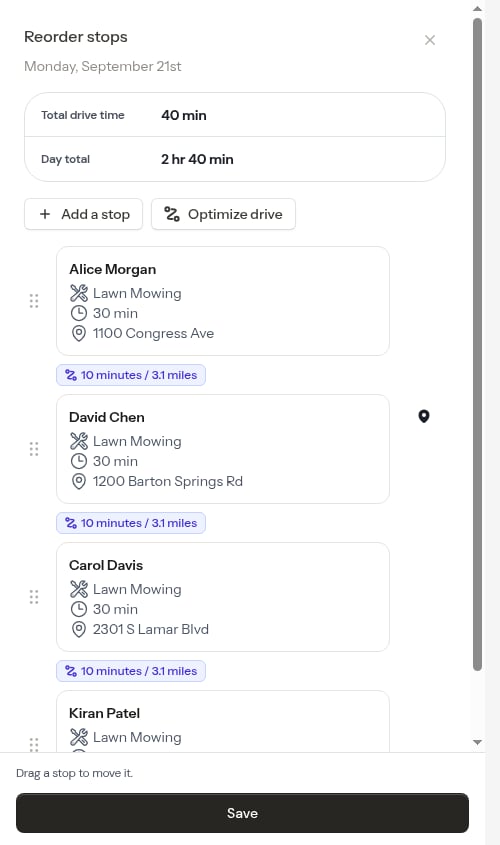
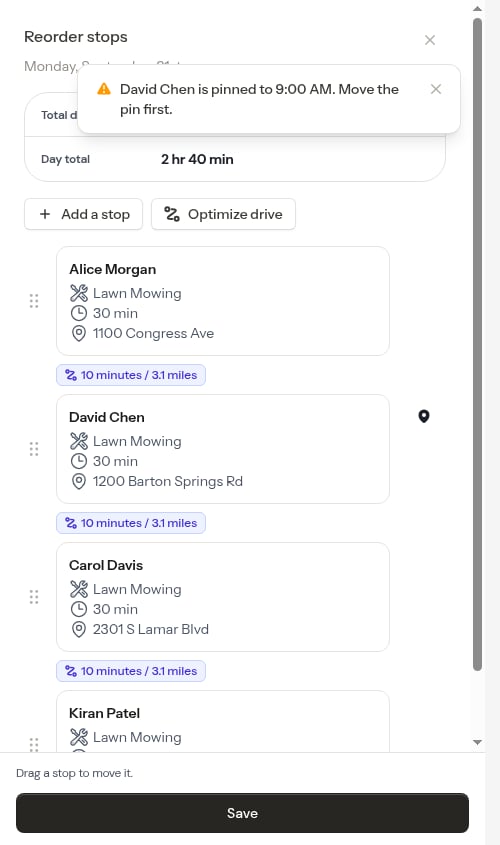
* **Reorder stops** — you can't drag another stop into a pinned stop's slot. ProBase refuses with *"David Chen is pinned to 8:00 AM. Move the pin first."* and puts the card back.
## Pins and route planning
* **Reorder stops** — you can't drag another stop into a pinned stop's slot. ProBase refuses with *"David Chen is pinned to 8:00 AM. Move the pin first."* and puts the card back.
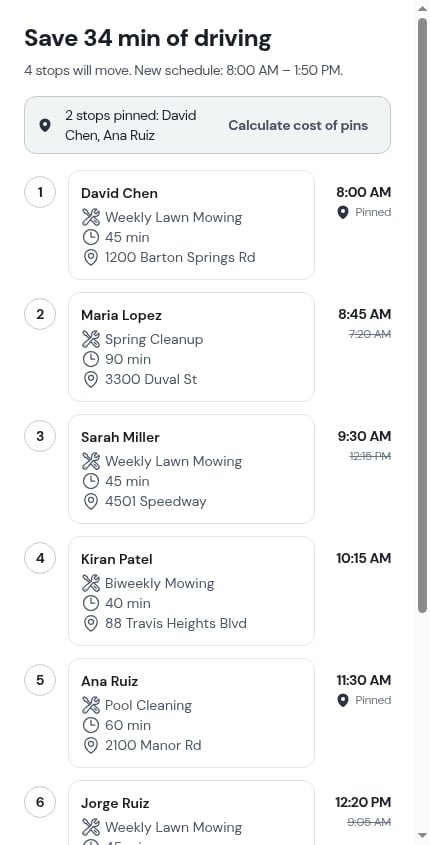
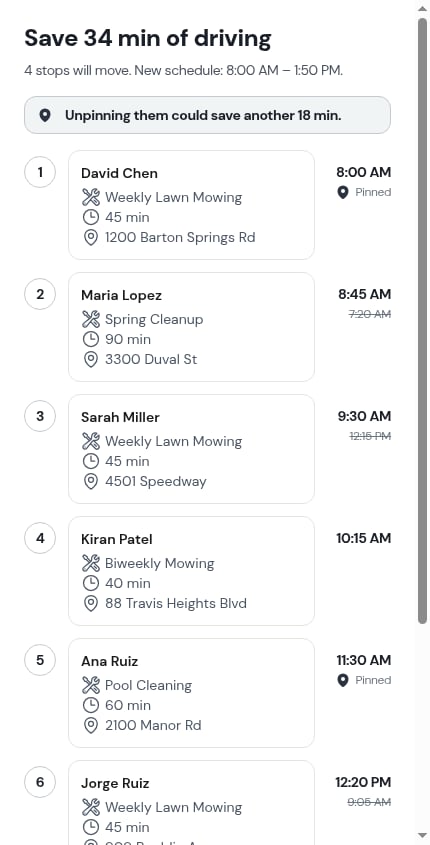
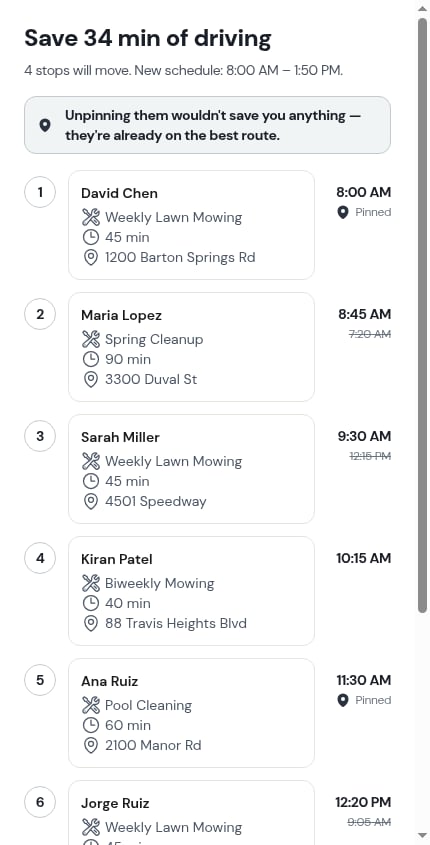
 * **Optimize route** — pinned stops keep their times and the preview names them: *"2 stops pinned: David Chen, Ana Ruiz"*. Tap **Calculate cost of pins** and ProBase works the day out a second time with the pins released, then tells you what they cost: *"Unpinning them could save another 18 min."* — or *"Unpinning them wouldn't save you anything — they're already on the best route."* Nothing is changed either way; it's just a number to help you decide.
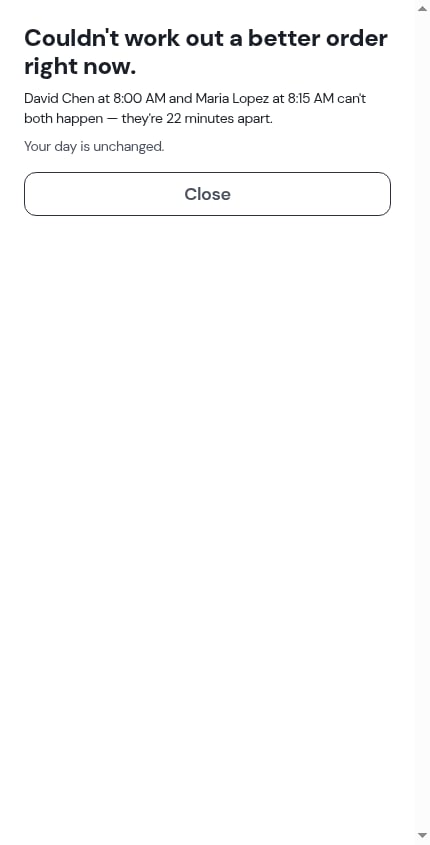
 * **Two pins that can't both happen** — if two pinned times are closer together than the drive between them, ProBase says so plainly instead of quietly breaking one: *"David Chen at 8:00 AM and Maria Lopez at 8:15 AM can't both happen — they're 22 minutes apart."* Your day is left untouched; move one of the pins and try again.
 * **A stop your crew is already working** is held in place too, pin or no pin. ProBase never proposes moving the job someone is standing on.
 ## Who can pin
Pinning needs the same permission as rescheduling a visit, and only for crews you're allowed to work with. Without it, **Pin this time** simply isn't in the More sheet. See [Roles and permissions](/team/roles-and-permissions).
Marketplace visits **can** be pinned: the date and status belong to the marketplace, but the time of day and the crew are yours. See [Marketplace jobs](/marketplace/marketplace-jobs).
## Next steps
* [Optimize a route](/routes/optimizing-routes) — see what the pins cost before you commit
* [Reorder stops](/routes/reordering-routes) — hand-pick the order around your pins
* [The visit page](/routes/visit-page) — where pinning lives
## Who can pin
Pinning needs the same permission as rescheduling a visit, and only for crews you're allowed to work with. Without it, **Pin this time** simply isn't in the More sheet. See [Roles and permissions](/team/roles-and-permissions).
Marketplace visits **can** be pinned: the date and status belong to the marketplace, but the time of day and the crew are yours. See [Marketplace jobs](/marketplace/marketplace-jobs).
## Next steps
* [Optimize a route](/routes/optimizing-routes) — see what the pins cost before you commit
* [Reorder stops](/routes/reordering-routes) — hand-pick the order around your pins
* [The visit page](/routes/visit-page) — where pinning lives