> ## Documentation Index
> Fetch the complete documentation index at: https://docs.probaseapp.com/llms.txt
> Use this file to discover all available pages before exploring further.
# Sending the service report
> Tell the customer what you did — with photos, and the bill if it is due
## Overview
The **service report** is the customer's copy of the visit: a plain-language description of what you did, the photos you took, anything your checklists recorded, and a place for them to rate you. It lives on a web page of its own, and you send them the link.
The send step opens by itself the moment you finish a visit, so telling the customer is the last thing you do on the job rather than something you remember later in the van.
 ProBase never sends the text for you. It writes the message and opens your phone's Messages app (or copies the link) — you decide who it goes to and when you press send.
## Where the step comes from
Three doors open the same screen:
| Door | When |
| ---------------------------------------------- | --------------------------------------------------------------------------------------------------------------- |
| Right after **Complete visit** | Every job visit you complete — after the *Schedule next visit* step, if that one applied |
| **Send service report** on the completed visit | Any time afterwards, while the customer hasn't rated it yet |
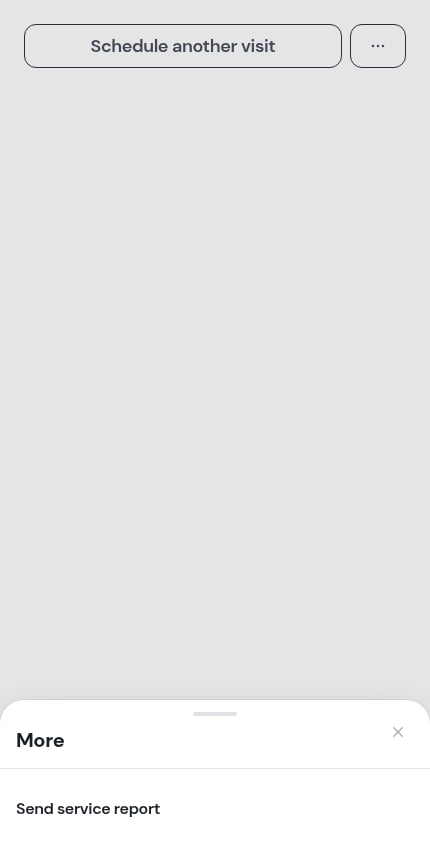
| The **⋯ More** sheet | Once the customer has rated — the button steps back into the sheet rather than staying at the top of the screen |
The row in the sheet reads **Send the report again** once the report has actually gone out, and **Send service report** if it hasn't — a customer can rate you from an invoice without ever having been sent one.
ProBase never sends the text for you. It writes the message and opens your phone's Messages app (or copies the link) — you decide who it goes to and when you press send.
## Where the step comes from
Three doors open the same screen:
| Door | When |
| ---------------------------------------------- | --------------------------------------------------------------------------------------------------------------- |
| Right after **Complete visit** | Every job visit you complete — after the *Schedule next visit* step, if that one applied |
| **Send service report** on the completed visit | Any time afterwards, while the customer hasn't rated it yet |
| The **⋯ More** sheet | Once the customer has rated — the button steps back into the sheet rather than staying at the top of the screen |
The row in the sheet reads **Send the report again** once the report has actually gone out, and **Send service report** if it hasn't — a customer can rate you from an invoice without ever having been sent one.
 Assessment visits and [marketplace visits](/marketplace/marketplace-jobs) have no service report — the marketplace looks after its own customers, and an assessment isn't work you did yet. Neither one offers the step.
## What's on the send step
Top to bottom:
The cream card is the report exactly as the customer will read it: your **Customer notes** in full, and the **After photos** as tiles. Underneath, a short line counts them — *3 photos · rating requested*.
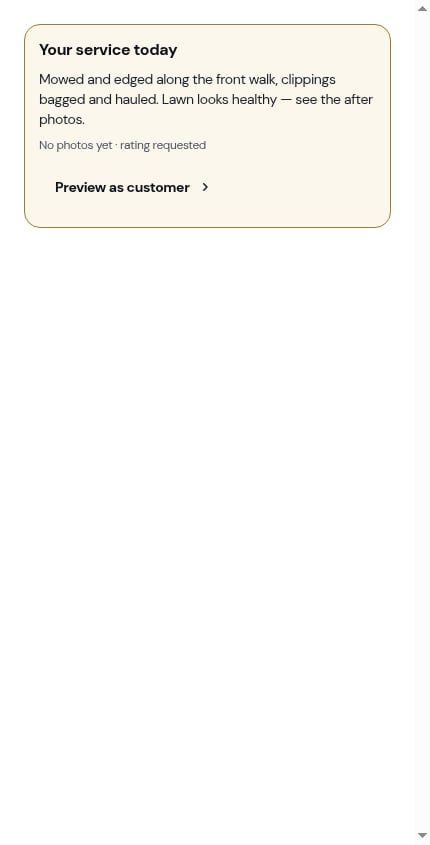
If you never wrote customer notes, the card says so in muted text rather than showing a hole. The customer's own page simply leaves that block out.
Assessment visits and [marketplace visits](/marketplace/marketplace-jobs) have no service report — the marketplace looks after its own customers, and an assessment isn't work you did yet. Neither one offers the step.
## What's on the send step
Top to bottom:
The cream card is the report exactly as the customer will read it: your **Customer notes** in full, and the **After photos** as tiles. Underneath, a short line counts them — *3 photos · rating requested*.
If you never wrote customer notes, the card says so in muted text rather than showing a hole. The customer's own page simply leaves that block out.
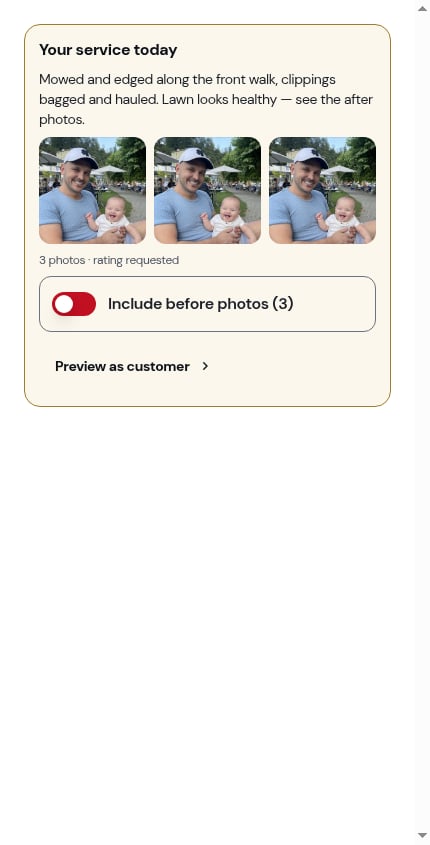
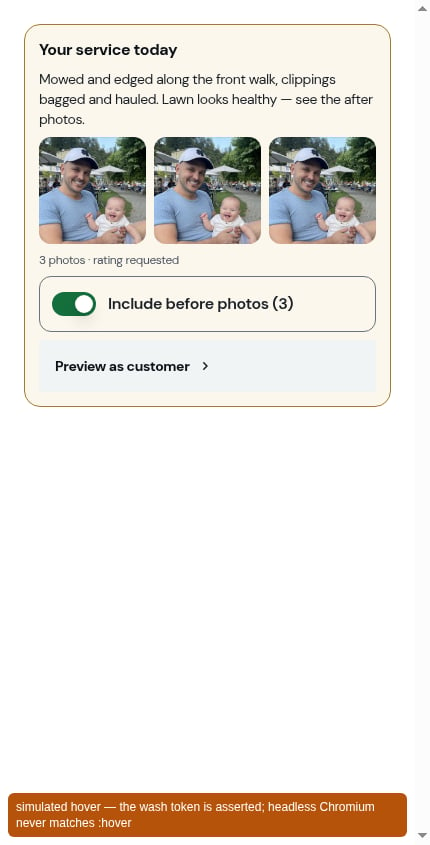
 If you took **Before photos** on the visit, a switch offers to send those too — headed **Include before photos (N)**. It's off unless you turn it on, and the customer's page then shows two labelled groups, **Before** and then **After**.
Your choice is saved with the send, so re-sending the link later shows the customer the same thing.
A row at the bottom of the card opens the real report page in a new tab, exactly as the customer will get it. Use it before you send if you want to check the wording.
If you took **Before photos** on the visit, a switch offers to send those too — headed **Include before photos (N)**. It's off unless you turn it on, and the customer's page then shows two labelled groups, **Before** and then **After**.
Your choice is saved with the send, so re-sending the link later shows the customer the same thing.
A row at the bottom of the card opens the real report page in a new tab, exactly as the customer will get it. Use it before you send if you want to check the wording.
 If there's something to bill, one switch appears above the message. It has two forms:
* **Include this month's invoice** — the visit's charge (or the month's subscription bill) is sitting on a draft invoice. *\[First name] gets one message: what you did, and what they owe.* Turning it on **sends that invoice** along with the report.
* **Include their outstanding balance** — nothing new is due, but the account still owes from before. *\[First name] still owes \$120.00 from July.* Turning it on links their oldest unpaid invoice; nothing is re-sent.
With the switch on, the send button re-words itself — **Send SMS — report and invoice**, or **… and balance** — so you can see what's about to go out.
If there's something to bill, one switch appears above the message. It has two forms:
* **Include this month's invoice** — the visit's charge (or the month's subscription bill) is sitting on a draft invoice. *\[First name] gets one message: what you did, and what they owe.* Turning it on **sends that invoice** along with the report.
* **Include their outstanding balance** — nothing new is due, but the account still owes from before. *\[First name] still owes \$120.00 from July.* Turning it on links their oldest unpaid invoice; nothing is re-sent.
With the switch on, the send button re-words itself — **Send SMS — report and invoice**, or **… and balance** — so you can see what's about to go out.


 The invoice switch only appears if your role is allowed to send invoices. Sending the report itself is a separate, lower permission — see [Roles and permissions](/team/roles-and-permissions).
A text box holds the message, already written: *Hi Sarah, here's what I did today at 128 Maple St: \[link]*. Edit it however you like before you send.
Three actions close the step:
* **Send SMS** — opens Messages on your phone with the message and link ready. A short toast reminds you: *Opens Messages on your phone — ProBase never sends for you.*
* **Copy link** — puts **the report link alone** on your clipboard, so you can paste it into an email, WhatsApp, or wherever else you talk to this customer. The button reads **Copied!** for a moment.
* **Not now** — closes the step and writes nothing. The visit stays completed; the report is still there to send later.
The invoice switch only appears if your role is allowed to send invoices. Sending the report itself is a separate, lower permission — see [Roles and permissions](/team/roles-and-permissions).
A text box holds the message, already written: *Hi Sarah, here's what I did today at 128 Maple St: \[link]*. Edit it however you like before you send.
Three actions close the step:
* **Send SMS** — opens Messages on your phone with the message and link ready. A short toast reminds you: *Opens Messages on your phone — ProBase never sends for you.*
* **Copy link** — puts **the report link alone** on your clipboard, so you can paste it into an email, WhatsApp, or wherever else you talk to this customer. The button reads **Copied!** for a moment.
* **Not now** — closes the step and writes nothing. The visit stays completed; the report is still there to send later.
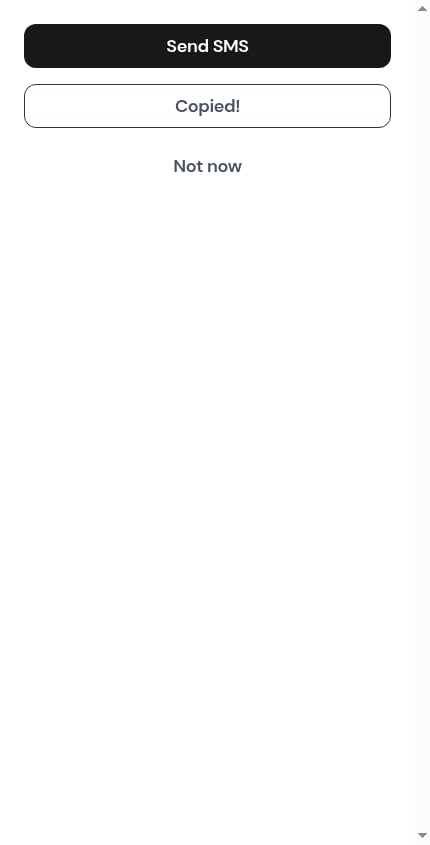 Without a phone number on file the solid button becomes **Copy link** and there's no SMS option — there's nothing to text.
## Once it's sent
A green banner appears at the top of the step — *Report sent to Sarah. It stays on the visit if they ask again.* — and the dismiss button changes from **Not now** to **Done**.
Without a phone number on file the solid button becomes **Copy link** and there's no SMS option — there's nothing to text.
## Once it's sent
A green banner appears at the top of the step — *Report sent to Sarah. It stays on the visit if they ask again.* — and the dismiss button changes from **Not now** to **Done**.


 On the visit itself, the **Report** row under **What happened** flips from *Not sent yet* to *Sent Fri, Aug 28*.
 The first send is the one that's recorded. Re-sending the link later doesn't move that date, and if the invoice rode along with the report, it's only ever sent once — turning the switch on again later won't bill the customer twice.
Once the report has gone out, the visit's record is fixed: the pencil beside the **Checklists** card disappears and you can't edit answers any more. Check the preview before you send. See [Going back in to fix a checklist](/routes/completing-jobs#going-back-in-to-fix-a-checklist).
## When the customer rates you
The report page ends with **How did we do?** — stars and an optional comment. When the customer submits it:
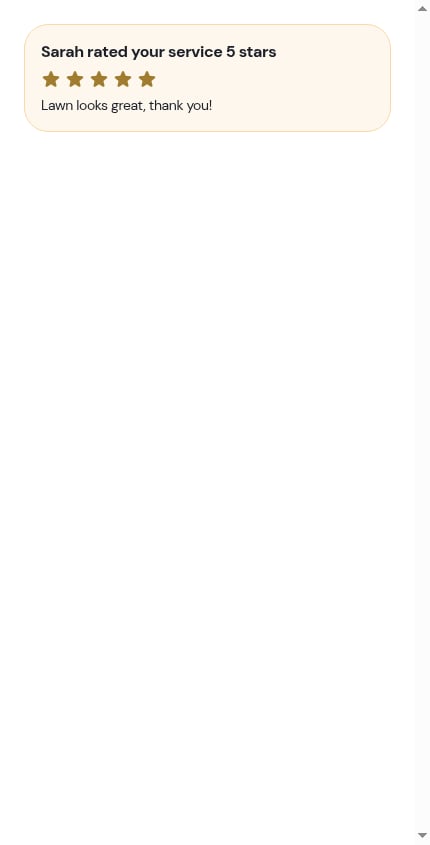
* The visit picks up a **rating card** directly under its header — *Sarah rated your service 5 stars*, the stars, and their words if they left any
* An [update](/getting-started/updates) lands in your feed with the same line and the comment underneath
* **Send service report** steps back into the **⋯ More** sheet as **Send the report again** — the rating is the evidence the report arrived, so the button stops taking up the top of the screen
The first send is the one that's recorded. Re-sending the link later doesn't move that date, and if the invoice rode along with the report, it's only ever sent once — turning the switch on again later won't bill the customer twice.
Once the report has gone out, the visit's record is fixed: the pencil beside the **Checklists** card disappears and you can't edit answers any more. Check the preview before you send. See [Going back in to fix a checklist](/routes/completing-jobs#going-back-in-to-fix-a-checklist).
## When the customer rates you
The report page ends with **How did we do?** — stars and an optional comment. When the customer submits it:
* The visit picks up a **rating card** directly under its header — *Sarah rated your service 5 stars*, the stars, and their words if they left any
* An [update](/getting-started/updates) lands in your feed with the same line and the comment underneath
* **Send service report** steps back into the **⋯ More** sheet as **Send the report again** — the rating is the evidence the report arrived, so the button stops taking up the top of the screen

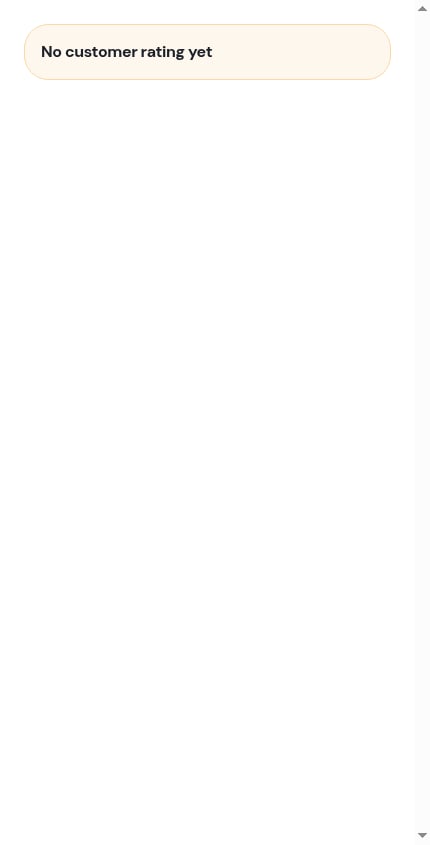
 A rating can only be left once. See [The customer's service report](/customers/service-reports) for the whole customer-side experience.
## Sending the invoice on its own
The report is not the only way to bill. If you'd rather send the invoice by itself — or you skipped the switch — open it from the **Charged** row on the completed visit and use **Send Invoice** there. See [Sending payment links](/billing/sending-payment-links#sending-the-invoice-for-a-completed-visit).
## Next steps
* [Completing a visit](/routes/completing-jobs) — the step before this one
* [The customer's service report](/customers/service-reports) — what the customer opens
* [Before and after photos](/checklists/system-checklists#before-photos-and-after-photos) — how photos get onto the report
* [Service ratings](/billing/service-ratings) — the other place customers can rate you
A rating can only be left once. See [The customer's service report](/customers/service-reports) for the whole customer-side experience.
## Sending the invoice on its own
The report is not the only way to bill. If you'd rather send the invoice by itself — or you skipped the switch — open it from the **Charged** row on the completed visit and use **Send Invoice** there. See [Sending payment links](/billing/sending-payment-links#sending-the-invoice-for-a-completed-visit).
## Next steps
* [Completing a visit](/routes/completing-jobs) — the step before this one
* [The customer's service report](/customers/service-reports) — what the customer opens
* [Before and after photos](/checklists/system-checklists#before-photos-and-after-photos) — how photos get onto the report
* [Service ratings](/billing/service-ratings) — the other place customers can rate you