> ## Documentation Index
> Fetch the complete documentation index at: https://docs.probaseapp.com/llms.txt
> Use this file to discover all available pages before exploring further.
# Charges on a visit
> Bill for the extra work or materials you did on one visit
## Overview
A charge is something extra you did on **this one visit** that the job's normal price doesn't already cover — a hedge you trimmed while you were there, a bag of fertiliser you spread, a gate latch you replaced. You add it on the visit, in a few seconds, and it flows onto the invoice for that visit.
A charge is a **name and a price**. Nothing else. There's no quantity to work out, no duration to estimate, and no decision about whether it repeats — it belongs to this visit and only this visit.
Charges that apply to **every** visit of a job — a standing bagging fee, a monthly filter charge — aren't added here. Those live on the job itself and ride every visit automatically. See [Managing services](/customers/managing-services).
## Adding a charge
Open the visit and stay on the **Visit** tab. Under the **Checklists** card is a second card headed **Charges**.
Its last row is the capture row. While the visit has nothing on it, the row simply reads **Add a charge**.
The **Add a charge** sheet slides up from the bottom of the screen.
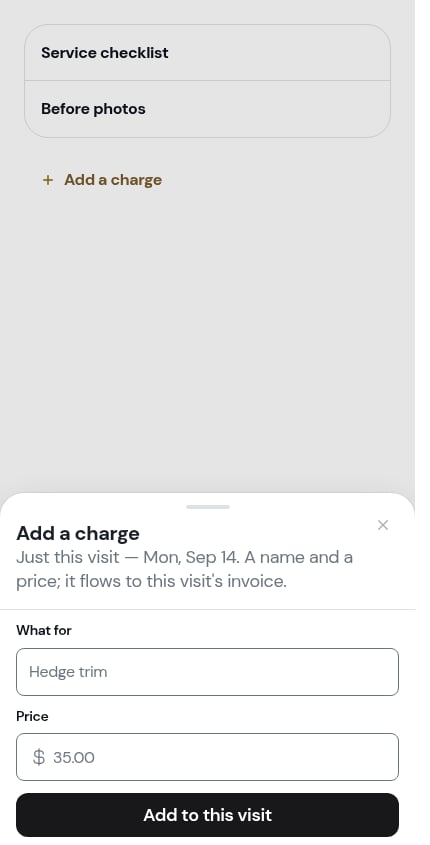 At the top it tells you exactly what you're doing: *Just this visit — Fri, Aug 28. A name and a price; it flows to this visit's invoice.*
Two fields:
* **What for** — what you did, in your own words ("Hedge trim")
* **Price** — what to charge for it
Both are required. If you miss one, the sheet stays open and tells you which.
At the top it tells you exactly what you're doing: *Just this visit — Fri, Aug 28. A name and a price; it flows to this visit's invoice.*
Two fields:
* **What for** — what you did, in your own words ("Hedge trim")
* **Price** — what to charge for it
Both are required. If you miss one, the sheet stays open and tells you which.
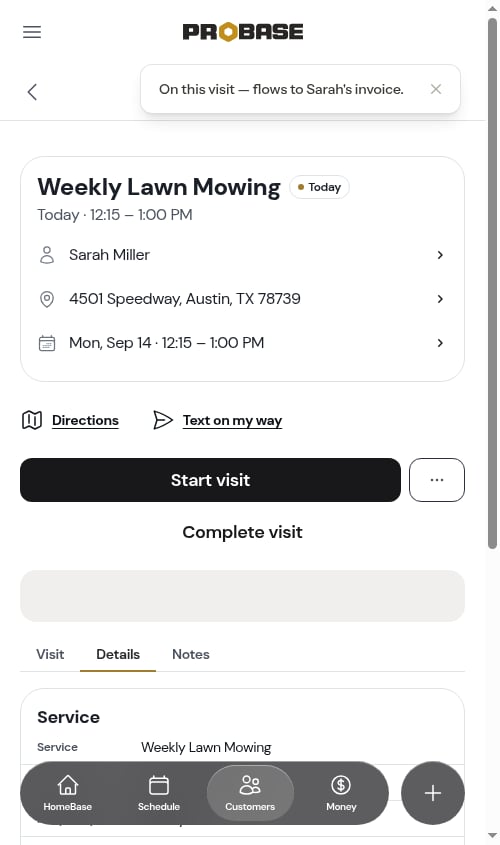
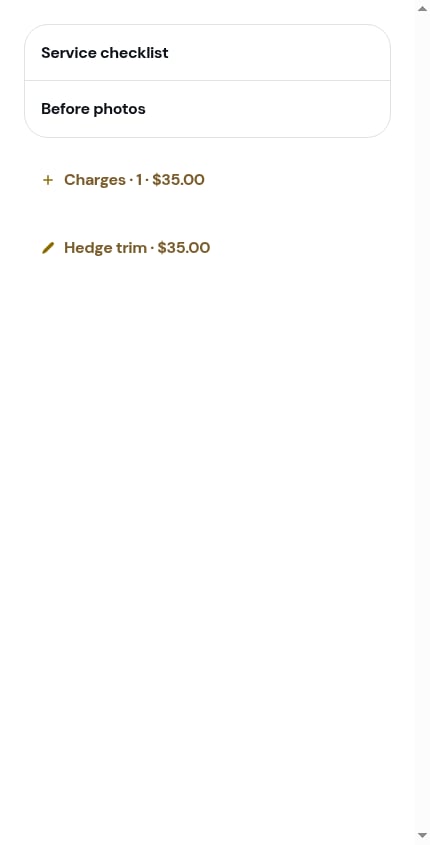 The sheet closes and a message confirms where the money is going — *On this visit — flows to Sarah's invoice.*
The capture row now carries a running summary instead of the plain label: **Charges · 1 · \$35.00** — how many charges are on the visit, and the price of the last one you added.
The sheet closes and a message confirms where the money is going — *On this visit — flows to Sarah's invoice.*
The capture row now carries a running summary instead of the plain label: **Charges · 1 · \$35.00** — how many charges are on the visit, and the price of the last one you added.
 ## Editing or removing a charge
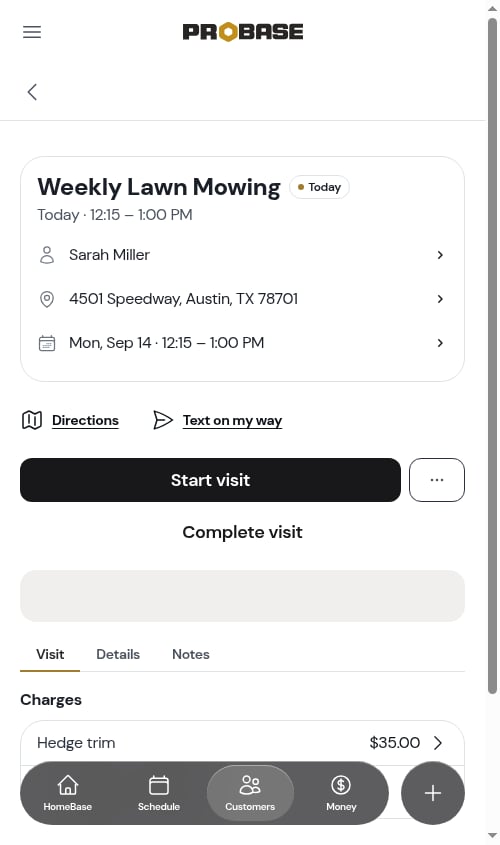
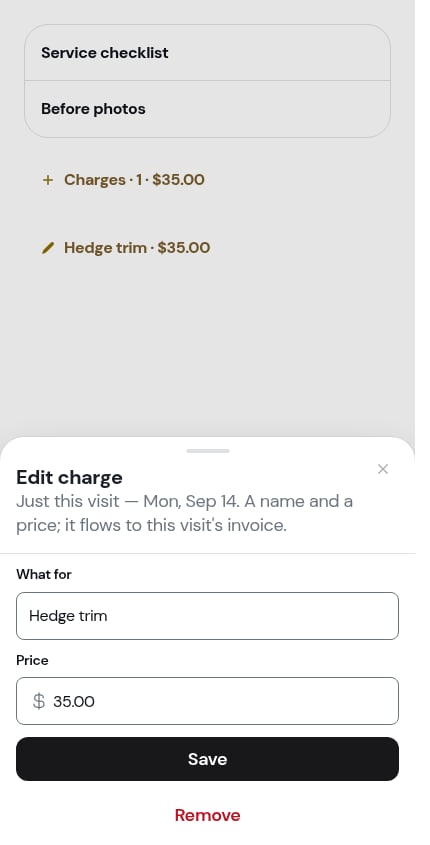
Every charge on the visit is its own row in the **Charges** card, showing the name on the left and the price on the right. Tap the row to reopen it.
## Editing or removing a charge
Every charge on the visit is its own row in the **Charges** card, showing the name on the left and the price on the right. Tap the row to reopen it.
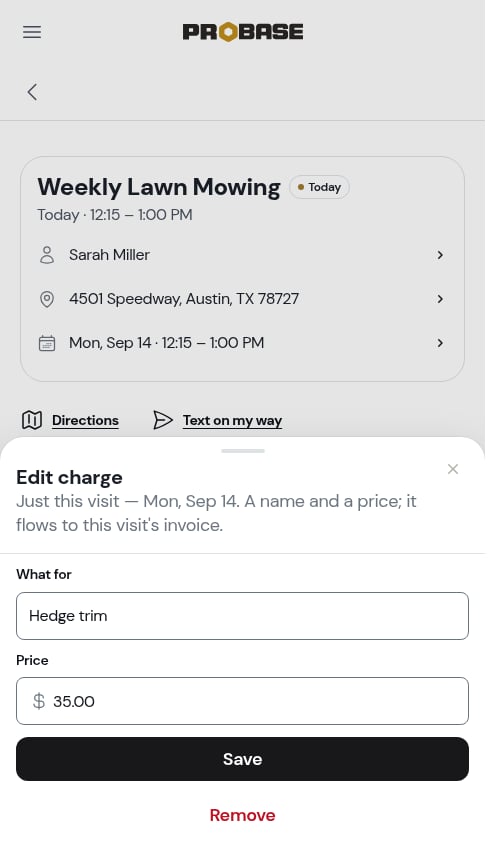
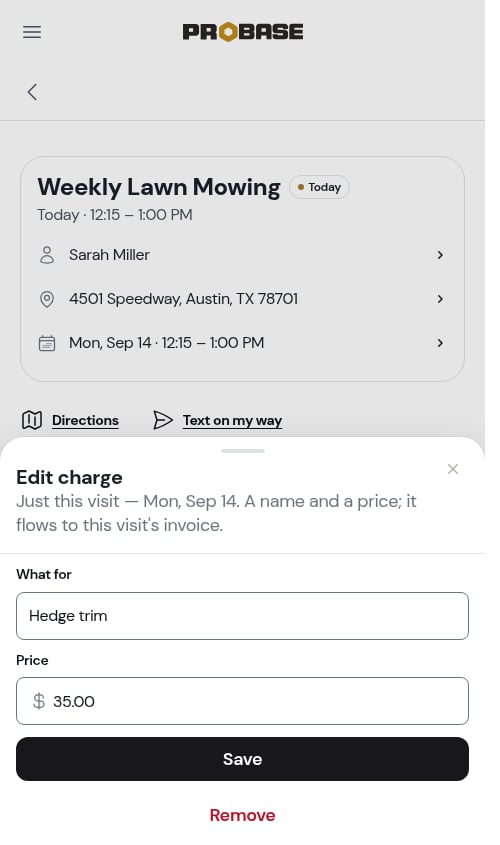 The sheet opens headed **Edit charge**, prefilled with what you entered:
* Change either field and tap **Save**
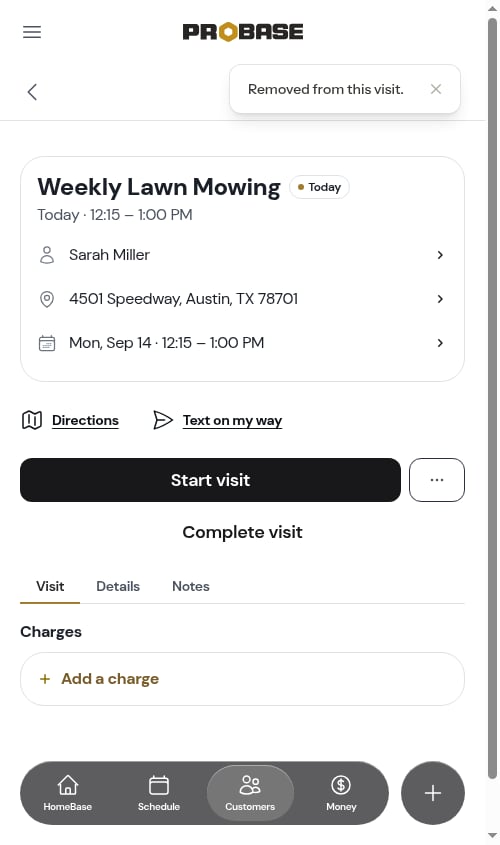
* Tap **Remove** to take the charge off the visit entirely
The sheet opens headed **Edit charge**, prefilled with what you entered:
* Change either field and tap **Save**
* Tap **Remove** to take the charge off the visit entirely
 You can reach the same sheet from the **Details** tab — the **This visit** rows under the Service card open it too.
 ## Where charges show up
### On the Details tab
The **Details** tab shows the money on the visit as two separate lists under the **Service** card, and they never blend together:
* **Charges** — the job's standing charges, the ones on every visit. Read-only here; they're part of the job.
* **This visit** — the charges you added to this visit alone.
## Where charges show up
### On the Details tab
The **Details** tab shows the money on the visit as two separate lists under the **Service** card, and they never blend together:
* **Charges** — the job's standing charges, the ones on every visit. Read-only here; they're part of the job.
* **This visit** — the charges you added to this visit alone.
 ### On the invoice
When you complete the visit, each charge becomes its own line on the customer's invoice for that visit, at the price you entered. Nothing is billed before the visit is completed.
For a job billed **per visit**, that's on top of the service's own price. For a **subscription** job, the subscription is billed on its own schedule and your visit charges are billed when the visit completes. See [How billing works](/billing/how-billing-works).
## When you can't add a charge
The **Charges** card isn't there at all when adding one wouldn't make sense:
* **On a completed or cancelled visit** — the money is settled
* **On an [assessment visit](/customers/assessments)** — there's no job to bill yet; pricing happens on the quote
* **On a [marketplace visit](/marketplace/marketplace-jobs)** — the marketplace owns the money on those jobs
* **If your role can't edit charges** — see [Roles and permissions](/team/roles-and-permissions)
## What happens to charges if the visit is cancelled
Nothing is billed for a cancelled visit. If the visit you're cancelling has charges of its own and another visit is already booked, ProBase asks whether to move them forward rather than losing them — they'll be billed when that visit completes instead. See [Cancelling a visit](/routes/cancelling-visits#moving-charges-and-notes-forward).
## Next steps
* [The visit page](/routes/visit-page) — everything else on the screen
* [Completing a visit](/routes/completing-jobs) — what happens when you finish
* [Invoices](/billing/invoices) — where the charges end up
### On the invoice
When you complete the visit, each charge becomes its own line on the customer's invoice for that visit, at the price you entered. Nothing is billed before the visit is completed.
For a job billed **per visit**, that's on top of the service's own price. For a **subscription** job, the subscription is billed on its own schedule and your visit charges are billed when the visit completes. See [How billing works](/billing/how-billing-works).
## When you can't add a charge
The **Charges** card isn't there at all when adding one wouldn't make sense:
* **On a completed or cancelled visit** — the money is settled
* **On an [assessment visit](/customers/assessments)** — there's no job to bill yet; pricing happens on the quote
* **On a [marketplace visit](/marketplace/marketplace-jobs)** — the marketplace owns the money on those jobs
* **If your role can't edit charges** — see [Roles and permissions](/team/roles-and-permissions)
## What happens to charges if the visit is cancelled
Nothing is billed for a cancelled visit. If the visit you're cancelling has charges of its own and another visit is already booked, ProBase asks whether to move them forward rather than losing them — they'll be billed when that visit completes instead. See [Cancelling a visit](/routes/cancelling-visits#moving-charges-and-notes-forward).
## Next steps
* [The visit page](/routes/visit-page) — everything else on the screen
* [Completing a visit](/routes/completing-jobs) — what happens when you finish
* [Invoices](/billing/invoices) — where the charges end up