Ways to add customers
You can add customers to ProBase in several ways:- Quick Actions (Job creation) - Create customer + property + service + appointment all at once using the floating action button. See Creating jobs.
- Add customers manually - Enter customer information one at a time through the customer creation form (described below).
- Import in bulk - Upload a CSV, PDF, text file, or photo and let AI extract your customer list automatically. See Importing customers.
- Let customers reach out to you - Share your branded contact form so prospects can submit their own details, which arrive as new leads automatically. See Your contact form.
If you need to get a customer scheduled quickly, use the Job creation feature. If you’re switching from another app and have an existing customer list, use bulk import. For adding customers one at a time, use the manual approach below.
Add a customer manually
1
Open the customer creation form
You can open the customer form in several ways:While your customer list is still empty, a Tour demo card sits below the Add customer button, separated by a small or. Tap it to look around a fully-loaded sample business instead — see Tour demo from an empty screen.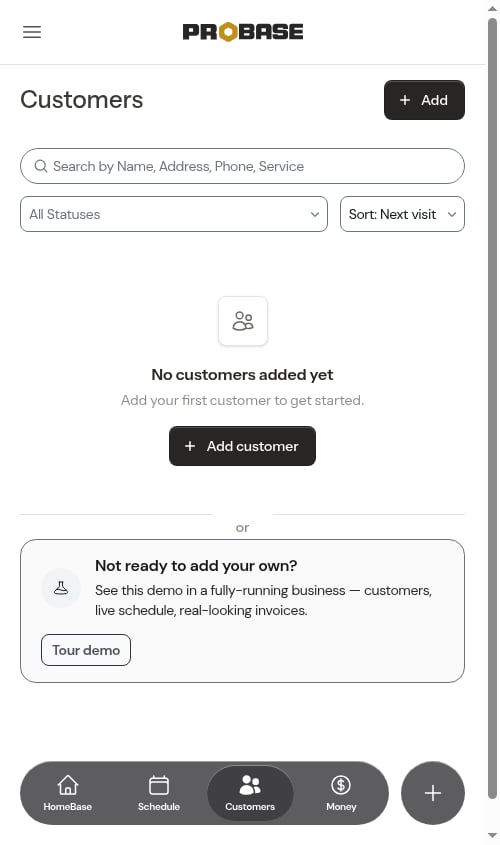
- Click the Quick Actions button (the + floating button in the bottom-right), then select New Customer, OR
- Click Customers in the sidebar and tap the Add customer button in the top-right of the page header, OR
- If you don’t have any customers yet, an Add customer button also appears in the middle of the page above an empty state (“No customers added yet”). Tap it to open the form, OR
-
If your Schedule is empty and you haven’t added any customers, the Add a customer button there opens the same form. See Weekly calendar.
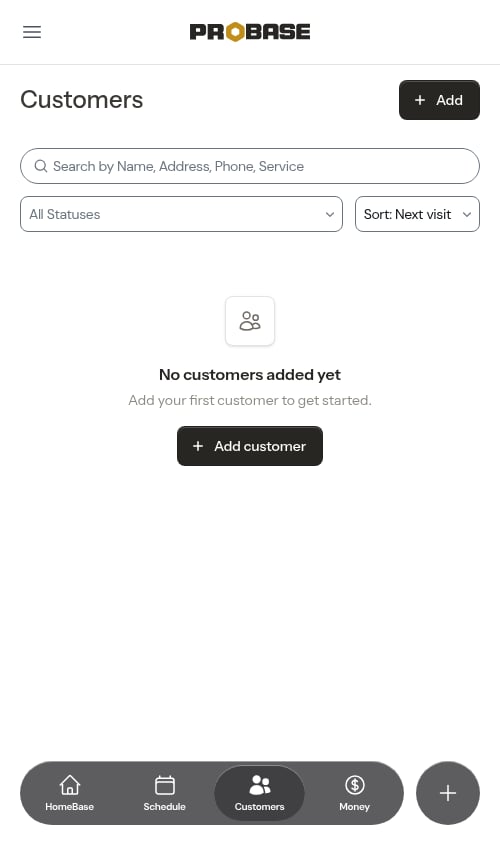
On a narrow phone screen the header buttons use short labels so they don’t crowd the Customers heading — Add customer reads just Add, and Import customers reads just Import. They do exactly the same thing.
2
Fill in customer information
Enter the customer’s basic information: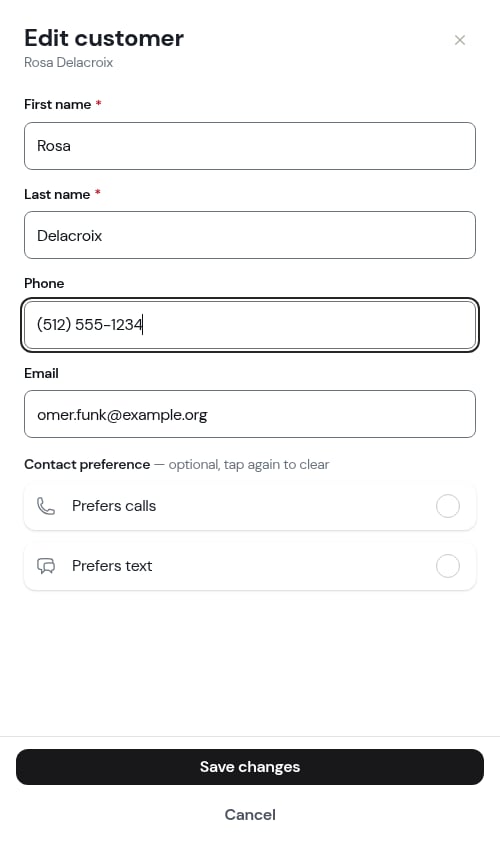
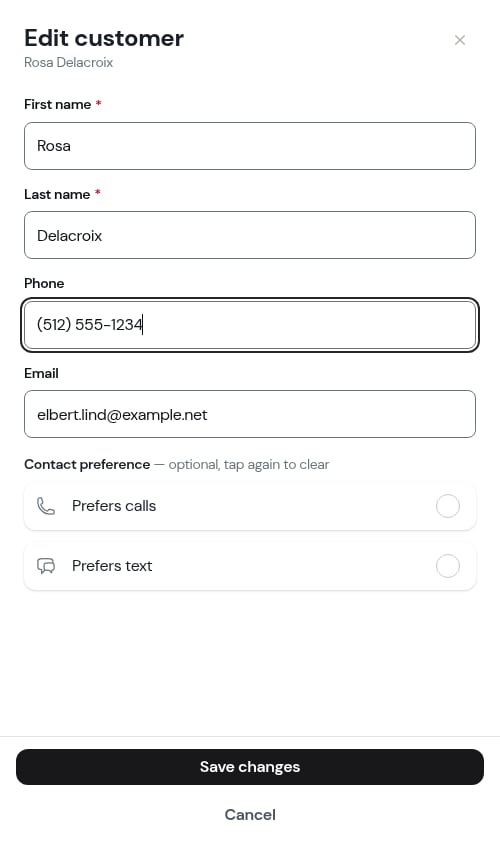
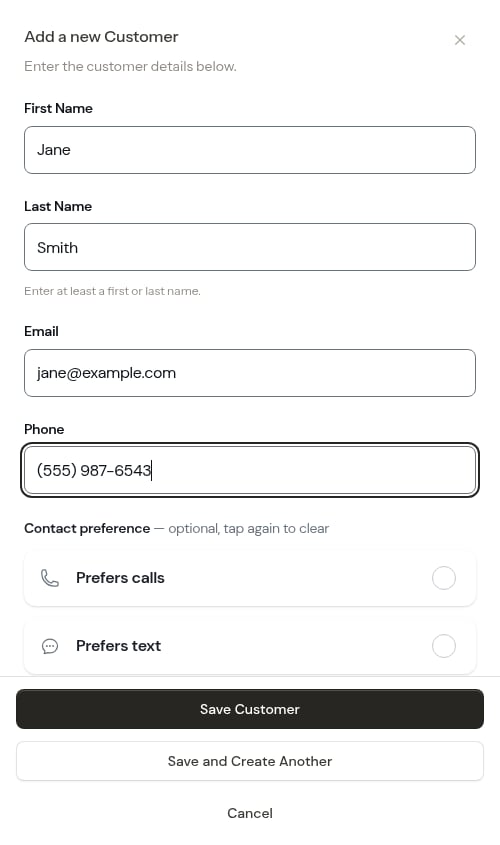
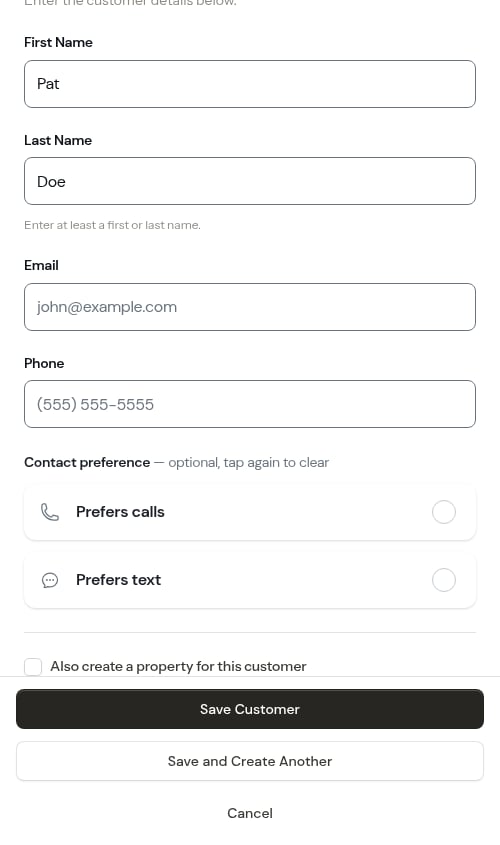
- First name and Last name — enter at least one of the two. You can save a customer with just a first name, just a last name (handy for a company or a contact you only know by surname), or both. If you leave both blank, you’ll see “Enter at least a first or last name.” and the customer won’t be saved.
- Phone number (optional) — capture it so you can reach customers about scheduled work and send them payment links by SMS, but it’s no longer required to save.
- Email address (optional, but recommended for sending payment links)
+1 512 555 1234, +15125551234 or 1 (512) 555-1234 — and ProBase drops the leading 1 for you, so it still reads (512) 555-1234 with all ten digits kept.3
Optionally set a contact preference
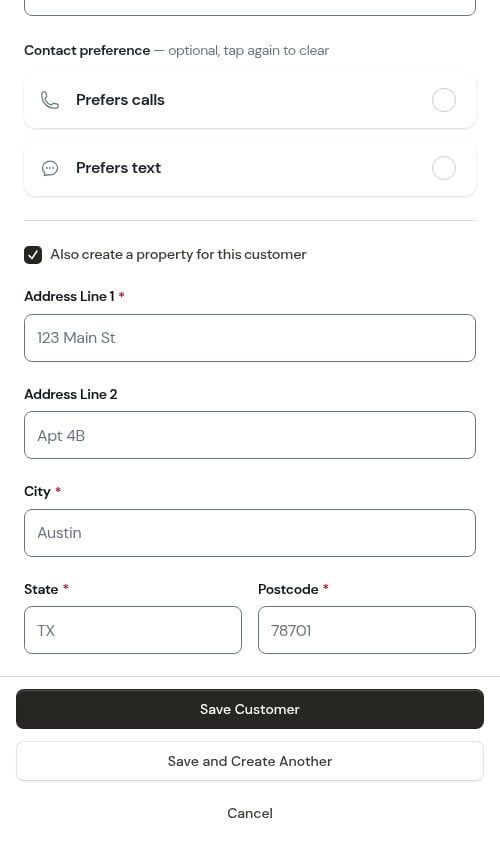
Under the contact fields, a Contact preference list records how this customer likes to be reached — Prefers calls or Prefers text. Tap one to select it; the row washes green and shows a check.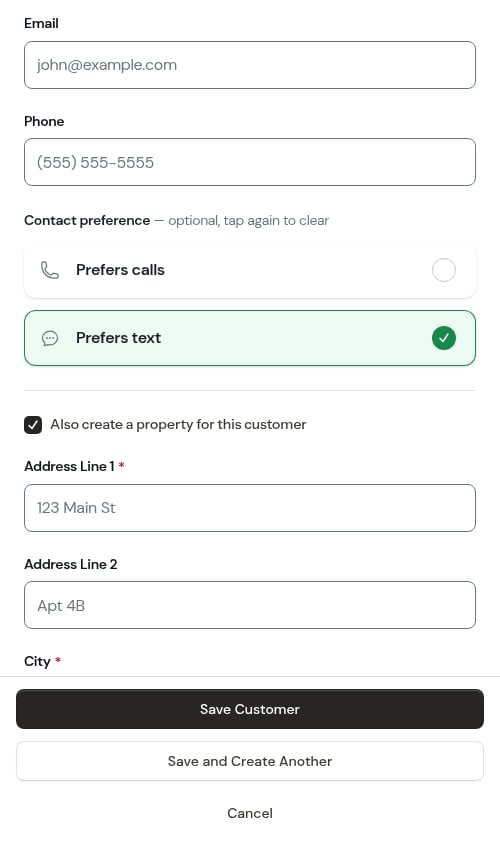
Leaving it blank is fine — it just means nobody has said yet. You can set or change it later from the phone row on the customer’s page, where a third choice, No preference, is also offered. See Contact preference.
4
Optionally add a property
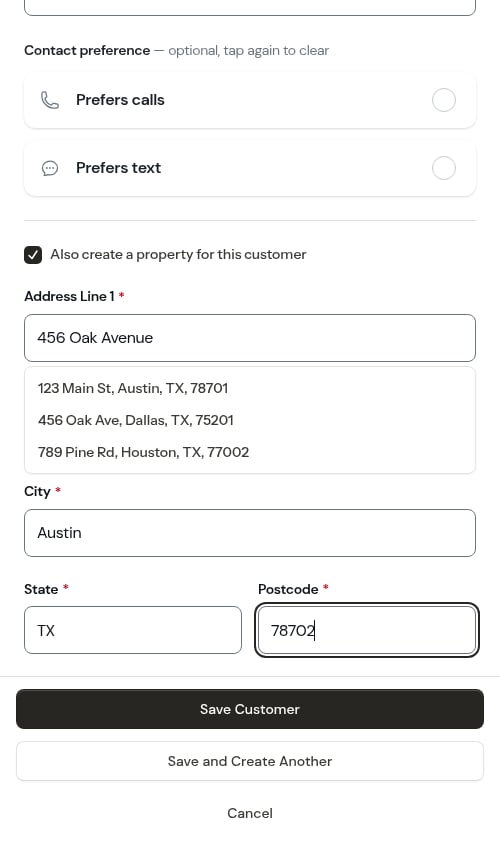
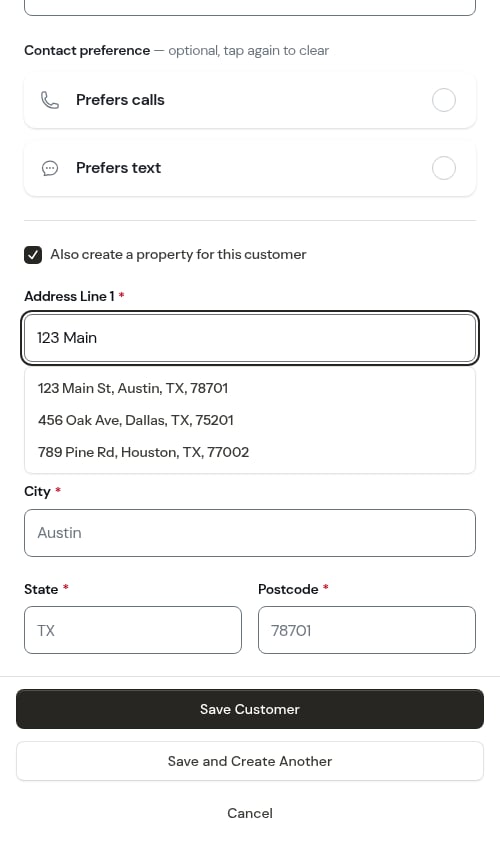
The Also create a property for this customer checkbox is turned on by default, since most customers are added so you can schedule work for them — which needs a property address. Leave it checked to add the address now, or uncheck it if you only want to capture a contact for now (you can add a property later from the customer’s page).When checked, you’ll see address fields to fill in:
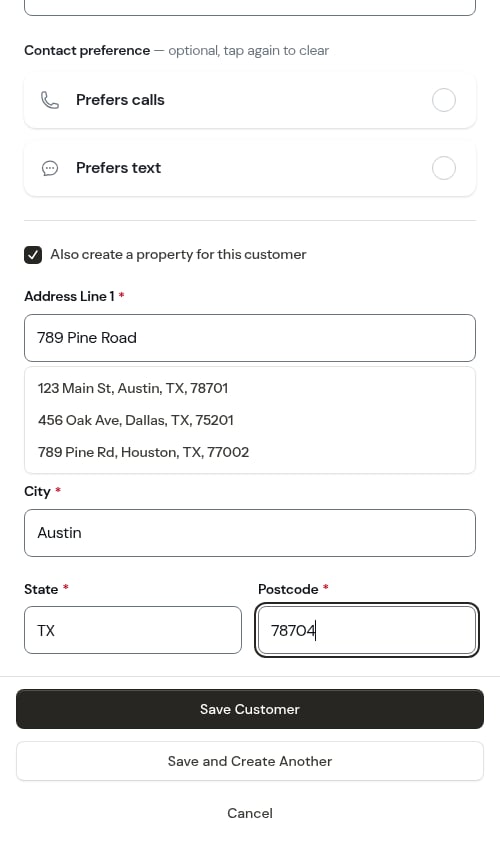
- Address Line 1 — Start typing and address suggestions will appear. Pick one and the rest of the address fills itself in — see Address suggestions as you type.
- Address Line 2 (optional) — Apartment, suite, or unit number
-
City, State, Postcode, Country — Filled in automatically when you select an address suggestion, or enter manually
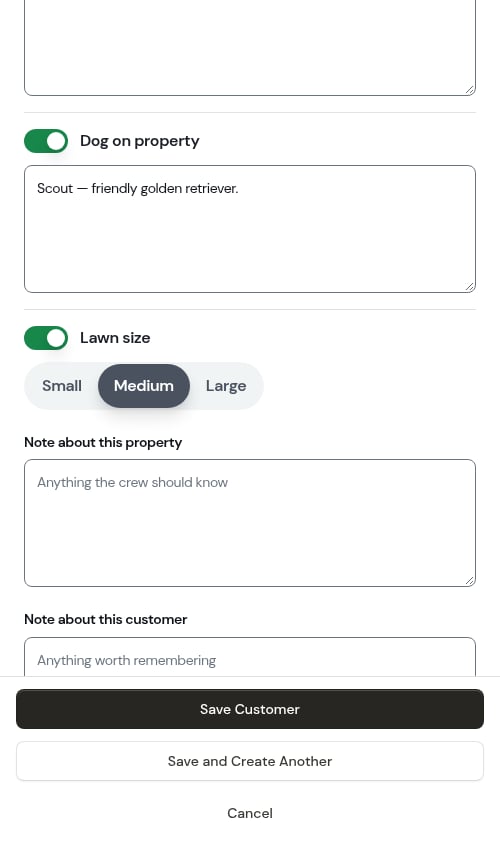
- Locked gate — switch it on and a box appears for the gate code or how to get in
- Dog on property — switch it on and a box appears for the dog’s name and temperament
-
Lawn size — switch it on and pick Small, Medium, or Large (only shown if your business does lawn work)
5
Optionally write a first note
At the bottom of the form are two note boxes, so anything worth remembering gets written down while you’re still thinking about it — not as a separate errand afterwards:
- Note about this property — “Anything the crew should know”. Only shown when you’re adding a property.
-
Note about this customer — “Anything worth remembering”
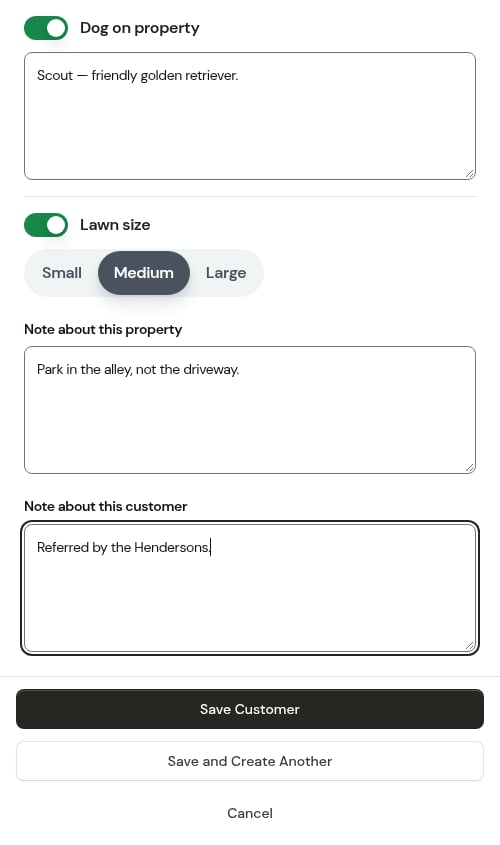
Use the property note for access instructions and hazards, and the customer note for things about the person — who referred them, how they like to be billed. A locked gate, its code, and a dog each have their own field above, so those belong there rather than in a note.
6
Save
At the bottom of the form you have two save options: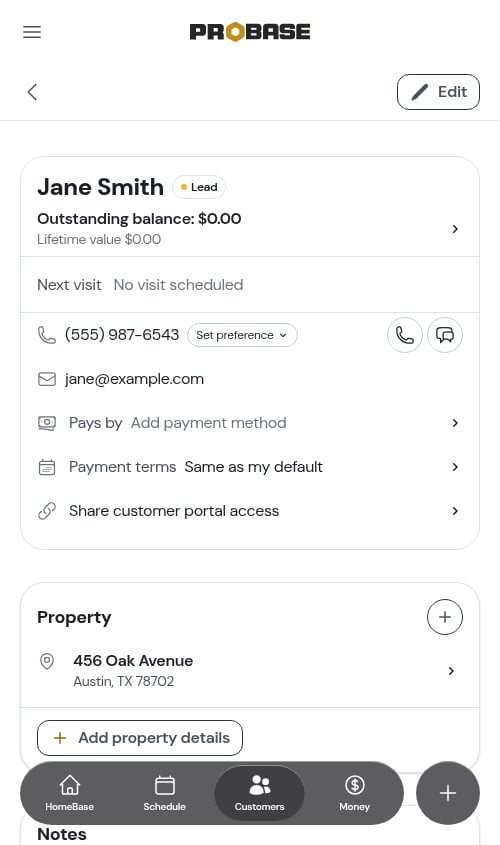
- Save Customer — saves the customer and takes you to their details page. If you added a property, the new property appears in the Properties section of that page so you can pick up where you left off.
-
Save and Create Another — saves the customer and immediately clears the form for the next one, without closing the window. The address checkbox stays checked so you can keep entering customers and their properties back-to-back. Use this when you have several customers to enter in one sitting.
What’s next?
Every time you tap Save Customer, the new customer’s page opens and ProBase asks what you’d like to do with them:Customer added — what’s next?
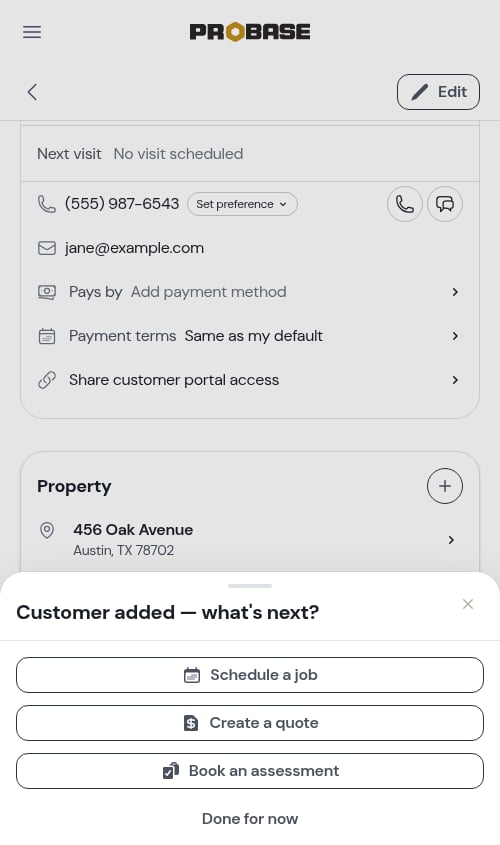
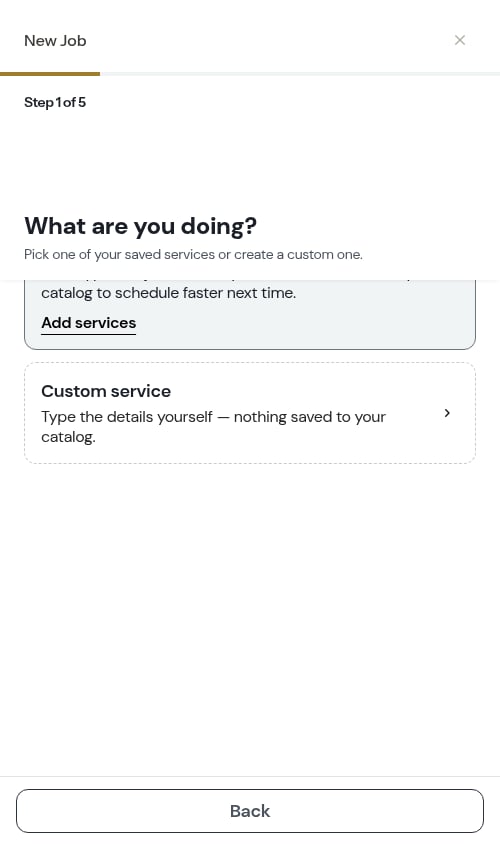
- Schedule a job — opens the job creation wizard right on top of the customer’s page, with this customer already selected, so you can book their first appointment right away. See Creating jobs.
- Create a quote — starts a quote for them. See Creating quotes.
- Book an assessment — books a visit to look at the work before quoting it.
- Done for now — closes the prompt and leaves you on the customer’s page.
You’ll only see the options your role is allowed to use. If Save and Create Another was used instead of Save Customer, the prompt is skipped — that path clears the form for the next entry.The prompt shows up reliably even on a slow or busy connection. If you reload the customer’s page straight after saving, the prompt appears again — just tap Done for now. Opening the customer any other way (from your customer list, a search or a link) never shows it.
Viewing a customer
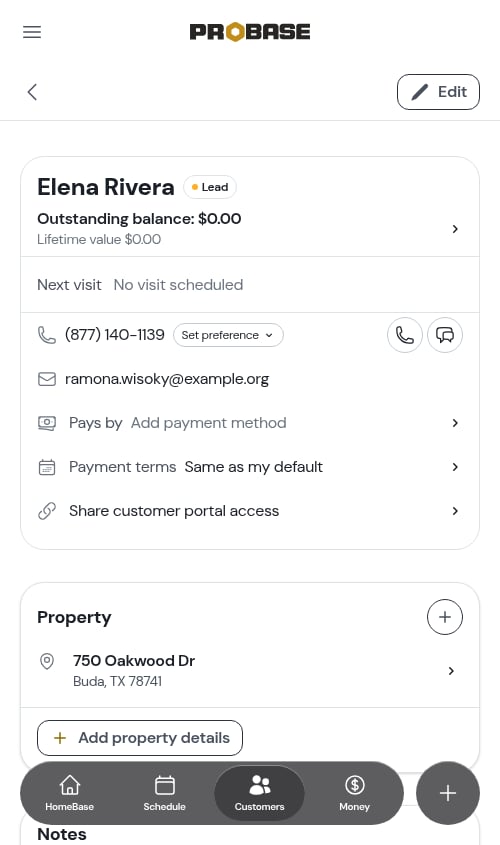
After creating a customer, you’ll see the customer page. At the top is a summary card showing their outstanding balance and lifetime value, their next scheduled visit, their phone number and email address, and how they pay.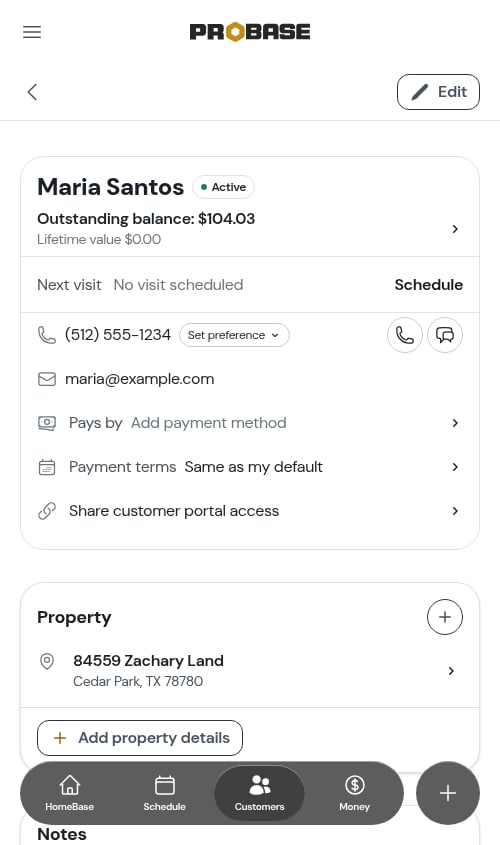
Edit customer information
1
Open the customer page
Go to Customers and click on the customer’s name.
2
Click Edit
Click the Edit button on the customer details page. The edit form opens as a modal.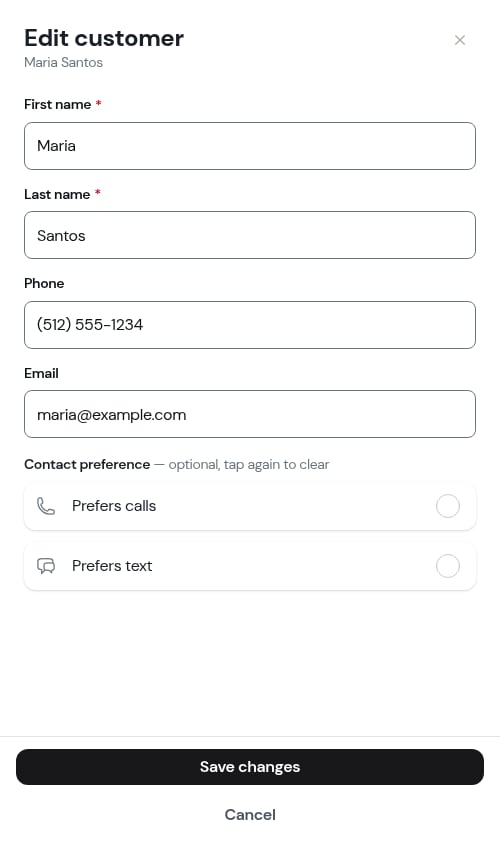
3
Update information
Make your changes to: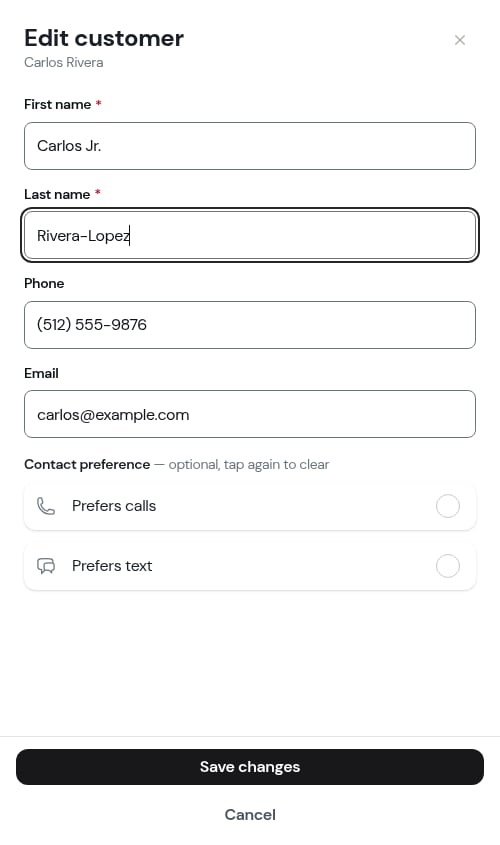
- First name
- Last name
- Email address
- Phone number (automatically formatted as you type)
4
Save changes
Click Save to update the customer information.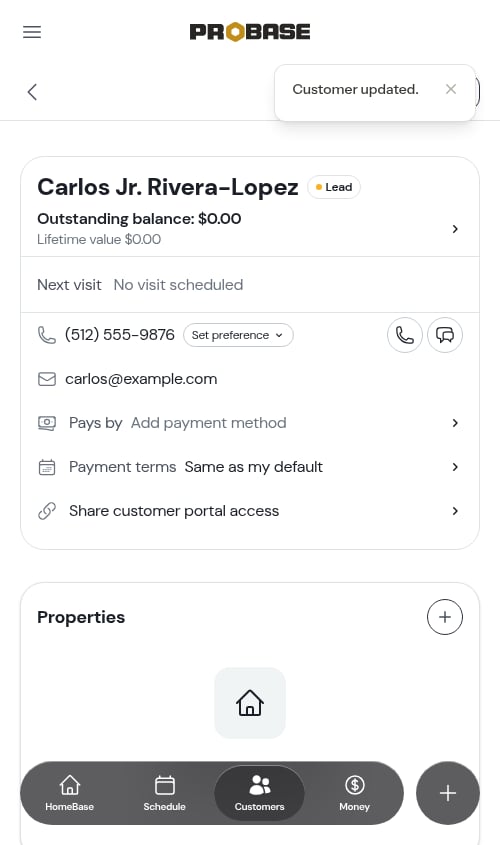
Search, sort, and filter customers
Search
Use the search bar at the top of the Customers page to find customers by name, address, or phone number. The search also matches on email and city/zip. Click on any customer in the results to view their profile. Type a name the way you’d say it. You can search by first name, last name, or the full name — typing Abe Keller finds Abe Keller just as Abe or Keller does. Extra spaces between the names don’t matter. Full-name search works the same everywhere you look a customer up by name: the customer picker when you create a job, quote, assessment, or payment, the calendar search, the HomeBase job lists, and the search boxes on Quotes and Money.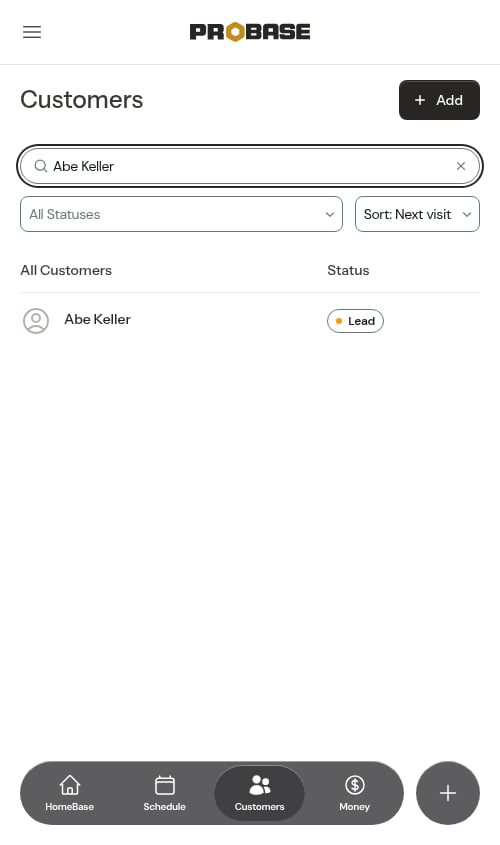
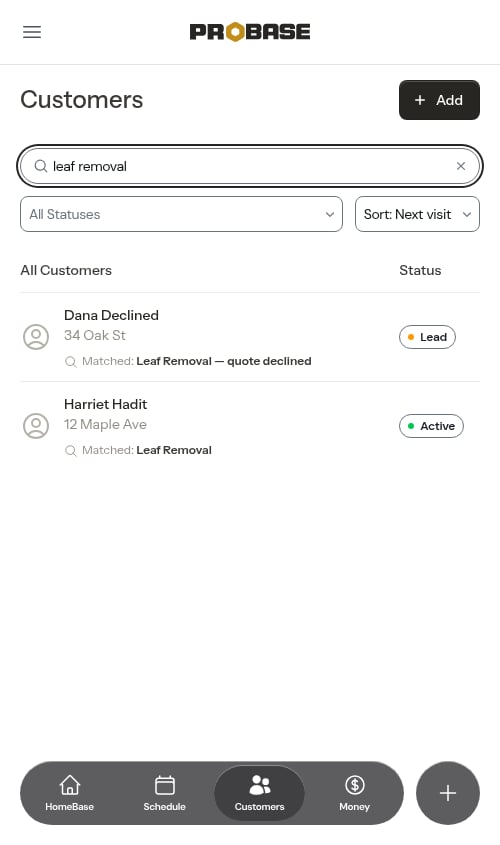
If your role doesn’t let you see customer contact details, searching won’t match on email or phone — name, address, and service searches still work as normal.
Sort the list
The Sort dropdown beside the search bar reorders the list. There are five options: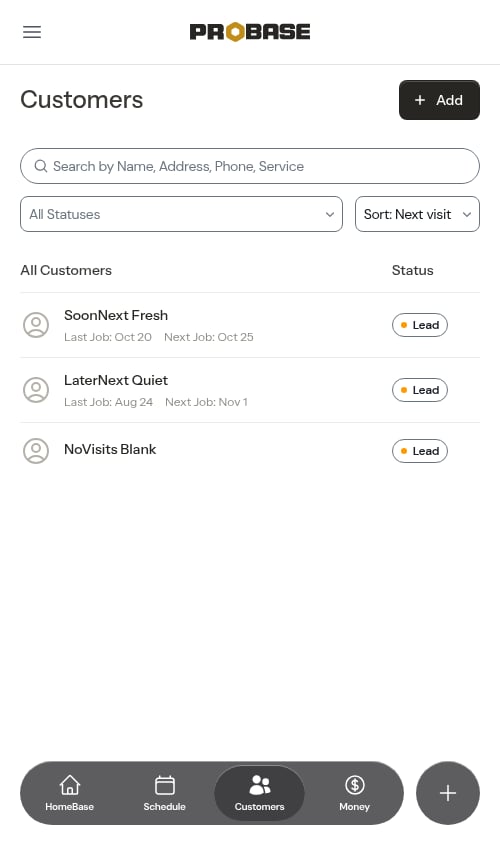
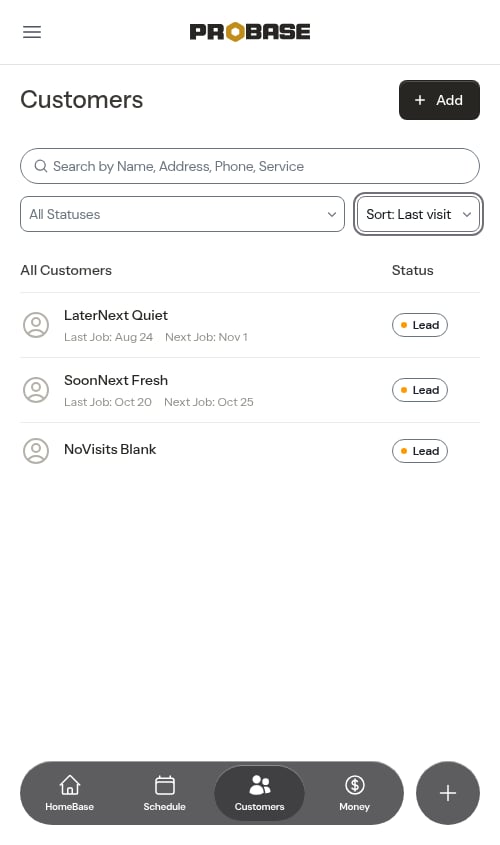
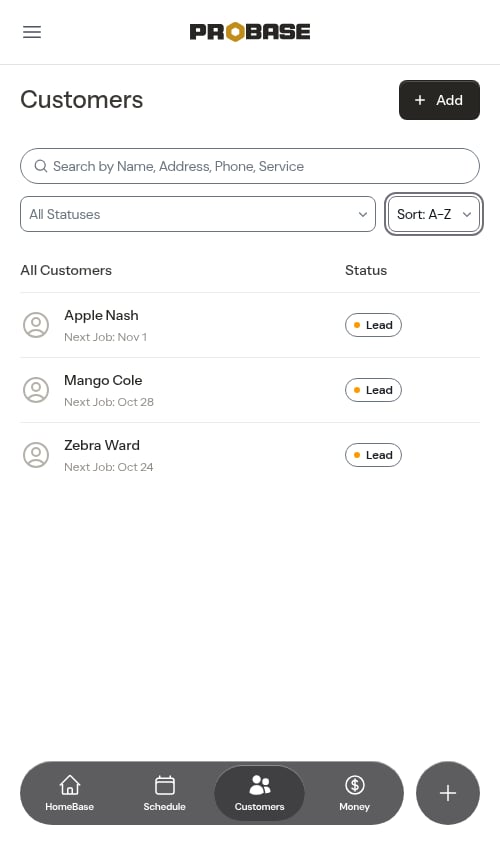
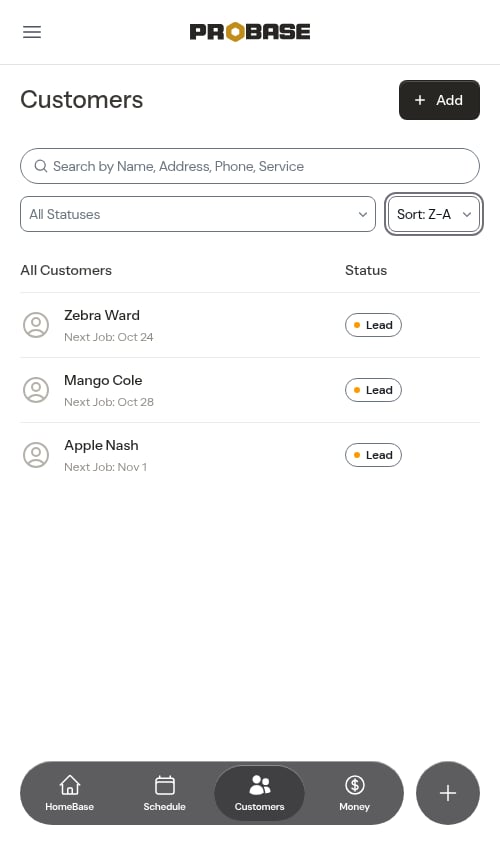
See who owes you
A customer who owes you money shows the amount beneath their name — for example Owes $85.00. Customers who owe nothing, or who have a credit, show no line. Pick Owes most in the Sort dropdown to bring the biggest balances to the top. Marketplace customers never show an owed line, because the marketplace collects from them, not you.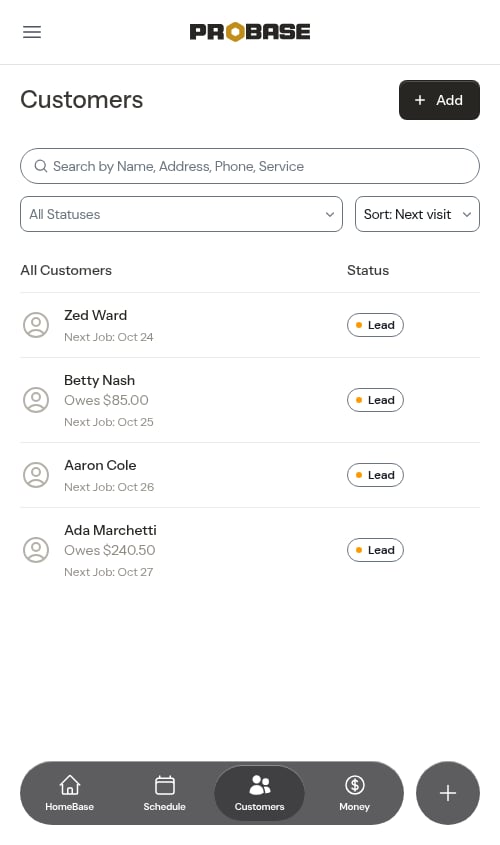
Customers with no visit date — a brand-new lead with nothing booked, for instance — always sit at the bottom of the two visit sorts rather than jumping to the top.
Filter by status
Use the All Statuses dropdown to narrow down your customer list. You can select more than one option at the same time — for example, select both Lead and Archived to see everyone you aren’t currently working for. Clear all selections to return to the full list. Available options:- Lead — Customers you’ve never created a job for: enquiries, contacts you typed in, and people with a quote or assessment but no job yet
- Active — Customers with at least one job on record, whatever state that job is in
- Archived — Customers you’ve archived. They’re hidden from the list until you tick this option
- From an import — Customers who came in through a customer import. This option narrows whatever else you’ve ticked — tick Lead as well, for example, to see imported customers with no job yet