What is customer status?
Every customer in Probase has an automatic status that shows their current relationship with your business. The status updates automatically based on their services and appointment history, helping you quickly identify which customers are active, need attention, or are potential leads.Customer status types
Probase assigns one of five status types to each customer:New (Gray)
Brand new customers who just joined your system. What it means:- Customer was just created and hasn’t had any properties or services added yet
- Default status for newly created customers
- Typically changes to another status as soon as properties or services are added
- Customer just signed up or was added to your system
- No properties or services configured yet
- Waiting for initial setup
Lead (Amber)
Potential customers who haven’t started service yet. What it means:- Customer has no properties, OR
- Customer has properties but no services, OR
- Customer only has assessment or draft services (no active, cancelled, or completed services)
- Customer only has proposals that are draft, sent, or declined (no accepted proposals or active jobs)
- Interested in your services but hasn’t committed yet
- New inquiry with a proposal sent
- Customer considering your proposal
- Property added but no services set up yet
- Only has assessment services in “draft” status waiting for completion
- Has pending proposals but no active jobs yet
Active (Green)
Customers with at least one active service. What it means:- Customer has at least one service with “active” status
- These are your current paying customers with ongoing services
- They have confirmed work, not just quotes
- Weekly lawn care customer with an active ongoing service
- Pool cleaning customer with active maintenance contract
- Any customer with confirmed active work
Recent (Blue)
Customers who had work done recently but no active services. What it means:- Customer had a completed appointment within the last 90 days
- They don’t have any active services currently
- Good candidates for follow-up, rebooking, or converting to ongoing service
- One-time job that was completed in the past 90 days
- Service that was cancelled but work was done recently
- Customer who had work done recently but isn’t on an active plan
Inactive (Red)
Past customers with no active services and no recent activity. What it means:- Past customer who hasn’t had work done in over 90 days
- Has services in the system but they’re all cancelled or completed
- Good candidates for win-back campaigns
- Seasonal customer who paused service
- Cancelled service with no work in over 90 days
- Past customer who stopped using your services
How status is calculated
Probase automatically calculates customer status using this priority-based logic:- New - Default status when a customer is first created (before any calculations)
- Lead - If the customer has no properties, OR has properties but no services, OR only has services with “assessment” or “draft” status
- Active - If the customer has at least one service with “active” status
- Recent - If the customer has a completed appointment within the last 90 days (but no active services)
- Inactive - If the customer has services but no active services and no completed appointments in the last 90 days
- A property is added or removed
- A service is created, updated, or cancelled
- An appointment is completed, rescheduled, or cancelled
- A proposal is accepted and converted to an active job
- An assessment is completed and a proposal is accepted, converting to an active service
Viewing customer status
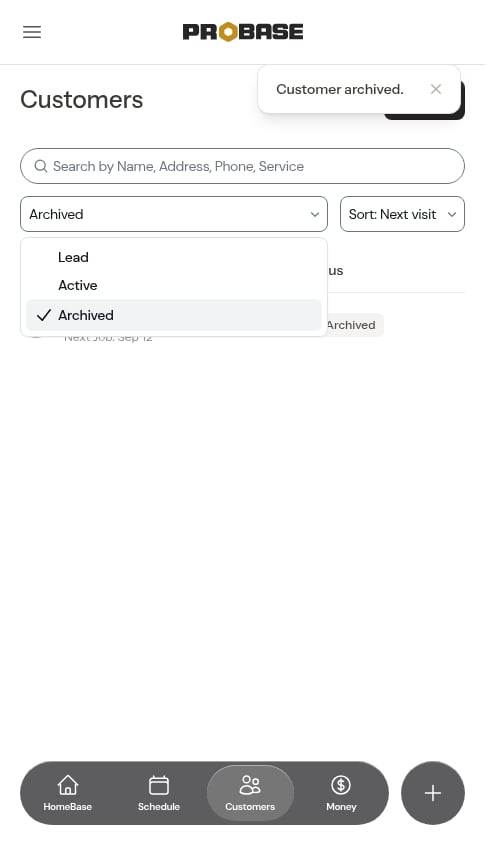
On the customer list
When you view your customer list (Customers in the sidebar), each customer shows:- Status badge with color indicator (e.g., “Active” with green dot)
- Last Job date (when the most recent appointment was completed)
- Next Job date (when the next appointment is scheduled)
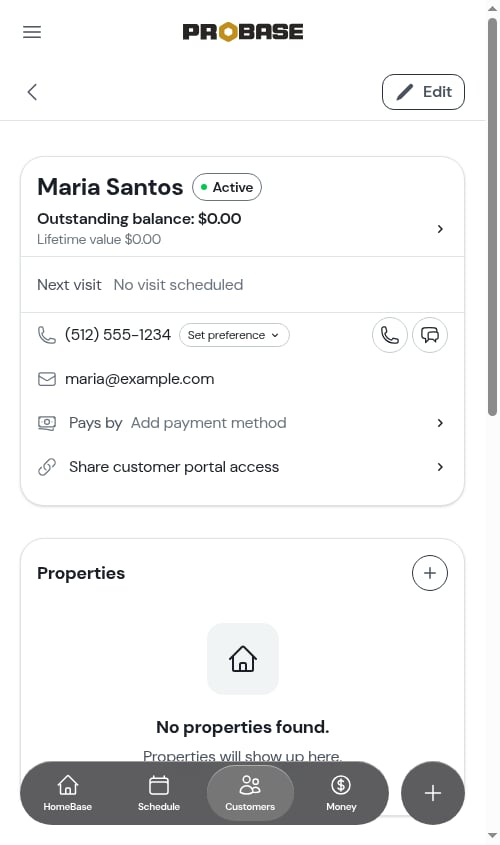
On the customer detail page
The customer status appears at the top of the customer detail page with the colored badge indicator.Status change examples
Lead → Active
When you accept a proposal and start service:- Customer has a proposal (status: Lead)
- You accept the proposal, converting it to an active job and scheduling the first appointment
- Status automatically changes to Active
Active → Recent
When all active services end:- Customer has active services (status: Active)
- All active services are cancelled or completed
- If they had an appointment in the last 90 days, status changes to Recent
- If no recent appointments (>90 days), status changes to Inactive
Recent → Inactive
When a recent customer hasn’t had work done in over 90 days:- Customer had a one-time job completed 85 days ago (status: Recent)
- Time passes and it’s been 91 days since the appointment
- Status automatically changes to Inactive on next recalculation
Using status to manage your business
Focus on leads
Filter by “Lead” status to see all pending proposals and follow up with potential customers.Check on inactive customers
Filter by “Inactive” to find past customers who might need service again. Reach out to see if they’re ready to resume work.Monitor active customers
Filter by “Active” to see your current customer base and ensure all active services have appointments scheduled.Follow up with recent customers
Filter by “Recent” to find customers who just had work done. Perfect for requesting reviews, offering additional services, or checking satisfaction.Last and next job dates
In addition to status, Probase tracks:- Last Job date - Timestamp of the most recent completed appointment for this customer
- Next Job date - Timestamp of the next scheduled appointment for this customer
- When you last visited the customer
- When you’re scheduled to visit next
- Customers who haven’t been visited recently
- Upcoming appointments requiring preparation
Next steps
- View customer information to see full details and history
- Add new customers to your business
- Create jobs to set up services for customers
- Manage your service catalog to create assessment and job templates