What are overdue jobs?
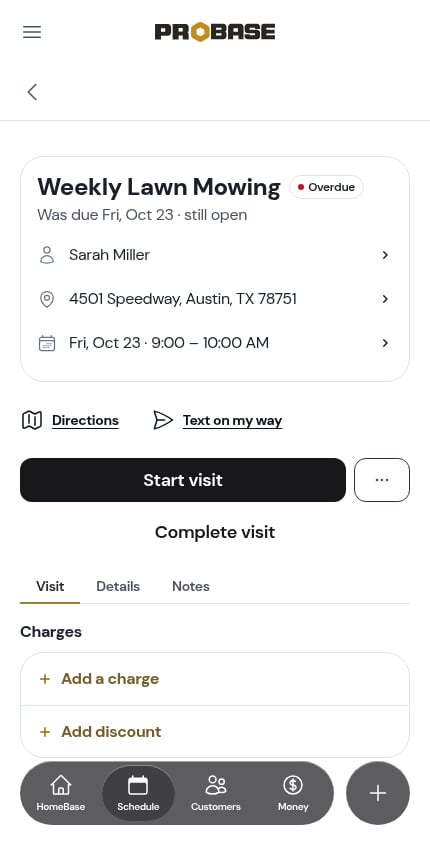
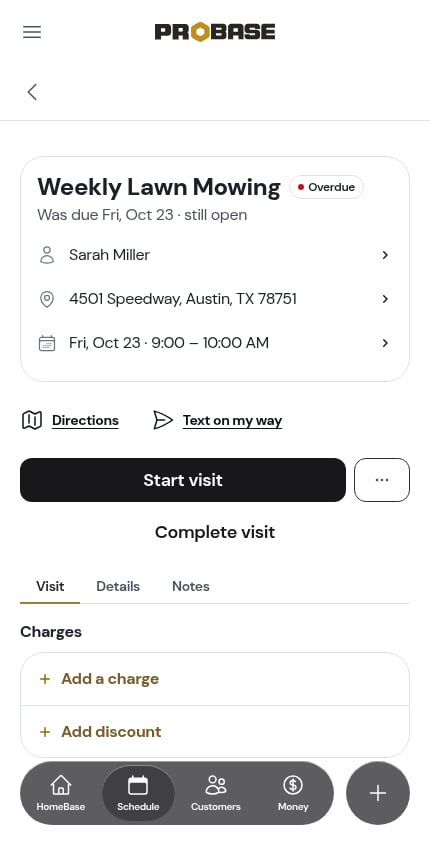
An overdue job is a visit that’s still sitting there scheduled after its day is over — never completed, cancelled or rescheduled. This can happen when a crew couldn’t make it, a customer cancelled last-minute, or an appointment was created but never resolved. ProBase flags these automatically so nothing slips through the cracks.A visit turns overdue at 9:00 PM on its own date by default, in your business’s timezone. Before that it reads Today however late the hour — an evening job isn’t a problem until the evening is over. You can change the time — anywhere from noon to Midnight (the end of the visit’s day) — under Mark visits Overdue at in Scheduling settings. The same rule is used everywhere: the badge on a card, the pill on the visit page, and the count on HomeBase all flip at the same moment, so a visit is never overdue in one view and fine in another.
When a visit turns overdue
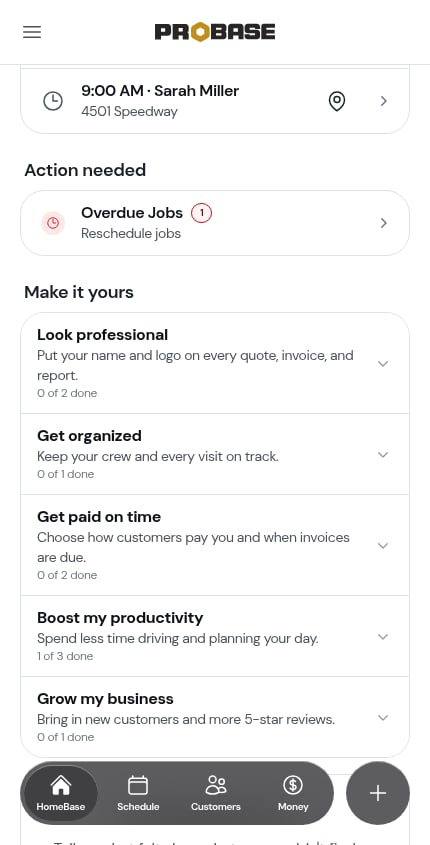
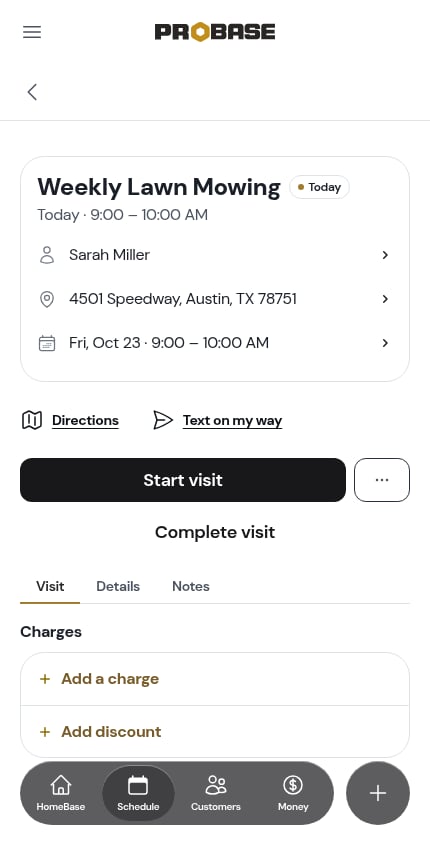
Here’s the same visit, booked for today, at noon and again at 9:30 PM with the default 9:00 PM setting. At noon the pill reads Today; after 9:00 PM it reads Overdue, and HomeBase counts it under Overdue Jobs at the same moment.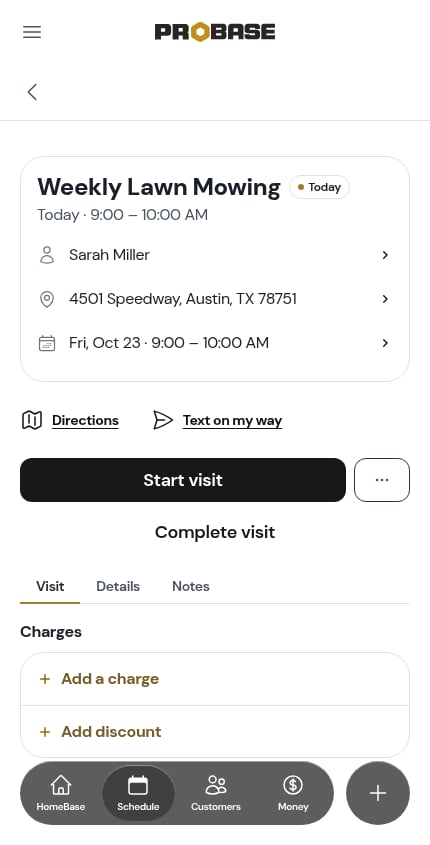
Finding overdue jobs
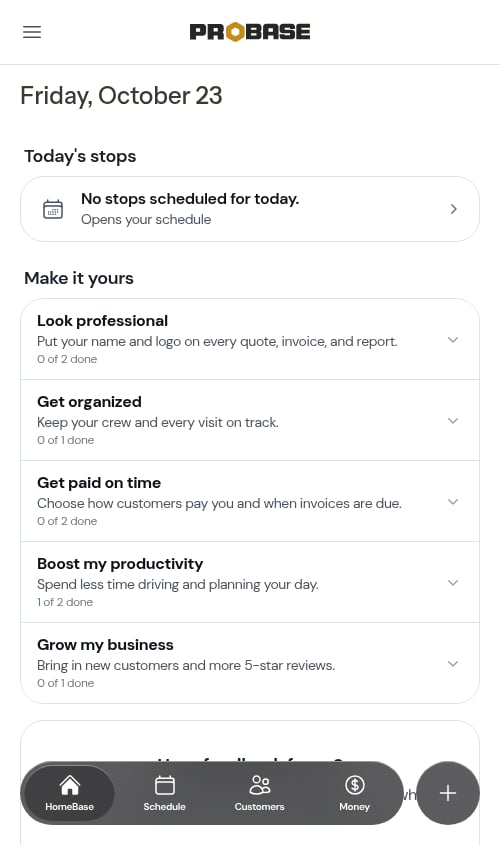
When you have overdue appointments, an Overdue Jobs action item appears in the Action needed section on HomeBase. The count shows exactly how many appointments need attention.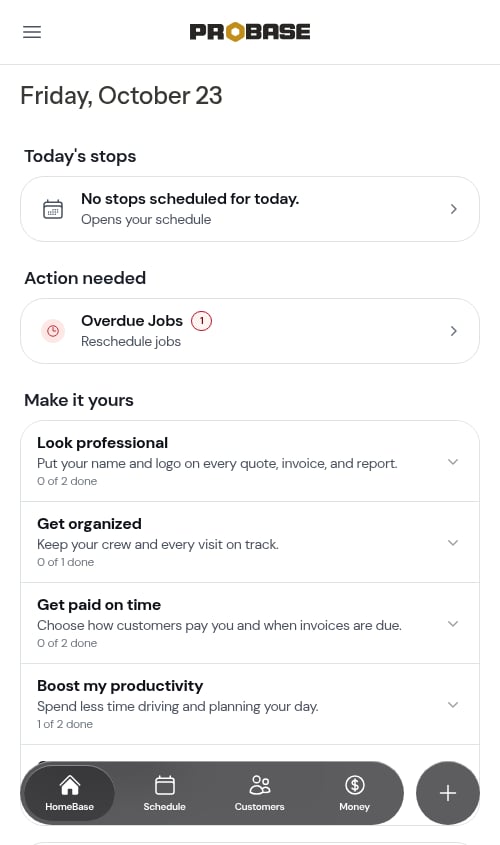
The Overdue Jobs list
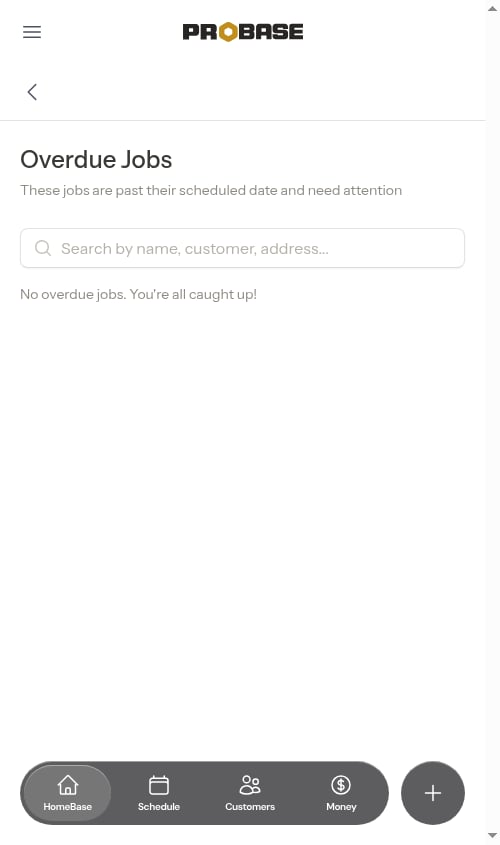
The Overdue Jobs page shows all past-due appointments sorted oldest-first, so the most urgent items appear at the top.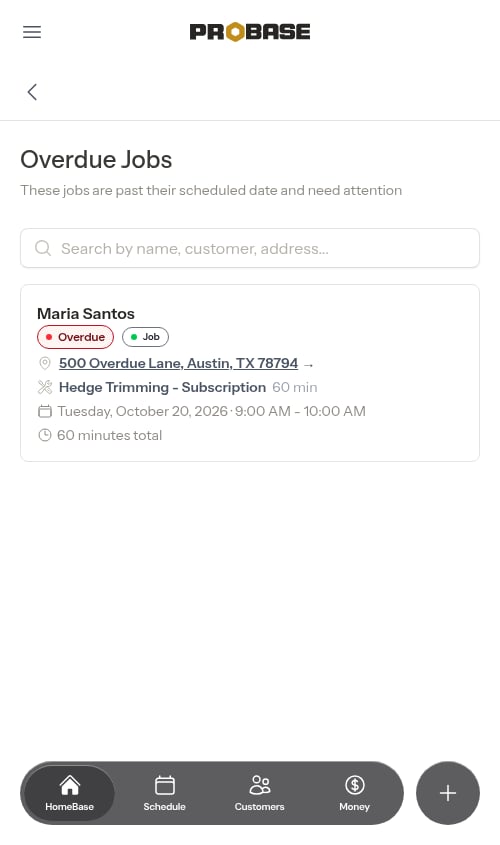
- Service name
- Customer name
- Property address
- Original scheduled date
- Assigned crew (when your team has more than one crew) — color-coded with a truck icon, or an amber “Not assigned to a crew yet” warning if no crew has been picked
- A marketplace brand mark next to the status badge if the job came from a connected marketplace — the same small logo you see on the calendar and your daily route. See Marketplace jobs
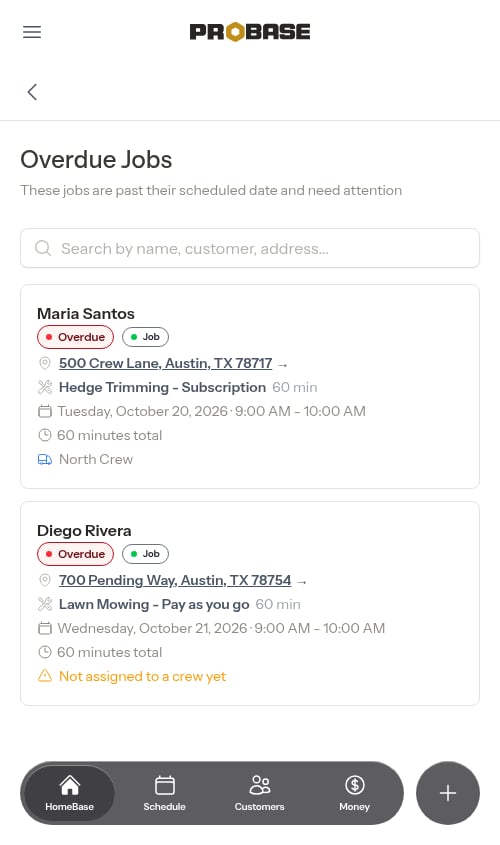
The crew row only appears on overdue cards when your team has more than one crew. If you run a single crew, the assignment is implicit and the row is hidden to reduce clutter.
Marketplace visits that were already dealt with don’t show up here. A visit that the marketplace completed, cancelled, or moved to another day is finished as far as this list is concerned, so it never sits in Overdue Jobs waiting on you — even though its original date has passed. See After a visit is rescheduled in the marketplace app.
Searching
Use the search bar at the top to filter by service name, customer name, or address.Load more
If you have many overdue jobs, the list loads 20 at a time. Scroll to the bottom and the next batch loads automatically.Resolving an overdue job
Tap any card to open the visit page.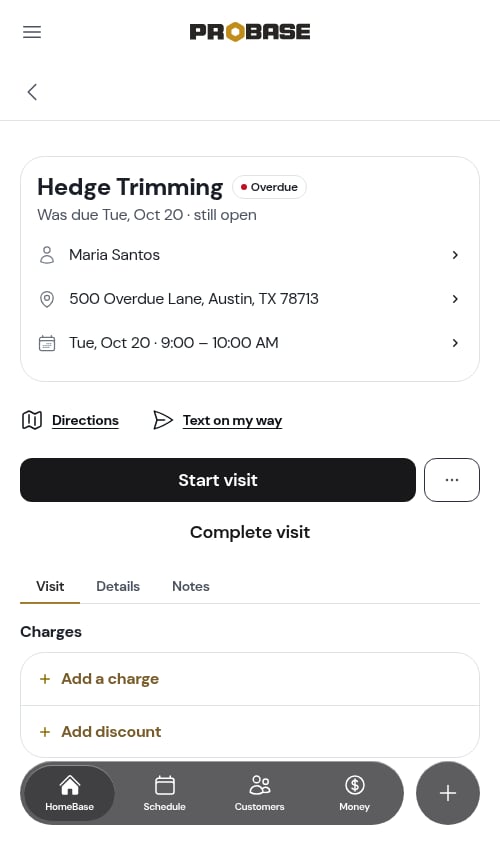
- Assign a crew — tap the crew row on the header card to pick a crew for an unassigned visit, or swap to a different one. (The row only appears when your business has more than one crew.) See Assign or change the crew.
- Complete the visit — if the work was actually done, work it as normal. See Completing a visit.
- Reschedule — put it on a new date. See Rescheduling appointments.
- Cancel this visit — call it off if the work won’t happen.
Cancelling an overdue visit
1
Open the visit
Tap the job from the overdue list to open its visit page.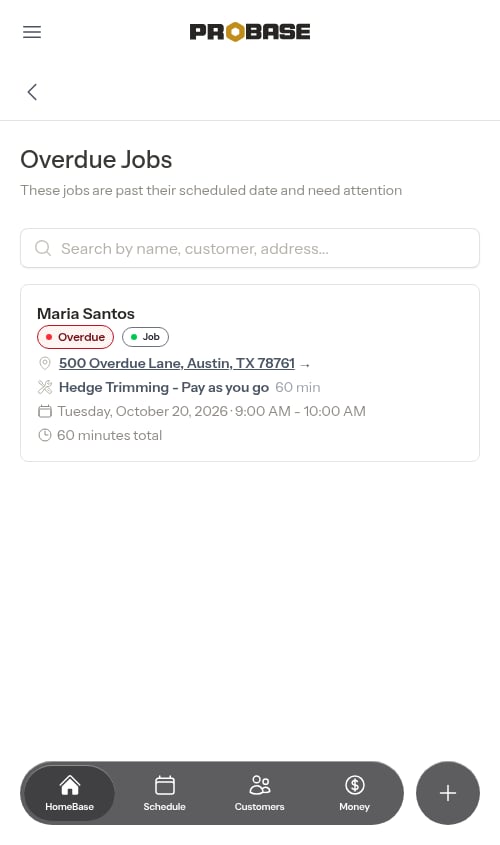
2
Tap ⋯ More → Cancel this visit
The ⋯ More sheet holds Cancel this visit, with a line underneath naming this visit’s date and the next visit’s date.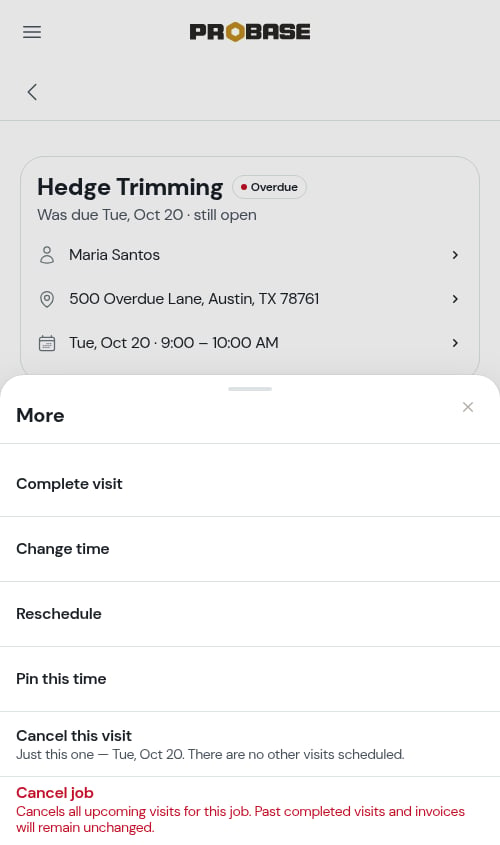
3
Confirm
A sheet slides up headed Cancel this visit?. If the visit has charges or notes of its own and another visit is scheduled, it asks whether to move them forward first.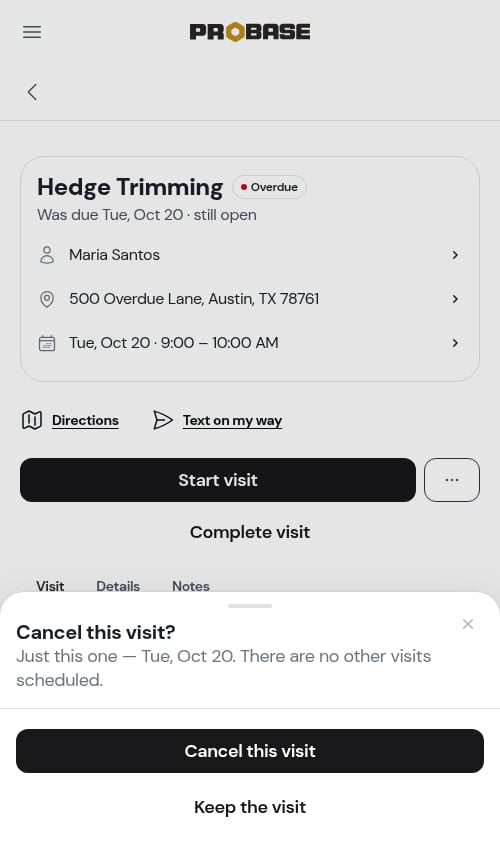
4
Done
The visit is marked Cancelled and drops off the overdue list.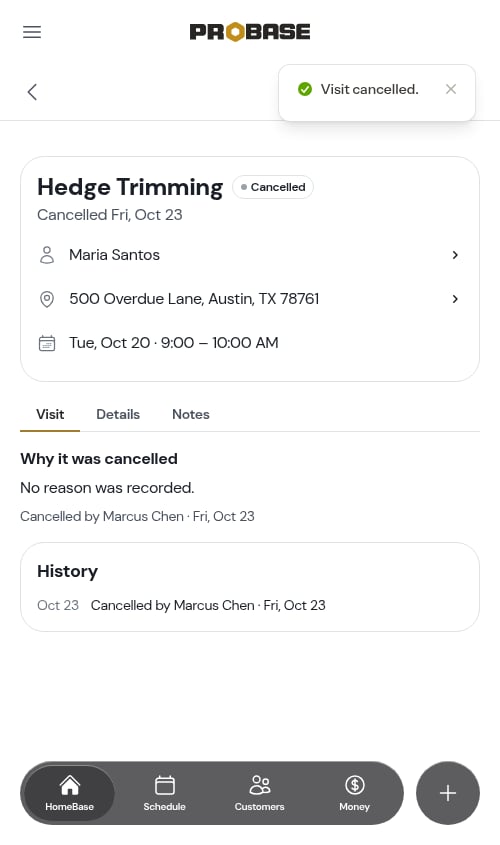
Cancelling this way only ends this one visit — the rest of the job’s schedule stands. To end the whole job, use Cancel job at the bottom of the same sheet. See Cancelling a visit.
Tips for staying on top of overdue jobs
- Check HomeBase daily — The Action needed section is the fastest way to spot overdue jobs before they pile up
- Reschedule promptly — Rescheduling keeps the job active and ensures customers get the service they’ve signed up for
- Cancel when appropriate — If a customer cancelled verbally, record the cancellation in ProBase to keep your schedule accurate
- Use the search — If you have a long list, search by customer name to quickly find a specific job
Next steps
- Rescheduling jobs — How to reschedule an appointment to a new date
- Completing jobs — Mark appointments as done to clear them from the list
- HomeBase — Your daily command center for field work