Google Maps or Apple Maps
Throughout ProBase, Directions buttons and address links open a maps app with turn-by-turn directions to the property — for example, the Directions button on a job that’s due today. You can choose whether those links open in Google Maps or Apple Maps. This is a personal preference tied to your own login, so each person on your team can pick the app they prefer.Changing your maps app
1
Open My Profile
Open the navigation drawer and tap My Profile in the footer at the bottom.
2
Find the Maps section
Scroll to the Maps section. It asks which app should open when you tap an address or directions link.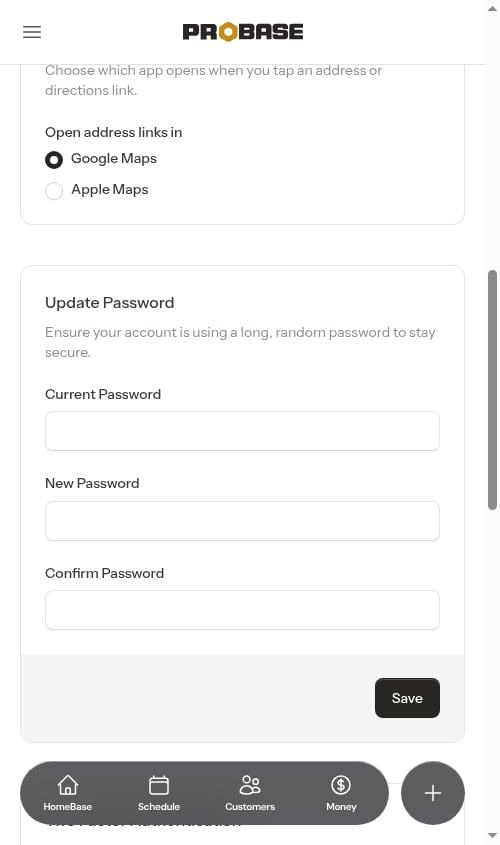
3
Pick an app
Choose Google Maps or Apple Maps. Your choice saves immediately — you’ll see a confirmation, and there’s no separate Save button to press.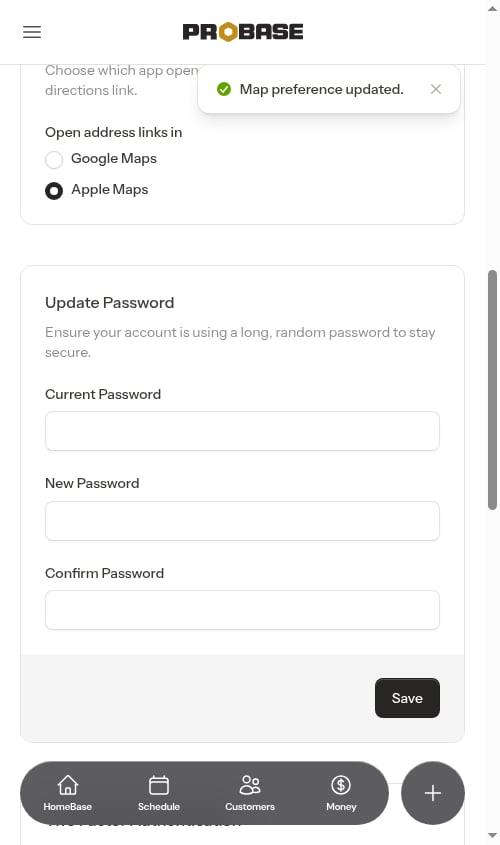
New accounts default to Google Maps. Switching to Apple Maps is handy on iPhones and iPads, where directions then open straight into the built-in Maps app.