What are ProBase checklists?
Alongside the checklists you build yourself, ProBase provides ready-made checklist templates for common industries. In your Checklists library they’re marked with a ProBase tag, followed by a chip for each of your declared trades the template applies to — a pool business sees a Pool chip, not ProBase’s whole trade list. If a template matches more than three of your trades, the row shows the first three chips and collapses the rest into a +N more chip. Tap it to reveal the others without leaving the library — see Trade chips and “+N more”.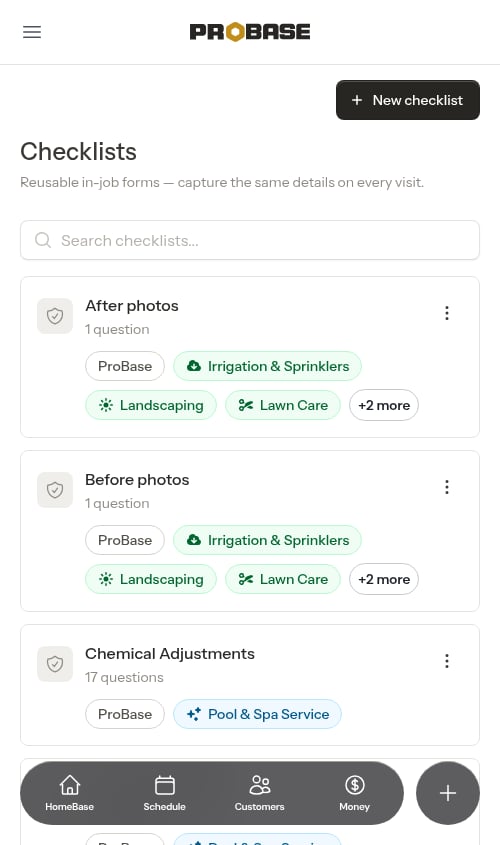
Before photos and After photos
Two ProBase checklists ship with every trade, not just one:
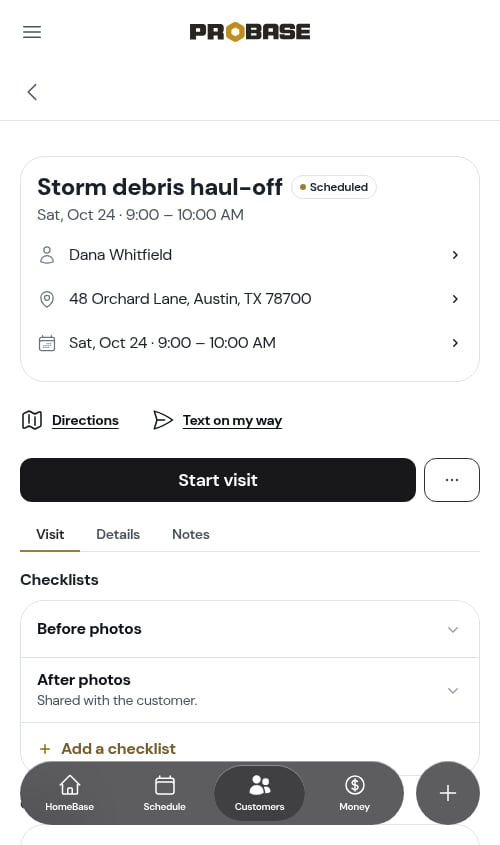
Each one is a single, optional photo question, so neither ever blocks you from completing a visit, and each holds as many pictures as the job needs.
They’re on every service you create, whether or not the service has a trade set, and they’re pinned to the top of the Checklists card on every job visit — above anything else attached to the service. Even a job with no service template behind it gets both rows.
Assessment visits don’t get the photo rows — they belong to jobs. See Assessments.
Automatic attachment by industry
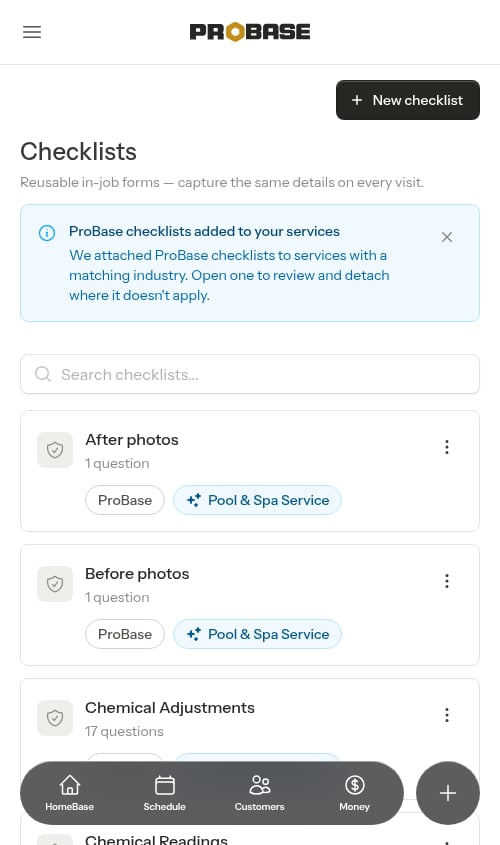
ProBase checklists are added automatically to the services that match your business’s industry. When this happens, you’ll see a banner in your Checklists library letting you know:ProBase checklists added to your services — We attached ProBase checklists to services with a matching industry. Open one to review and detach where it doesn’t apply.You don’t have to do anything to turn them on — but you’re always in control of which services they apply to (see Choosing which services use a ProBase checklist below).
Viewing a ProBase checklist
Open a ProBase checklist from the library and it opens on Preview — exactly how the checklist will look to your crew on a job, with every question rendered. There’s no Save button, because the ProBase template itself can’t be changed. Under the preview, a Defined by ProBase note explains your options: preview how it renders on a job, choose which of your services it applies to, or tap Edit to make your own copy (see Making your own copy below).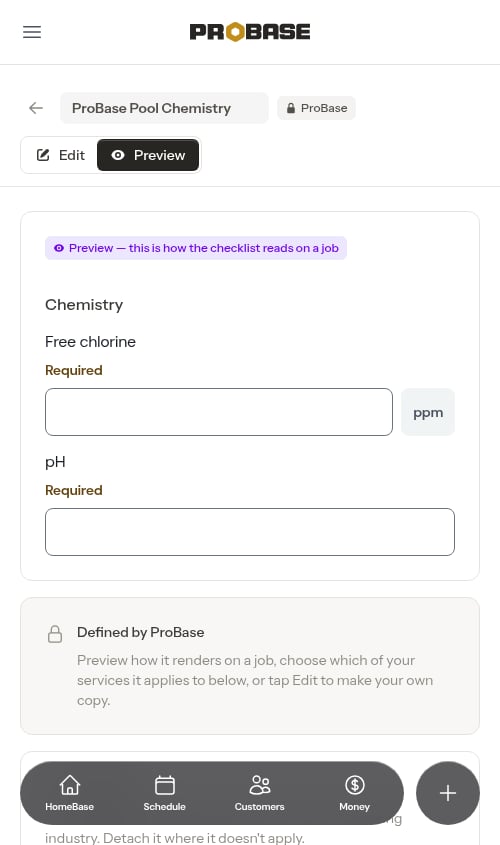
The Edit option only appears for team members whose role lets them create checklists. Everyone else sees the preview and the services list without it.
Choosing which services use a ProBase checklist
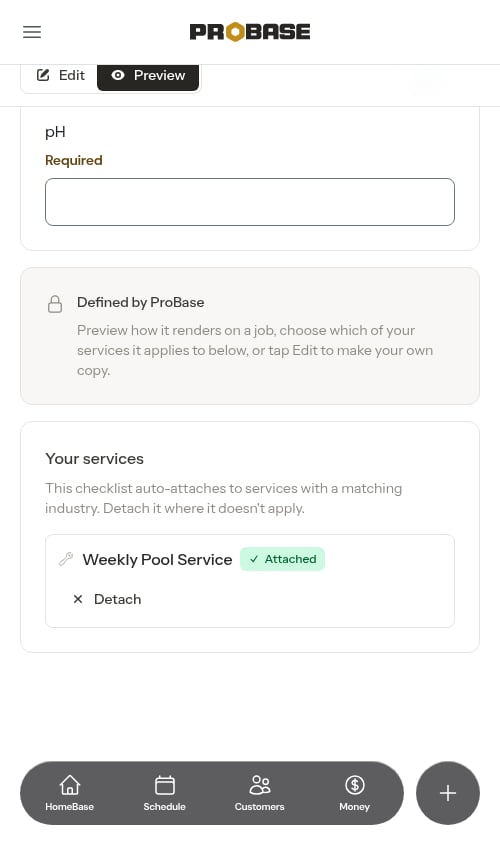
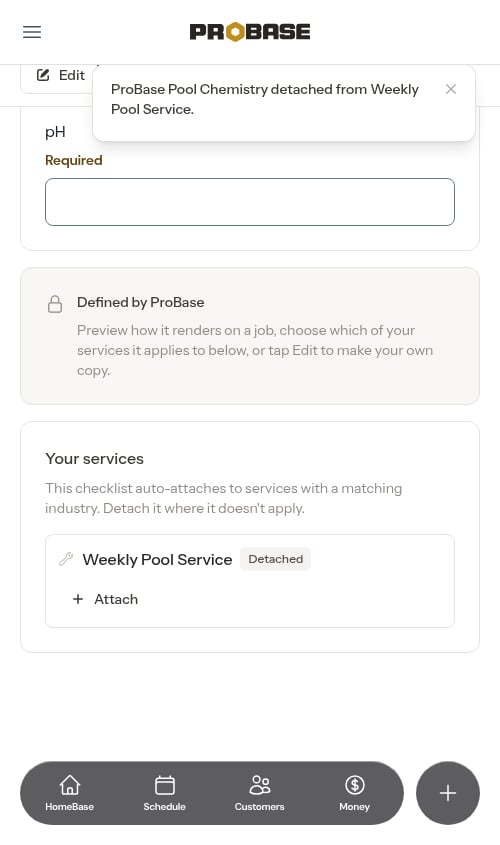
Even without making a copy, you decide which of your services a ProBase checklist applies to. Scroll below the preview to the Your services list, where each of your matching services has an Attach / Detach control:- Services the checklist is currently on show Attached, with a Detach button.
- Tap Detach on a service where the checklist doesn’t apply, and it flips to Detached with an Attach button so you can add it back later.
Making your own copy
If a ProBase checklist is close to what you need but not quite right — a question you’d word differently, a reading you don’t take, an extra task you always check — you can make it your own.1
Open the ProBase checklist
Go to Checklists in the sidebar and tap the ProBase checklist. It opens on its preview.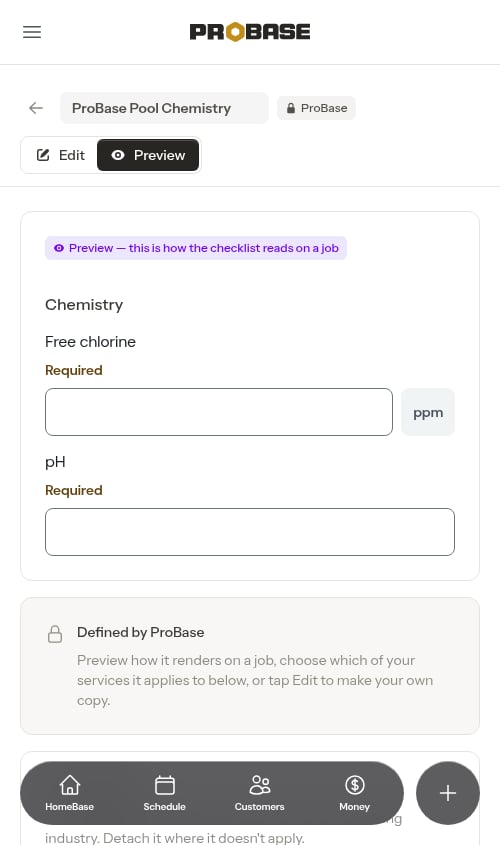
2
Tap Edit
Tap Edit. ProBase makes your own copy straight away and opens it in the builder. A message confirms how many services it was swapped onto — for example “You’re now editing your own copy. It replaced the ProBase checklist on 2 services.”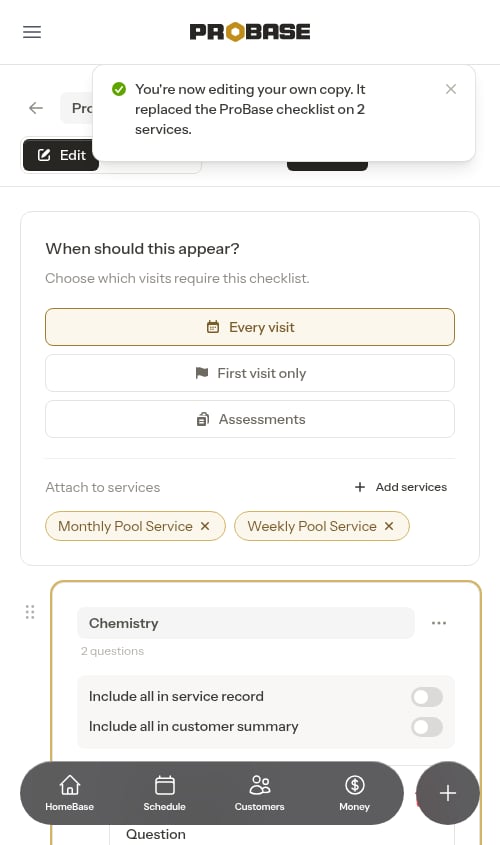
3
Make your changes and save
Edit the questions just like any checklist you built yourself (see Building checklists), then tap Save.
- Keeps the same name. Your copy is called exactly what the ProBase checklist was — no “(Copy)” on the end. You can rename it if you like.
- Swaps it onto your services. Every service the ProBase checklist was on now uses your copy instead, in the same spot in the service’s checklist order.
- Keeps your crew’s answers. If a crew is partway through a visit that uses the checklist, the answers they’ve already entered carry over to your copy. Visits that are already completed keep exactly what was recorded.
- Keeps how answers are used. Readings that fed the property’s service records keep doing so, and a copy of Before photos or After photos still works as that visit’s photos — including the after photos on the customer’s service report.
Tapping Edit again on the same ProBase checklist (for example, from an old link) simply takes you to the copy you already have — it never makes a second one.
Going back to the ProBase checklist
Changed your mind? Delete your copy from its ⋮ menu in the library. The ProBase checklist comes back — on every service your copy was on, in the same spot — and a message tells you how many services it returned to, for example “Deleted. The ProBase checklist is back on 1 service.” If your copy wasn’t on any services, the message just says the ProBase checklist is back in your library.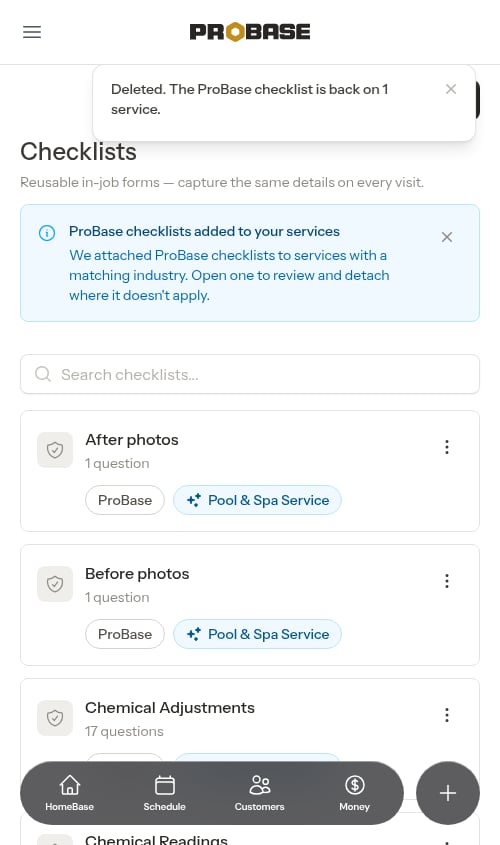
Using Duplicate from a checklist’s menu is different: it makes a separate “(Copy)” alongside the original and doesn’t swap anything on your services. Deleting a duplicate doesn’t bring anything back.
New versions
ProBase occasionally publishes an improved version of a checklist. When a newer version is available for a checklist attached to your services, you’ll see a banner in your library:A newer checklist version is available — ProBase published a new version of a checklist attached to your services. Open it to upgrade each service.Tap Review to open the checklist and choose to upgrade your services to the new version. Your existing services keep working on their current version until you upgrade them. On the checklist, services with a newer version waiting show Update available and an Upgrade to latest button. Once you’ve made your own copy of a checklist, you won’t be offered ProBase’s newer versions of it — your copy is yours to keep up to date. If you want ProBase’s latest version, delete your copy (see Going back to the ProBase checklist).